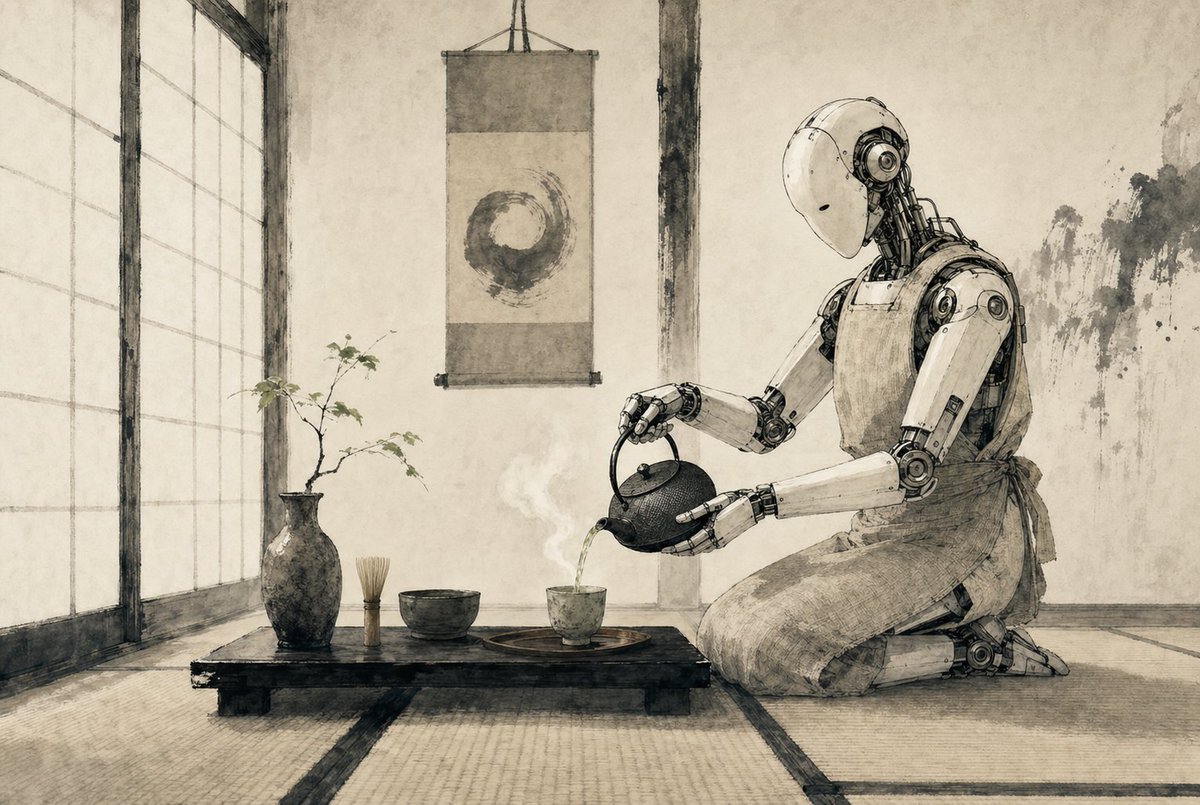
Zen Tea Ceremony Robot
A minimalist sepia ink-style scene of a humanoid robot performing a Japanese tea ceremony, ideal for generating poetic sci-fi editorial art or atmospheric concept imagery.
This is a gpt-image-2 prompt case for 插画艺术. Use the copy-ready prompt below to generate similar visuals, and review YouMind OpenLab awesome-gpt-image-2 attribution plus commercial-use rights before reuse.
Prompt
Copy-ready prompt
A tranquil Japanese tea room is presented in an exquisite monochrome ink painting style on aged parchment, with soft shades of dark brown and gray, delicate brushstrokes, and precise lines. On the right, a {argument name="robot type" default="service robots"} A humanoid robot kneels on a tatami mat, its smooth white shell and exposed mechanical joints showcasing elegant industrial details. Head bowed, it slowly pours hot tea from a cast-iron teapot into a small ceramic cup. A simple cloth apron cinches its waist, perfectly blending traditional tea ceremony etiquette with a futuristic mechanical feel. In the foreground, five tea utensils are clearly visible on a low, black wooden tea table: a dark ceramic vase with a sparse leaf; an upright bamboo whisk; a tea bowl; a small teacup on a tray; and a cast-iron teapot held by the robot. The freshly brewed tea emits a faint steam. A scroll hanging behind the table displays a free-flowing enso (circular image). To the left, tall shoji doors diffuse soft sunlight into the room. The walls are simple stucco with subtle wear and ink stains. The overall composition is calm, balanced, minimalist, and thought-provoking, blending Japanese "wabi-sabi" aesthetics with a tranquil science fiction feel. The widescreen cinematic composition, eye-level perspective, and ample negative space create a meditative atmosphere.Prompt variables
Editable argument placeholders found in the prompt, with their default values.
More cases in this category
Prioritized by category, input mode compatibility, quality, and lower risk.






Reuse and source notes
Use this prompt safely after previewing the case.
- 1.Copy the prompt or open it directly in Dovoo with the generation button.
- 2.Adjust variables, aspect ratio, and reference images for your own use case.
- 3.Before publishing or paid usage, verify source rights, attribution requirements, and brand or likeness risks.
Can I use this prompt commercially?
Commercial-use status is unknown. Review the original source, license, brand constraints, and legal requirements before paid usage.
Where does this case come from?
This case is imported from YouMind OpenLab awesome-gpt-image-2; keep attribution visible and check the source URL before reuse.