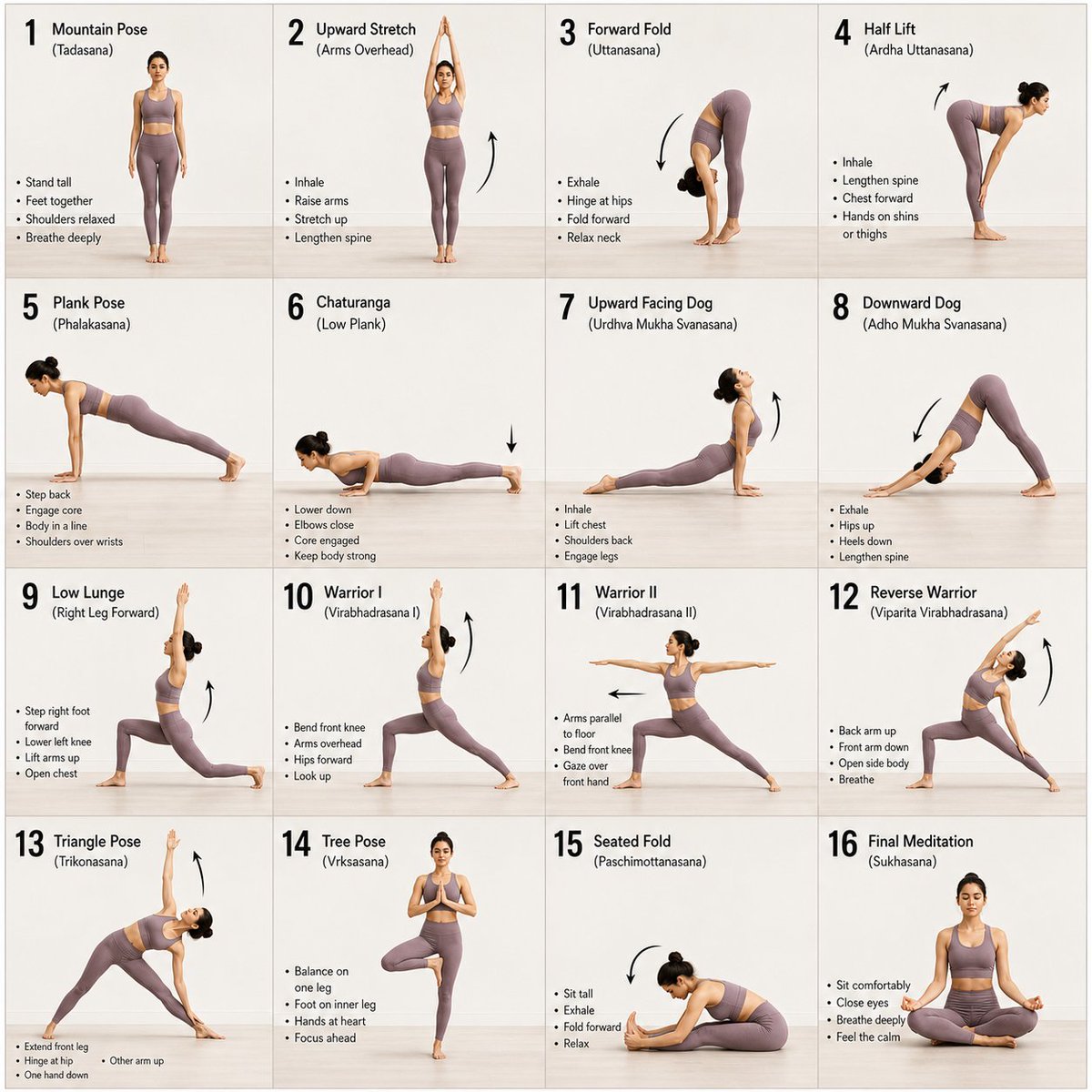
16-Panel Yoga Instructional Storyboard
A clean, minimalist 16-panel grid layout for a yoga instructional guide, showing a progression of poses with a consistent subject and background.
This is a gpt-image-2 prompt case for 平面海报. Use the copy-ready prompt below to generate similar visuals, and review YouMind OpenLab awesome-gpt-image-2 attribution plus commercial-use rights before reuse.
Prompt
Copy-ready prompt
A 16-panel instructional storyboard grid featuring a {argument name="subject" default="calm, athletic young woman"} performing a sequence of {argument name="activity" default="yoga poses"} in the same spot. Clean minimal studio background with soft natural lighting, consistent full-body framing across all panels. The woman wears a {argument name="outfit" default="fitted neutral-toned yoga outfit (leggings + sports top)"}, barefoot, hair tied back. Each panel shows a different pose in a smooth progression: Mountain Pose (Tadasana), Upward Stretch (Arms Overhead), Forward Fold (Uttanasana), Half Lift, Plank Pose, Chaturanga (Low Plank), Upward Facing Dog, Downward Dog, Low Lunge (Right Leg Forward), Warrior I, Warrior II, Reverse Warrior, Triangle Pose, Tree Pose (Balance), Seated Fold, Final Meditation Pose (Eyes Closed, Calm Expression). Style: modern instructional design, evenly spaced grid layout, each frame labeled with step number and pose name, subtle arrows indicating movement flow, soft shadows, neutral background, high detail, realistic proportions, elegant and calming aesthetic.Prompt variables
Editable argument placeholders found in the prompt, with their default values.
More cases in this category
Prioritized by category, input mode compatibility, quality, and lower risk.






Reuse and source notes
Use this prompt safely after previewing the case.
- 1.Copy the prompt or open it directly in Dovoo with the generation button.
- 2.Adjust variables, aspect ratio, and reference images for your own use case.
- 3.Before publishing or paid usage, verify source rights, attribution requirements, and brand or likeness risks.
Can I use this prompt commercially?
Commercial-use status is unknown. Review the original source, license, brand constraints, and legal requirements before paid usage.
Where does this case come from?
This case is imported from YouMind OpenLab awesome-gpt-image-2; keep attribution visible and check the source URL before reuse.