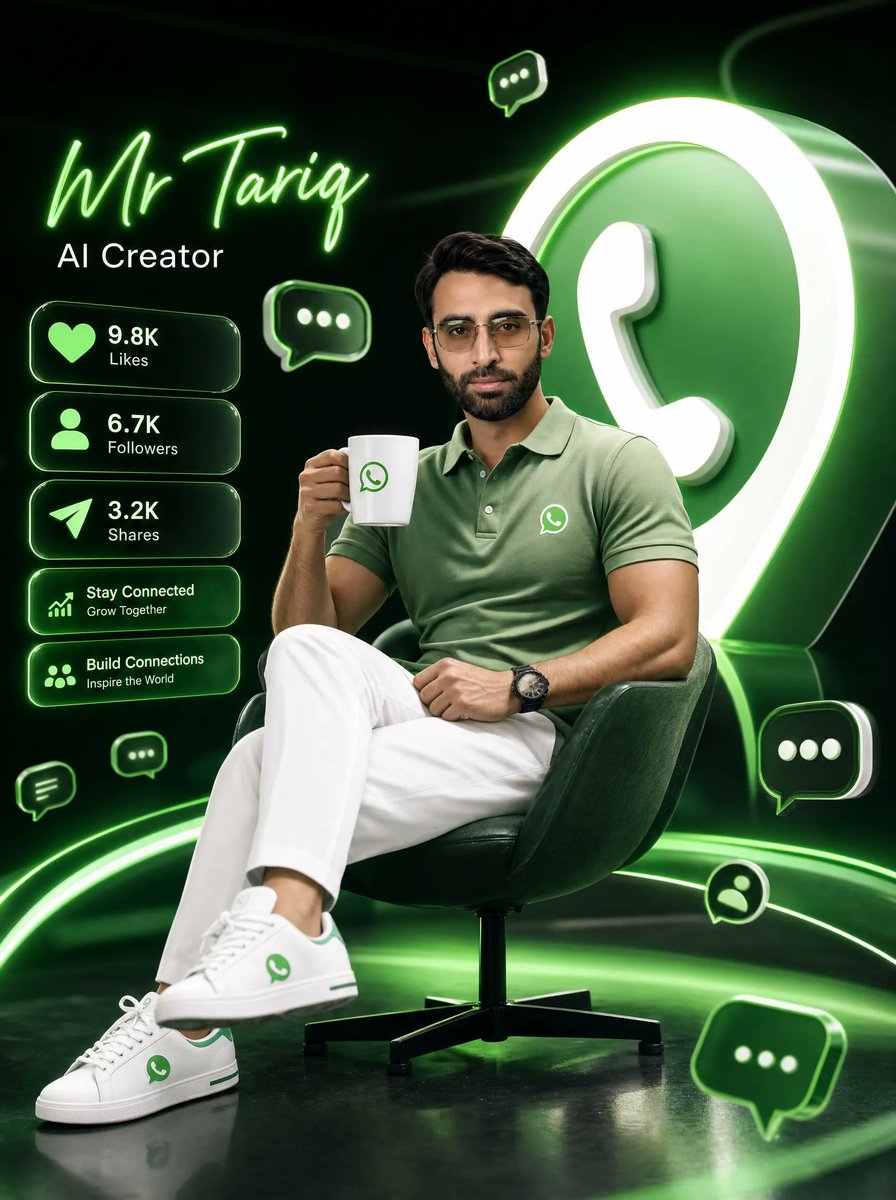
Neon WhatsApp AI Creator Poster
A cinematic 3D personal-brand poster featuring a stylish AI creator seated with social stats and glowing WhatsApp-inspired graphics.
This is a gpt-image-2 prompt case for 平面海报. Use the copy-ready prompt below to generate similar visuals, and review YouMind OpenLab awesome-gpt-image-2 attribution plus commercial-use rights before reuse.
Prompt
Copy-ready prompt
Objective: To create a high-quality, cinematic 3D digital poster for personal branding materials, featuring [the subject/character].{argument name="character name" default="Mr Tariq"} , identity is{argument name="profession title" default="AI Creator"} The theme is a glossy WhatsApp-style neon green. Canvas: Vertical 4:5 poster composition, deep black to dark green studio background, reflective floor, dramatic rim lighting, high contrast, premium social media promotional look. Subject: A stylish young man sits in a relaxed yet professional pose on a dark green modern swivel chair. He wears modern glasses (as seen), a light sage green polo shirt with a small WhatsApp logo on the chest, crisp white trousers, and white low-top sneakers with green accents and a small WhatsApp logo. He holds a white coffee cup in his right hand, also with a small green WhatsApp logo. He has his legs casually crossed, one hand near his knee, and wears a dark watch. The body is rendered using photorealistic 3D rendering with sophisticated cinematic lighting; the face is kept understated and customizable rather than overly detailed. Background focal element: A large glossy 3D WhatsApp-style icon with a bright white outline and a green circular body is cropped at the edge of the canvas to the right rear of the subject. Add glowing green rings and curves around the ground and background to create depth and dynamism. Text content: In the upper left corner, use a striking neon green handwritten font.{argument name="character name" default="Mr Tariq"} Directly below it, written in a simple white sans-serif font.{argument name="profession title" default="AI Creator"} The left-side social data panel contains five stacked, rounded glass-like cards with neon green outlines and soft glows. The first card features a heart icon and the text "9.8K," labeled "Likes." The second card has a user icon and the text "6.7K," labeled "Followers." The third card has a paper airplane icon and the text "3.2K," labeled "Shares." The fourth card has an upward-pointing chart icon and the text "Stay Connected," with smaller text below saying "Grow Together." The fifth card has a group/network icon and the text "Build Connections," with smaller text below saying "Inspire the World." Floating icons: Seven floating chat/message elements are added around the poster: a small chat bubble near the top center, a medium chat bubble near the upper left side of the main body, a small chat bubble near the bottom left edge, a small chat bubble near the left side of the main body's knee area, a medium chat bubble near the right side of the chair armrest, a circular profile chat icon near the bottom right corner of the main body, and a larger, tilted chat bubble near the bottom right corner. All elements should be a glossy dark green with neon green outlines and white dots/message details. Visual style: Hyper-realistic cinematic 3D rendering, glossy textures, volumetric green halo, high-end tech-influencer aesthetics, shallow depth of field, clear subject, realistic clothing wrinkles, clean typography, black and neon green color scheme, accented with white. Constraints: Use only WhatsApp-style visual branding elements; no additional logos are allowed except for shirts, mugs, shoes, large background icons, and floating chat icons. Keep the layout clean and legible, with no watermarks, no extra characters, and no additional statistics beyond the 5 listed cards.Prompt variables
Editable argument placeholders found in the prompt, with their default values.
More cases in this category
Prioritized by category, input mode compatibility, quality, and lower risk.






Reuse and source notes
Use this prompt safely after previewing the case.
- 1.Copy the prompt or open it directly in Dovoo with the generation button.
- 2.Adjust variables, aspect ratio, and reference images for your own use case.
- 3.Before publishing or paid usage, verify source rights, attribution requirements, and brand or likeness risks.
Can I use this prompt commercially?
Commercial-use status is unknown. Review the original source, license, brand constraints, and legal requirements before paid usage.
Where does this case come from?
This case is imported from YouMind OpenLab awesome-gpt-image-2; keep attribution visible and check the source URL before reuse.