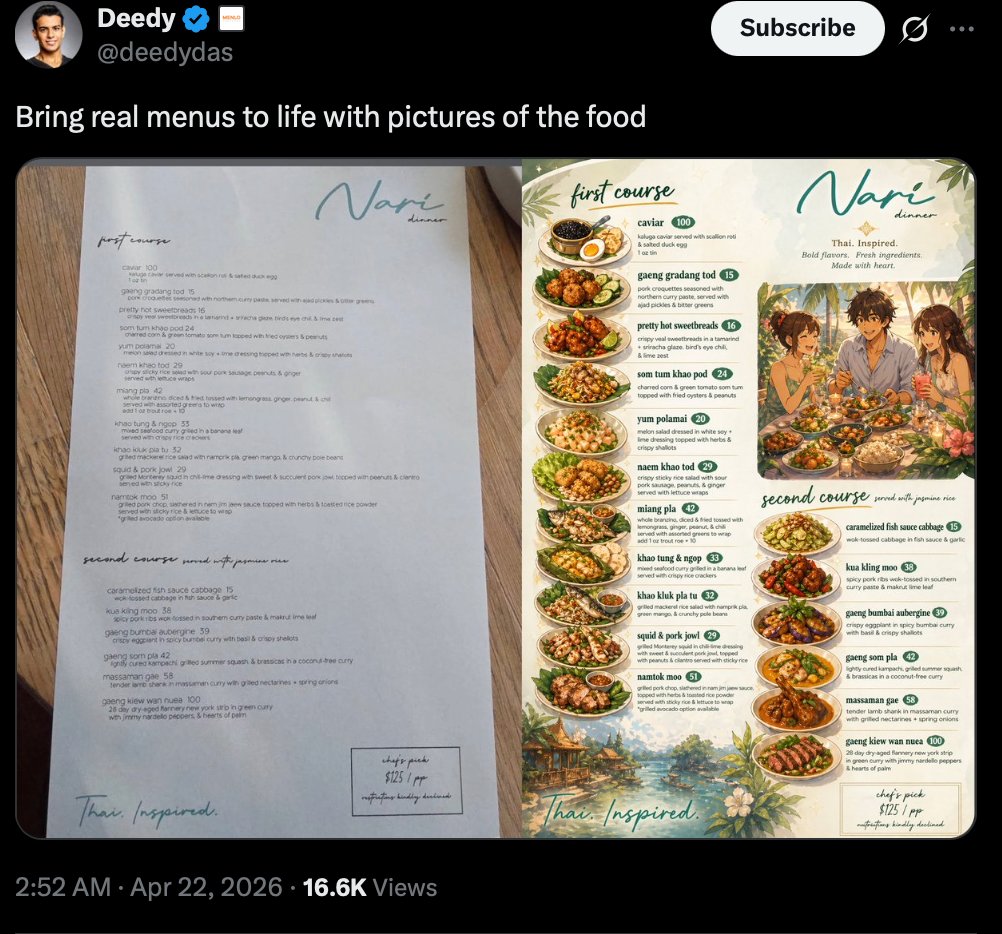
Viral Tweet Menu Before-and-After
A realistic social media screenshot showing a verified post comparing a plain restaurant menu with a richly illustrated food-photo version, ideal for showcasing AI-powered menu redesigns.
This is a gpt-image-2 prompt case for 产品商业. Use the copy-ready prompt below to generate similar visuals, and review YouMind OpenLab awesome-gpt-image-2 attribution plus commercial-use rights before reuse.
This prompt is designed for multiple reference images. We will open Dovoo with the prompt and the available preview image; add the remaining references in Dovoo before generating.

Prompt
Copy-ready prompt
A realistic screenshot of a social media platform in dark mode, featuring a black interface reminiscent of X/Twitter. The top left corner displays the profile picture and name.{argument name="profile name" default="Deedy"} (with a blue certification badge) and account name{argument name="handle" default="@deedydas"} In the upper right corner is a prominent white "Subscribe" button and a small interface icon. The post text is {argument name="post text" default="Bring your menu to life with food photos"} Below the main text is a side-by-side comparison image showcasing a two-page menu placed on a warm-toned wooden table. The left page is a minimalist upscale restaurant menu, with a clean and elegant layout on white paper and the restaurant's name printed in light blue handwritten font in the upper right corner.{argument name="restaurant name" default="Nari"} The menu is divided into "First Course" and "Second Course" sections, with dish names and prices presented in a clear, editorial layout. The bottom left corner features the cursive "Thai. Inspired." and the bottom right corner has a small box indicating "Chef's Recommendation." The right-hand page is an illustrated version of the same restaurant's menu, retaining the light blue restaurant name at the top, with the subtitle changed to "Thai Inspired. Bold flavors. Fresh ingredients. Made with heart." This page is decorated with abundant tropical leaves, flowers, and landscape borders in cream, green, and warm earth tones. The page contains two labeled areas: "First Course" in the upper left and "Second Course" in the lower center. The First Course section vertically lists eight dishes, each with a name, brief description, and a green circular price tag: caviar, gaeng gradang tod, pretty hot sweetbreads, som tum khao po, yum polamai, naea khao tod, miang pla, and khao tung & ngor. The second course area showcases eight dishes in the same way: caramelized fish sauce cabbage, kua kling moo, giang bumbai aubergine, gaeng som pla, massaman ge, gaeng kiew wan nuea, grilled pork jowl, and naemtok moo. Near the center of the upper right corner of the illustration page is a heartwarming lifestyle illustration depicting three diners sharing a meal at an outdoor table. Each dish is integrated into the menu layout with mouthwatering overhead or 45-degree angle food photography illustrations. At the very bottom of the full screenshot, the post metadata line displays "2:52 AM · April 22, 2026 · 16.6K views". The overall image should present a beautifully crafted, viral demo screenshot feel, showcasing a before-and-after comparison of the menu design upgrade, with a clear and easy-to-read interface, a realistic UI framework, and delicate, editable food menu art effects.Prompt variables
Editable argument placeholders found in the prompt, with their default values.
More cases in this category
Prioritized by category, input mode compatibility, quality, and lower risk.






Reuse and source notes
Use this prompt safely after previewing the case.
- 1.Copy the prompt or open it directly in Dovoo with the generation button.
- 2.Adjust variables, aspect ratio, and reference images for your own use case.
- 3.Before publishing or paid usage, verify source rights, attribution requirements, and brand or likeness risks.
Can I use this prompt commercially?
Commercial-use status is unknown. Review the original source, license, brand constraints, and legal requirements before paid usage.
Where does this case come from?
This case is imported from YouMind OpenLab awesome-gpt-image-2; keep attribution visible and check the source URL before reuse.