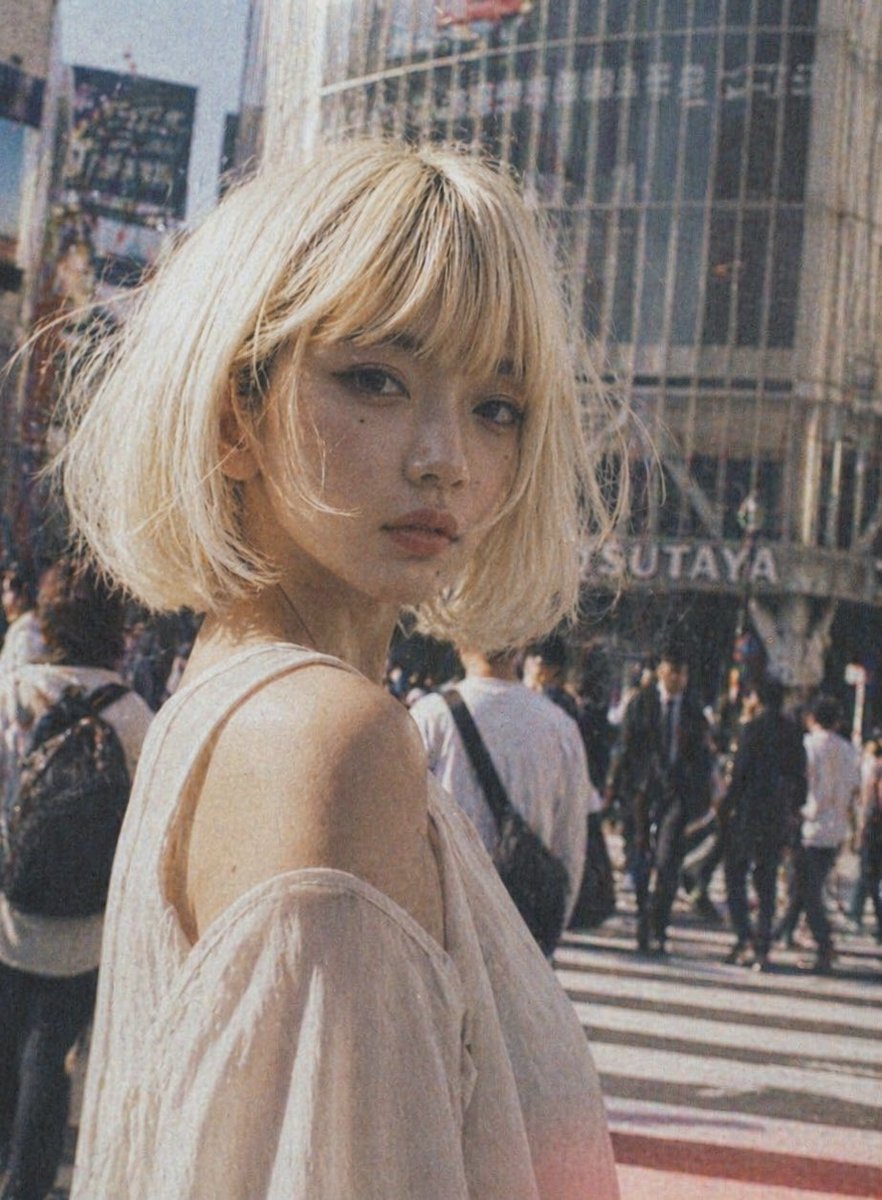
Vintage Shibuya Street Portrait
This prompt generates a nostalgic fashion-style candid portrait of a young woman in a busy Tokyo crosswalk, ideal for editorial AI beauty and street photography imagery.
This is a gpt-image-2 prompt case for Fashion & Beauty. Use the copy-ready prompt below to generate similar visuals, and review YouMind OpenLab awesome-gpt-image-2 attribution plus commercial-use rights before reuse.
Prompt
Copy-ready prompt
A fashionable street portrait of a young woman standing at a busy Tokyo intersection during the day. The shot focuses on her upper body, with her back slightly to the camera, highlighting her bare shoulders. She has a messy short bob haircut, and her hair color is {argument name="hair color" default="Platinum"} The fabric was light and soft, and she was petite. She was wearing a {argument name="clothing color" default="White"} The off-shoulder top, made of a light and semi-transparent fabric with a beautiful drape, creates a romantic and airy atmosphere. She is placed in the foreground on the left side of the image, using a shallow depth of field effect, with a bustling background of pedestrians crossing the street. Behind her, a building with curved glass is added, and the viewer can see {argument name="background sign" default="TSUTAYA"} The logo is designed to evoke the spirit of Shibuya. It employs a warm, retro film aesthetic, with slightly faded tones, noticeable grain, a subtle blur, soft sunlight, gentle contrast, and a nostalgic, simulated snapshot atmosphere. The overall tone should be stylish, natural, and cinematic, like a fashion editorial shot captured in a bustling city.Prompt variables
Editable argument placeholders found in the prompt, with their default values.
Variable
hair color
Default
Platinum
Variable
clothing color
Default
White
Variable
background sign
Default
TSUTAYA
Reuse and source notes
Use this prompt safely after previewing the case.
- 1.Copy the prompt or open it directly in Dovoo with the generation button.
- 2.Adjust variables, aspect ratio, and reference images for your own use case.
- 3.Before publishing or paid usage, verify source rights, attribution requirements, and brand or likeness risks.
Can I use this prompt commercially?
Commercial-use status is unknown. Review the original source, license, brand constraints, and legal requirements before paid usage.
Where does this case come from?
This case is imported from YouMind OpenLab awesome-gpt-image-2; keep attribution visible and check the source URL before reuse.