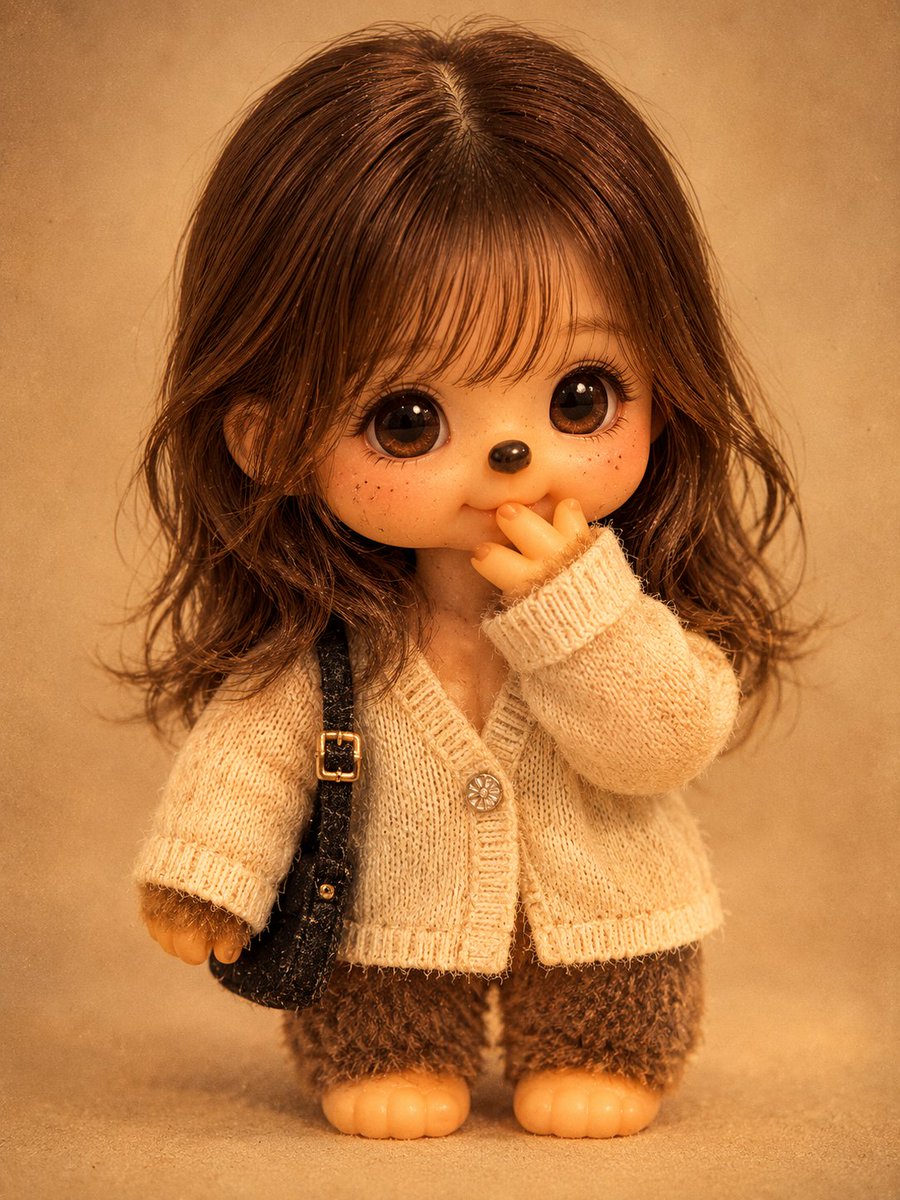
Vintage Monchhichi Doll Conversion
A sophisticated prompt that transforms a reference person into a 1970s-80s style vintage Monchhichi doll while maintaining identifiable features and a realistic toy aesthetic.
This is a gpt-image-2 prompt case for 人像角色. Use the copy-ready prompt below to generate similar visuals, and review YouMind OpenLab awesome-gpt-image-2 attribution plus commercial-use rights before reuse.

Prompt
Copy-ready prompt
Please transform the person in the photo into a realistic vintage Monchhichi doll, in the following style:{argument name="doll style" default="Sekiguchi style of the 1970s and 80s"} Please accurately preserve the original image's facial structure, hairstyle, hair color, expression, pose, composition, and shooting angle to ensure the figure remains recognizable in doll form. Follow the classic Monchhichi design: a large head, a short, sturdy plush body (approximately 1:1 scale), and simplified limbs. The face should have a matte vinyl finish with subtle scratches and fading to indicate age, paired with bright, small black eyes, a glossy nose, and a gentle smile. The body should be covered in a thick, slightly faded coat.{argument name="fur color" default="Brown faux fur"} .use{argument name="outfit material" default="Faded simple cotton fabric"} Recreate the outfit from the original image. Set the scene under warm indoor lighting with a vintage film grain and yellowish hue, resulting in a clean, centered, full-body, collectible doll photograph. Do not include any text.Prompt variables
Editable argument placeholders found in the prompt, with their default values.
More cases in this category
Prioritized by category, input mode compatibility, quality, and lower risk.






Reuse and source notes
Use this prompt safely after previewing the case.
- 1.Copy the prompt or open it directly in Dovoo with the generation button.
- 2.Adjust variables, aspect ratio, and reference images for your own use case.
- 3.Before publishing or paid usage, verify source rights, attribution requirements, and brand or likeness risks.
Can I use this prompt commercially?
Commercial-use status is unknown. Review the original source, license, brand constraints, and legal requirements before paid usage.
Where does this case come from?
This case is imported from YouMind OpenLab awesome-gpt-image-2; keep attribution visible and check the source URL before reuse.