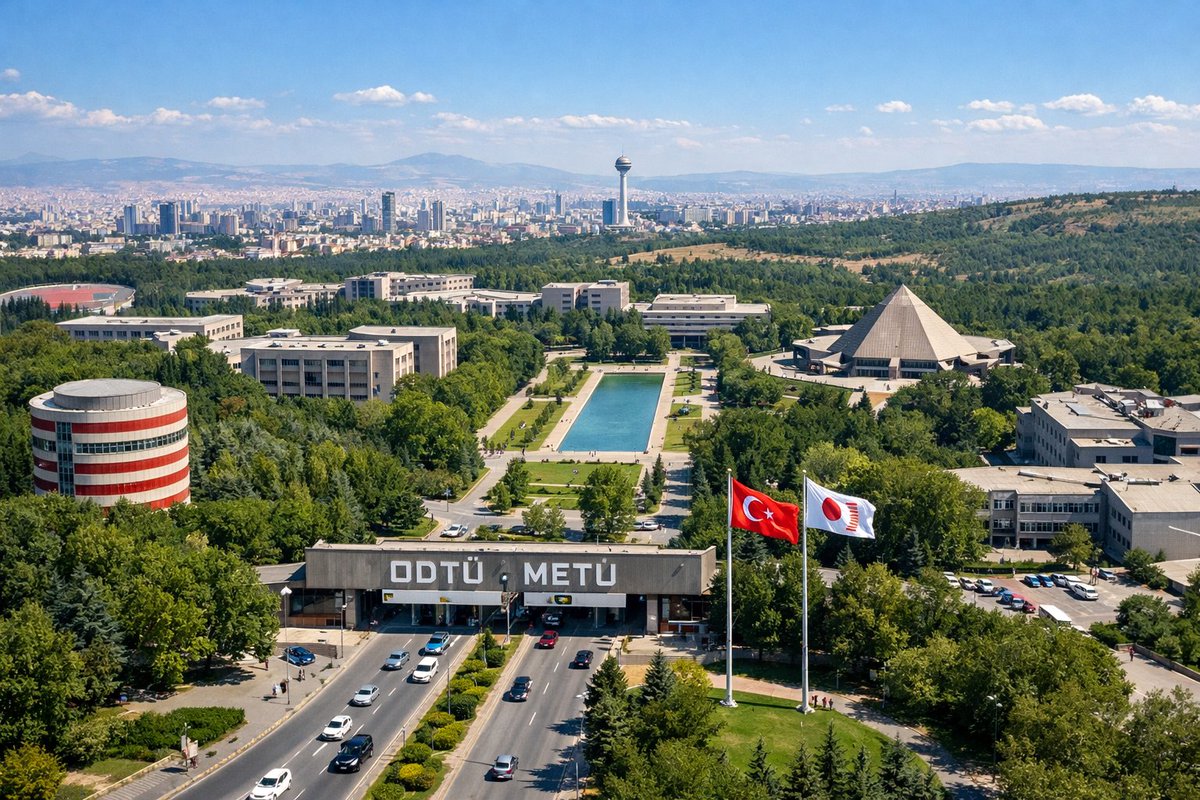
University Campus Aerial View
Generates a realistic aerial photograph of a large university campus with specific architectural landmarks, entrance gates, and a distant city skyline.
This is a gpt-image-2 prompt case for 风景自然. Use the copy-ready prompt below to generate similar visuals, and review YouMind OpenLab awesome-gpt-image-2 attribution plus commercial-use rights before reuse.
Prompt
Copy-ready prompt
A drone aerial photograph of a vast, lush university campus under a clear sky. In the foreground, vehicles travel along a wide, multi-lane highway, passing a massive concrete entrance gate with prominent white lettering that reads "..."{argument name="university name" default="ODTÜ METÜ"} "There are two tall flagpoles on the right side of the gate, each bearing the inscription '..."{argument name="flag 1" default="Turkish flag"} "and"{argument name="flag 2" default="White flag with a red circular symbol"} In the mid-ground, a rectangular reflecting pool is situated, surrounded by lawns and walkways, with various modernist-style concrete teaching buildings flanking it. Notable structures include a cylindrical building with red and white horizontal stripes on the left and a massive pyramid-shaped building on the right. In the background, [the text abruptly ends here].{argument name="city skyline" default="Ankara"} The dense city skyline stretches across the horizon, featuring a striking, tall observation tower, with rolling hills and mountains in the distance, and a clear blue sky dotted with a few white clouds.Prompt variables
Editable argument placeholders found in the prompt, with their default values.
More cases in this category
Prioritized by category, input mode compatibility, quality, and lower risk.






Reuse and source notes
Use this prompt safely after previewing the case.
- 1.Copy the prompt or open it directly in Dovoo with the generation button.
- 2.Adjust variables, aspect ratio, and reference images for your own use case.
- 3.Before publishing or paid usage, verify source rights, attribution requirements, and brand or likeness risks.
Can I use this prompt commercially?
Commercial-use status is unknown. Review the original source, license, brand constraints, and legal requirements before paid usage.
Where does this case come from?
This case is imported from YouMind OpenLab awesome-gpt-image-2; keep attribution visible and check the source URL before reuse.