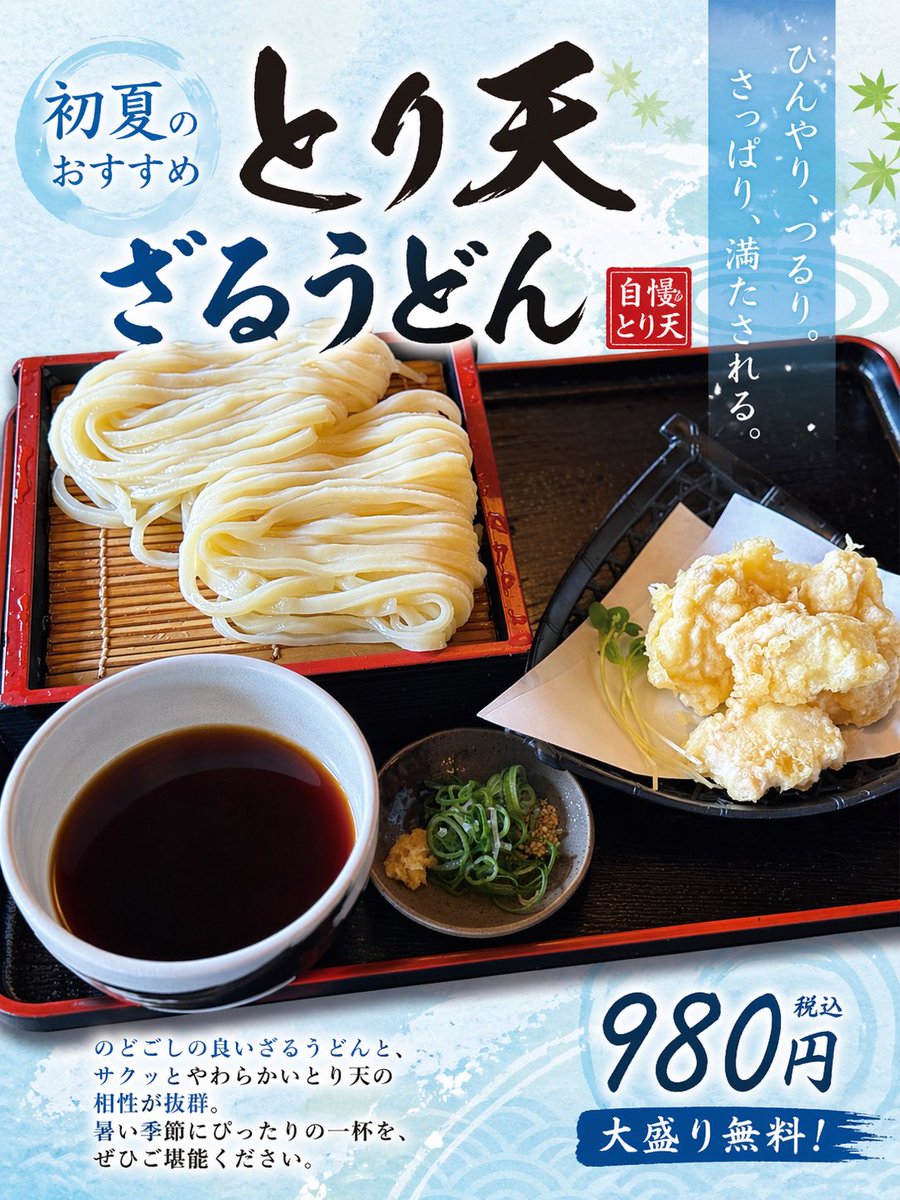
Turn Food Photo Into Japanese Poster
This prompt converts a reference meal photo into a polished Japanese restaurant advertisement poster, useful for menu promos and social media food marketing.
This is a gpt-image-2 prompt case for Graphic & Poster. Use the copy-ready prompt below to generate similar visuals, and review YouMind OpenLab awesome-gpt-image-2 attribution plus commercial-use rights before reuse.

Prompt
Copy-ready prompt
Using the provided udon noodle reference image, transform it into a simple, printable Japanese restaurant promotional poster, retaining the food photo itself as the core element. Vertically expand the composition to a vertical flyer layout, add a light icy blue seasonal background with a subtle watercolor texture and elegant wave pattern, and overlay decorative green maple leaves to create an early summer atmosphere. Add 5 Japanese text elements: a blue circular badge in the top left corner that reads "初夏のおすすめ" (Hatsusumi no Osusumi); two prominent large calligraphy titles at the top, "とり天" (Toriten) and "ざるうどん" (Zarudon); a small red vertical stamp near the titles that reads "自慢のとり天" (Jiman no Toriten); a semi-transparent blue vertical text block in the top right corner that reads "ひんやり、つるり。さっぱり、満たされる。" (Hinyari, tsururi. Sappari, mantasareru.); and a price block in the bottom right corner that reads "980円税込" (980 yen tax included), with a blue brushstroke banner below that that reads "大盛り無料!" (Daishori no ryo!). Add a short 4-line Japanese text in the bottom left corner, describing the dish in a menu poster style. The original food plating and realistic photography effects are retained, but appropriately optimized for advertising needs: making them brighter, more appealing, clearer, and with high contrast. The overall design looks like a beautifully crafted restaurant poster created from a casually taken food photograph.
Reuse and source notes
Use this prompt safely after previewing the case.
- 1.Copy the prompt or open it directly in Dovoo with the generation button.
- 2.Adjust variables, aspect ratio, and reference images for your own use case.
- 3.Before publishing or paid usage, verify source rights, attribution requirements, and brand or likeness risks.
Can I use this prompt commercially?
Commercial-use status is unknown. Review the original source, license, brand constraints, and legal requirements before paid usage.
Where does this case come from?
This case is imported from YouMind OpenLab awesome-gpt-image-2; keep attribution visible and check the source URL before reuse.