Tech Keynote Presentation Slide
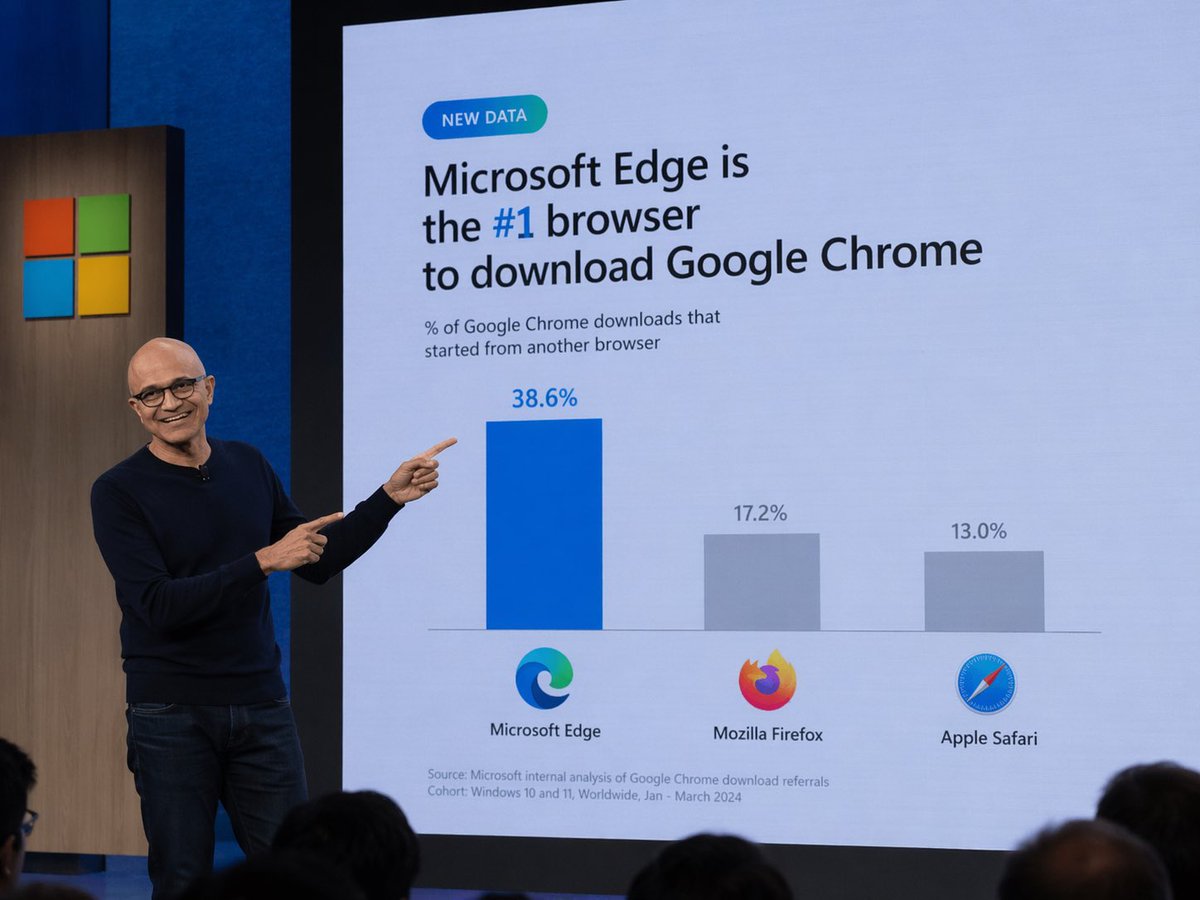
Generates a realistic photo of a tech executive presenting a humorous or customized data slide during a keynote.
This is a gpt-image-2 prompt case for Graphic & Poster. Use the copy-ready prompt below to generate similar visuals, and review YouMind OpenLab awesome-gpt-image-2 attribution plus commercial-use rights before reuse.
Prompt
Copy-ready prompt
A photo of a technology-themed presentation. A bald man wearing glasses, a dark blue sweater, and jeans stands on the left side of the stage, smiling and pointing with both index fingers to a large presentation screen behind him. The screen displays a slideshow with a light blue background. In the upper left corner is a small, cyan capsule-shaped badge that reads "NEW DATA." The main title below reads {argument name="headline" default="Microsoft Edge is the #1 browser to download Google Chrome"} The text describes a chart with "#1" highlighted in blue. The subtitle reads "% of Google Chrome downloads that started from another browser." Below is a three-bar chart. The first bar is tall and blue, labeled "38.6%" above, with the Microsoft Edge logo and the text "Microsoft Edge" below. The second bar is shorter and gray, labeled "17.2%" above, with the Mozilla Firefox logo and the text "Mozilla Firefox" below. The third bar is the shortest and gray, labeled "13.0%" above, with the Apple Safari logo and the text "Apple Safari" below. In the lower left corner of the slides, small print reads "Source: Microsoft internal analysis of Google Chrome download referrals Cohort: Windows 10 and 11, Worldwide, Jan - March 2024." The Microsoft logo (four colored squares) is printed on a wooden board on the left side of the screen. The backs of the audience's heads are visible at the bottom foreground.Prompt variables
Editable argument placeholders found in the prompt, with their default values.
Variable
headline
Default
Microsoft Edge is the #1 browser to download Google Chrome
Reuse and source notes
Use this prompt safely after previewing the case.
- 1.Copy the prompt or open it directly in Dovoo with the generation button.
- 2.Adjust variables, aspect ratio, and reference images for your own use case.
- 3.Before publishing or paid usage, verify source rights, attribution requirements, and brand or likeness risks.
Can I use this prompt commercially?
Commercial-use status is unknown. Review the original source, license, brand constraints, and legal requirements before paid usage.
Where does this case come from?
This case is imported from YouMind OpenLab awesome-gpt-image-2; keep attribution visible and check the source URL before reuse.