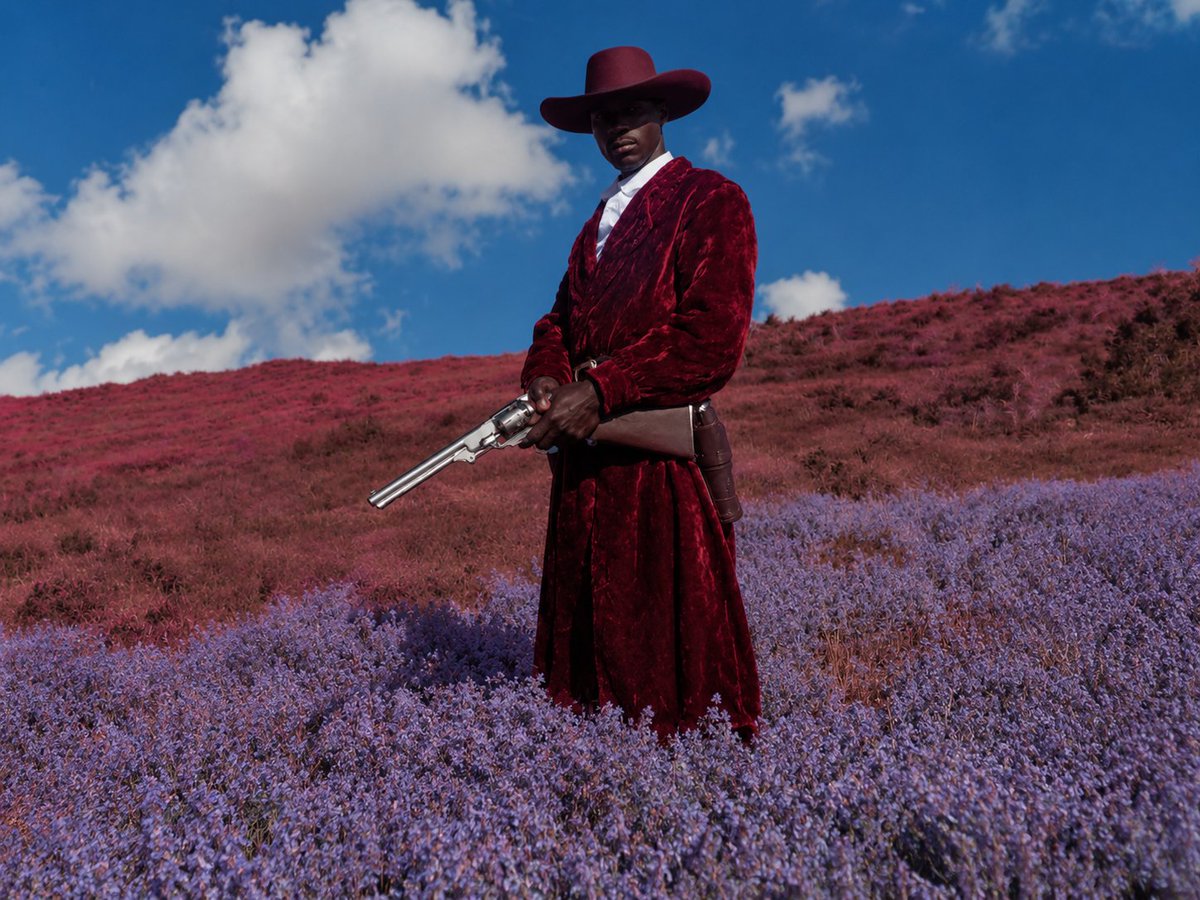
Surreal Crimson Cowboy Portrait
A cinematic prompt for generating an anonymous high-fashion cowboy standing in a purple and red wildflower hillside landscape.
This is a gpt-image-2 prompt case for 人像角色. Use the copy-ready prompt below to generate similar visuals, and review YouMind OpenLab awesome-gpt-image-2 attribution plus commercial-use rights before reuse.
Prompt
Copy-ready prompt
Create a cinematic, surreal, and stylish Western portrait, with the center of the image being {argument name="subject" default="A tall black cowboy"} A full-body statue stands on a vast, flower-covered hillside. The main figure wears a wide-brimmed {argument name="hat color" default="Deep red"} Cowboy hat, wearing{argument name="coat color" default="Deep crimson"} Wearing a long, plush velvet trench coat over a white shirt, with a belt and holster, the figure holds a polished silver double-barreled revolver in both hands, the muzzle pointing downwards. The face is deliberately blurred with a soft rectangular blur, giving the character a sense of anonymous editing. The landscape presents a dreamlike color shift: the foreground features lush lavender wildflowers, the background a rolling expanse of soft red and magenta meadows, and the sky a saturated bright blue, dotted with large, soft white clouds. The shot employs a low, slightly upward angle, a mid-to-long-range composition, clear sunlight, strong natural contrast, and a surreal, color-gradation-driven realistic photographic style, reminiscent of haute couture moodboard aesthetics, with a dramatic sense of tranquility. There is no text, no other figures.Prompt variables
Editable argument placeholders found in the prompt, with their default values.
More cases in this category
Prioritized by category, input mode compatibility, quality, and lower risk.






Reuse and source notes
Use this prompt safely after previewing the case.
- 1.Copy the prompt or open it directly in Dovoo with the generation button.
- 2.Adjust variables, aspect ratio, and reference images for your own use case.
- 3.Before publishing or paid usage, verify source rights, attribution requirements, and brand or likeness risks.
Can I use this prompt commercially?
Commercial-use status is unknown. Review the original source, license, brand constraints, and legal requirements before paid usage.
Where does this case come from?
This case is imported from YouMind OpenLab awesome-gpt-image-2; keep attribution visible and check the source URL before reuse.