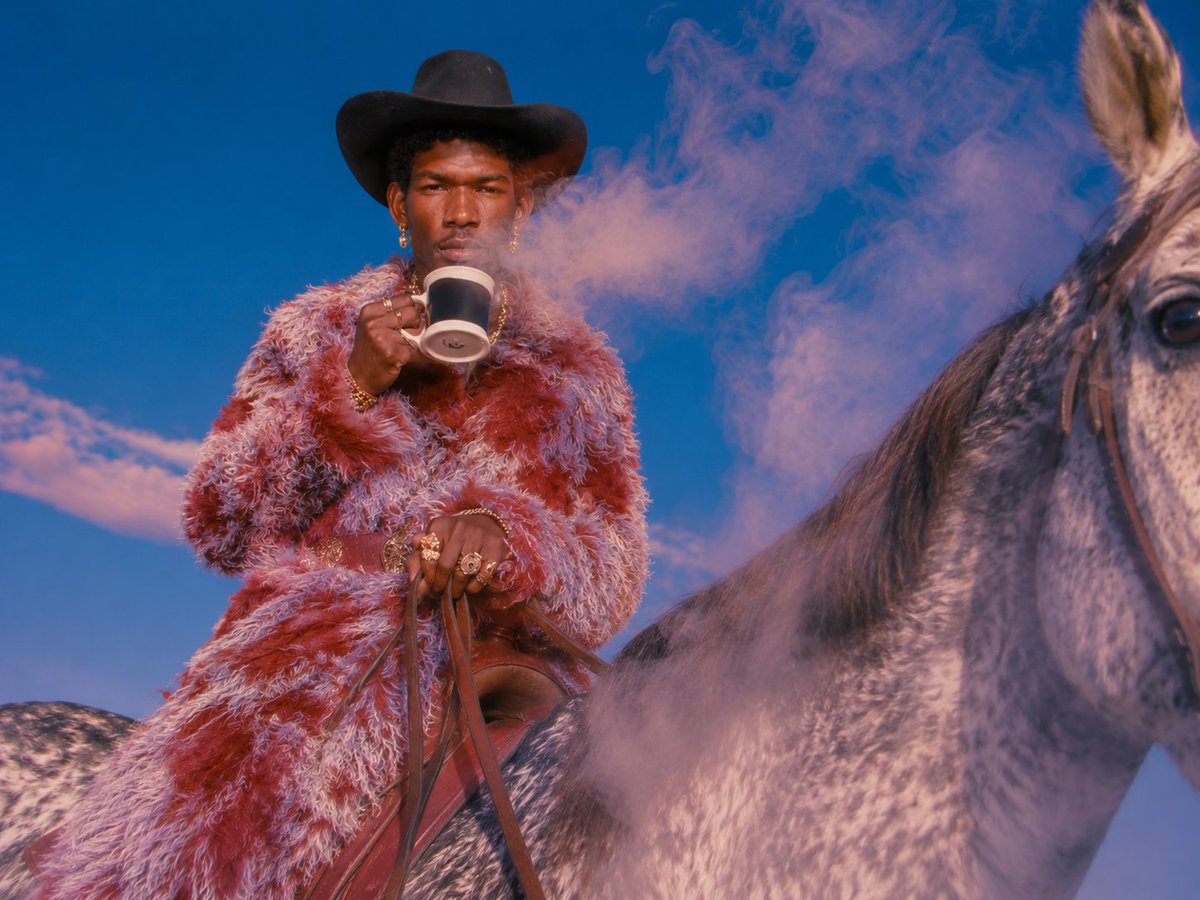
Surreal Cowboy Fashion Editorial
A vivid fashion-editorial scene of a stylish cowboy on horseback with pink smoke and saturated western glamour, useful for moodboards and campaign visuals.
This is a gpt-image-2 prompt case for 时尚美妆. Use the copy-ready prompt below to generate similar visuals, and review YouMind OpenLab awesome-gpt-image-2 attribution plus commercial-use rights before reuse.
Prompt
Copy-ready prompt
Create a surreal, high-fashion Western-style photographic work, with the main subject being {argument name="subject" default="A stylish black cowboy"} Riding a spotted grey horse. The composition uses a low, slightly upward angle, placing the rider in the center left of the frame, with the horse's head dominating the right. The rider wears a wide-brimmed black cowboy hat, adorned with abundant gold jewelry and rings, and an extravagant plush faux fur coat.{argument name="coat colors" default="Red, pink and light purple"} He gripped the brown leather reins in one hand, and with the other, he held a black and white mug to his lips. The rider's face was deliberately obscured by a softly edged, warm brown rectangular blur. Behind him, a large cloud floated in the deep blue sky.{argument name="smoke color" default="Pink smoke"} Low mountains or deserts are faintly visible on the horizon. The film employs highly saturated, cinematic color grading to create a magazine-like quality of light and shadow. Details of the horse's fur and reins are clear, the plush coats have a realistic texture, and the rich contrast creates a dreamlike, surreal atmosphere. The composition ranges from square to 4:3, reflecting a magazine style.Prompt variables
Editable argument placeholders found in the prompt, with their default values.
More cases in this category
Prioritized by category, input mode compatibility, quality, and lower risk.






Reuse and source notes
Use this prompt safely after previewing the case.
- 1.Copy the prompt or open it directly in Dovoo with the generation button.
- 2.Adjust variables, aspect ratio, and reference images for your own use case.
- 3.Before publishing or paid usage, verify source rights, attribution requirements, and brand or likeness risks.
Can I use this prompt commercially?
Commercial-use status is unknown. Review the original source, license, brand constraints, and legal requirements before paid usage.
Where does this case come from?
This case is imported from YouMind OpenLab awesome-gpt-image-2; keep attribution visible and check the source URL before reuse.