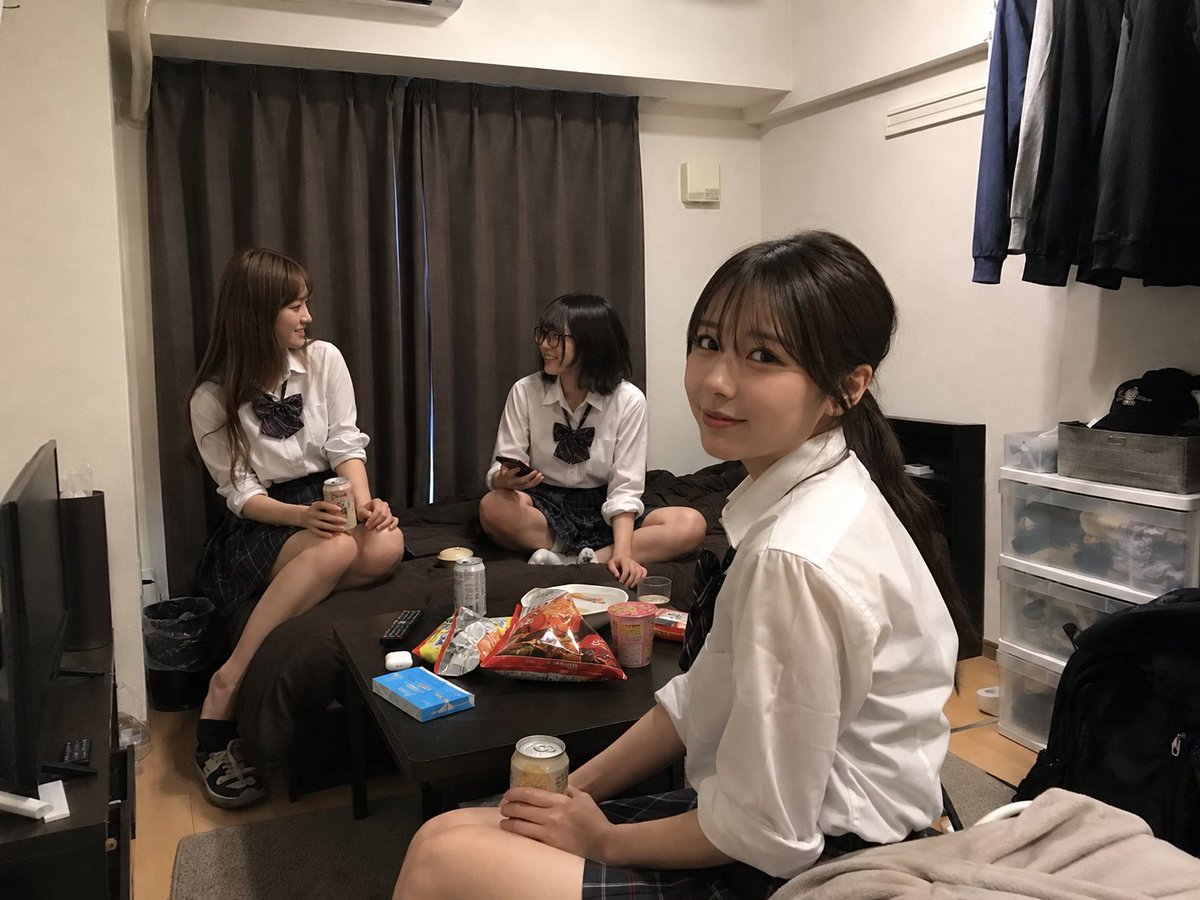
Student Hangout Room Transformation
Transforms an uploaded room photo into a realistic casual hangout scene with three uniform-style college students and added snacks.
This is a gpt-image-2 prompt case for 室内建筑. Use the copy-ready prompt below to generate similar visuals, and review YouMind OpenLab awesome-gpt-image-2 attribution plus commercial-use rights before reuse.

Prompt
Copy-ready prompt
Using REFERENCE_0 as the base for the room, create a natural and realistic photograph, as if the room has become part of the room.{argument name="number of students" default="Three"}{argument name="student type" default="20-year-old female college student"} A casual gathering place. Try to maintain the room layout, shooting angle, furniture, curtains, bed, table, storage drawers, hanging clothes, lighting, and overall feel of the space as much as possible in the uploaded photos. Add three people: one sitting on the left edge of the bed, holding a canned drink; one sitting cross-legged in the center of the bed, holding a smartphone; and one in the right foreground near the table/bed, holding a canned drink and turning towards the others. Dress them in matching outfits.{argument name="outfit style" default="A white shirt in the style of a Japanese school uniform, paired with a dark plaid skirt and a silk bow tie."} Make them look relaxed, engaged in conversation, and comfortable in the room; naturally vary their hairstyles and poses. Add casual party items to the table: place seven clearly visible snack/drink items—two cans of beverage, one open bag of large snacks, one cup noodle container, one plate or saucer, one colorful snack bag, and one small boxed item—while keeping existing items like remote controls, blue boxes, and headphones if possible. Maintain a realistic look; avoid posed shots and aim for a casual, snapshot-like feel. For privacy, faces can be anonymized or blurred. Avoid creating a studio-shot, illustration, cosplay poster, or overly edited composite image.Prompt variables
Editable argument placeholders found in the prompt, with their default values.
More cases in this category
Prioritized by category, input mode compatibility, quality, and lower risk.






Reuse and source notes
Use this prompt safely after previewing the case.
- 1.Copy the prompt or open it directly in Dovoo with the generation button.
- 2.Adjust variables, aspect ratio, and reference images for your own use case.
- 3.Before publishing or paid usage, verify source rights, attribution requirements, and brand or likeness risks.
Can I use this prompt commercially?
Commercial-use status is unknown. Review the original source, license, brand constraints, and legal requirements before paid usage.
Where does this case come from?
This case is imported from YouMind OpenLab awesome-gpt-image-2; keep attribution visible and check the source URL before reuse.