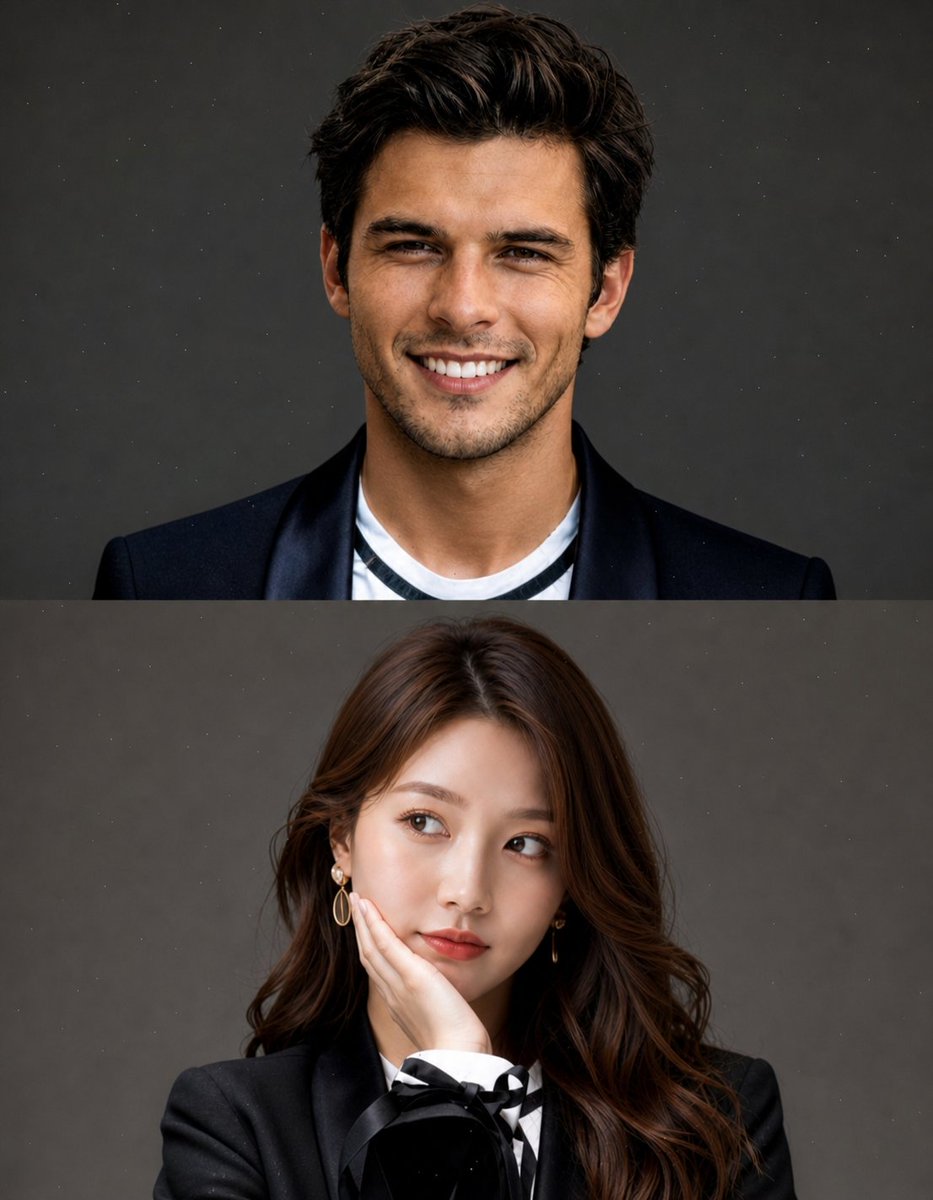
Split Portrait Editorial Photography
A complex studio-style portrait prompt that creates a vertical split composition, ideal for seamless face-swapping and professional editorial photography.
This is a gpt-image-2 prompt case for 人像角色. Use the copy-ready prompt below to generate similar visuals, and review YouMind OpenLab awesome-gpt-image-2 attribution plus commercial-use rights before reuse.

Prompt
Copy-ready prompt
Create a high-quality, studio-style split portrait composition containing two stacked sections (top and bottom). Layout: Vertical division (upper half + lower half) Clean, minimalist aesthetic No text, no watermark, no masking Background with subtle grain or dust texture Soft cinematic lighting Top area: Use [REFERENCE IMAGE 1 – FACE ONLY] Replace only the face, preserving the original pose and expression (laughing, happy, slightly playful) Short, messy hairstyle Clothing:{argument name="top outfit" default="Black suit jacket paired with a casual inner layer"}{argument name="background" default="Neutral gray studio background"} Natural skin tone, realistic blending effect. Bottom area: Use [REFERENCE IMAGE 2 – FACE ONLY] to replace only the face, retaining the original pose (hand supporting cheek, side view, pensive expression). Long hair, softly styled clothing.{argument name="bottom outfit" default="An elegant black suit jacket with delicate details (bow or ribbon)."} Same background: Neutral gray studio background with soft, feminine lighting. Important note: The face swap effect must be natural and seamlessly matched with the lighting, skin tone, and color grading of both parts. Maintain the original body, pose, and composition. Highly realistic, sharp focus, high-end editing photography style. Style keywords: Hyperrealistic, studio portrait, soft lighting, editing fashion, 85mm lens, shallow depth of field, cinematic quality, high detail.Prompt variables
Editable argument placeholders found in the prompt, with their default values.
More cases in this category
Prioritized by category, input mode compatibility, quality, and lower risk.






Reuse and source notes
Use this prompt safely after previewing the case.
- 1.Copy the prompt or open it directly in Dovoo with the generation button.
- 2.Adjust variables, aspect ratio, and reference images for your own use case.
- 3.Before publishing or paid usage, verify source rights, attribution requirements, and brand or likeness risks.
Can I use this prompt commercially?
Commercial-use status is unknown. Review the original source, license, brand constraints, and legal requirements before paid usage.
Where does this case come from?
This case is imported from YouMind OpenLab awesome-gpt-image-2; keep attribution visible and check the source URL before reuse.