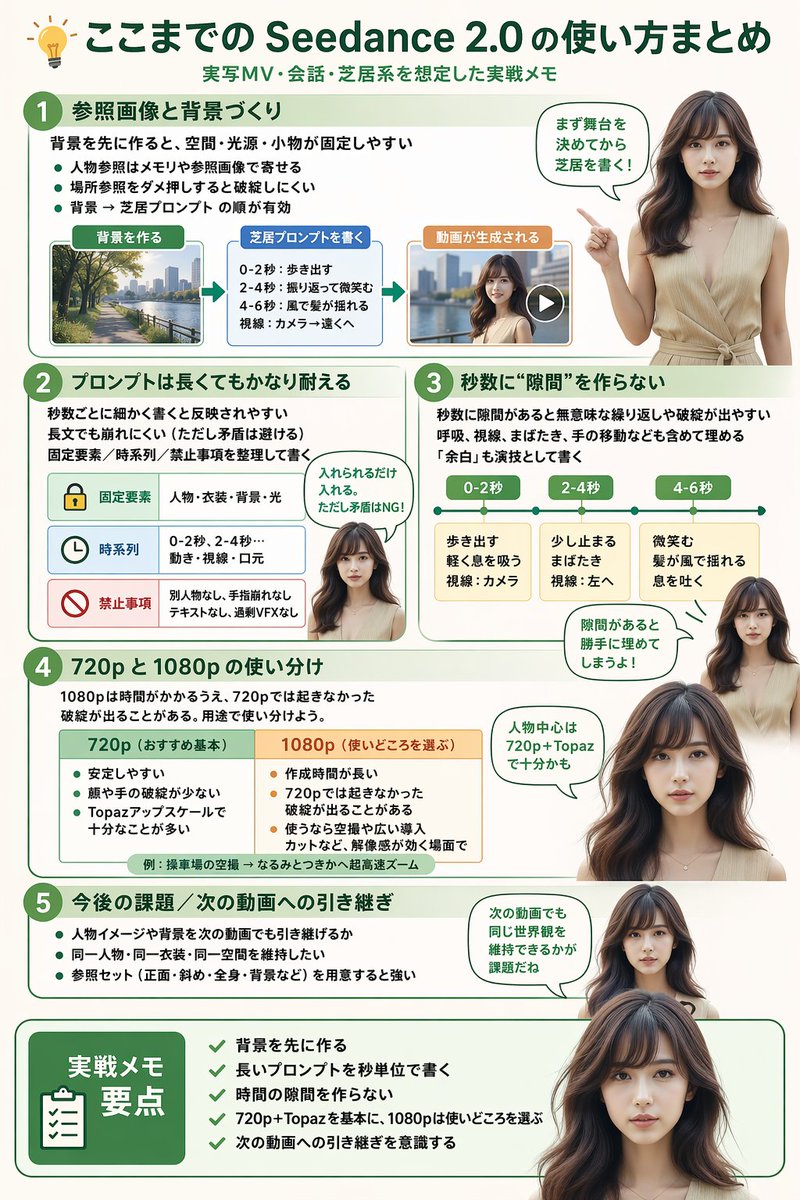
Software Workflow Infographic
Generates a highly structured, multi-section infographic featuring a photorealistic human guide, ideal for software tutorials, workflow summaries, or best-practice guides.
This is a gpt-image-2 prompt case for 平面海报. Use the copy-ready prompt below to generate similar visuals, and review YouMind OpenLab awesome-gpt-image-2 attribution plus commercial-use rights before reuse.

Prompt
Copy-ready prompt
{
  "type": "infographic",
  "style": "Simple, modern, and professional, it uses soft green and beige tones and incorporates realistic figures.",
  "header": {
    "icon": "lightbulb",
    "title": "{argument name=\"main title\" default=\"Seedance 2.0 User Guide Summary\"}",
    "subtitle": "{argument name=\"subtitle\" default=\"Practical notes on live-action music video shooting, dialogue, and performance scenes\"}"
  },
  "presenter_character": "{argument name=\"presenter description\" default=\"A young Japanese woman with a realistic style, long dark brown hair, wearing a beige sleeveless top.\"}",
  "total_presenter_cutouts": 6,
  "layout": {
    "sections": [
      {
        "number": 1,
        "title": "{argument name=\"section 1 title\" default=\"Reference Images and Background Creation\"}",
        "elements": "Three key points, one horizontal three-step flowchart, including thumbnails (city view, text box, video player).",
        "presenter_pose": "The flowchart points to the left and features speech bubbles."
      },
      {
        "number": 2,
        "title": "{argument name=\"section 2 title\" default=\"Long prompts can also maintain good results\"}",
        "elements": "Two key points, one table with three rows of content, and icons (lock, clock, prohibition sign).",
        "presenter_pose": "Neutral expression, looking straight ahead, accompanied by speech bubbles."
      },
      {
        "number": 3,
        "title": "Ensure there are no \"gaps\" between the seconds.",
        "elements": "Two key points, and one horizontal timeline graph containing three segments.",
        "presenter_pose": "Pointing upwards, with the gaze slightly to the left, accompanied by a speech bubble."
      },
      {
        "number": 4,
        "title": "Differences in usage between 720p and 1080p",
        "elements": "Text description, 1 two-column comparison table (green column, orange column)",
        "presenter_pose": "Look straight ahead, accompanied by speech bubbles."
      },
      {
        "number": 5,
        "title": "Future topics / Connection to the next video",
        "elements": "4 key points",
        "presenter_pose": "The gaze is slightly to the right, accompanied by speech bubbles."
      },
      {
        "type": "summary_box",
        "title": "Key points of practice notes",
        "elements": "Clipboard icon, 5 list items marked with green checkmarks.",
        "presenter_pose": "Large portraits from the chest up, looking directly at the viewer."
      }
    ]
  }
}
Prompt variables
Editable argument placeholders found in the prompt, with their default values.
More cases in this category
Prioritized by category, input mode compatibility, quality, and lower risk.






Reuse and source notes
Use this prompt safely after previewing the case.
- 1.Copy the prompt or open it directly in Dovoo with the generation button.
- 2.Adjust variables, aspect ratio, and reference images for your own use case.
- 3.Before publishing or paid usage, verify source rights, attribution requirements, and brand or likeness risks.
Can I use this prompt commercially?
Commercial-use status is unknown. Review the original source, license, brand constraints, and legal requirements before paid usage.
Where does this case come from?
This case is imported from YouMind OpenLab awesome-gpt-image-2; keep attribution visible and check the source URL before reuse.