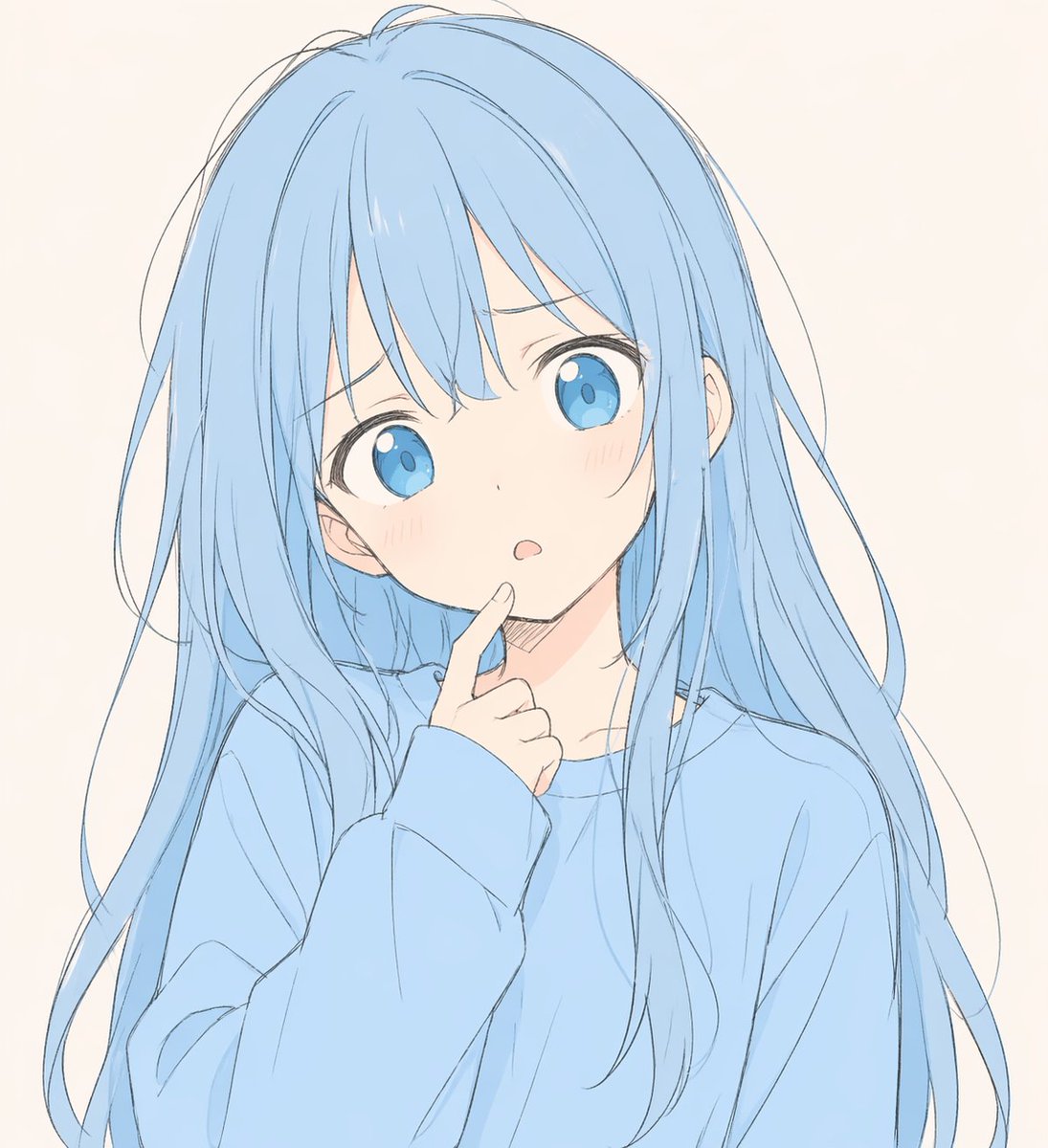
Soft Blue Anime Girl Portrait
This prompt generates a minimalist pastel anime bust portrait of a blue-haired girl in an oversized light-blue sweatshirt, ideal for avatars, profile images, or soft character art.
This is a gpt-image-2 prompt case for 人像角色. Use the copy-ready prompt below to generate similar visuals, and review YouMind OpenLab awesome-gpt-image-2 attribution plus commercial-use rights before reuse.
Prompt
Copy-ready prompt
A soft, anime-style half-length portrait. The center of the image is a cute young woman against a pure, warm off-white background. It is drawn with simple, delicate lines and a flat, soft color scheme. She has very long, straight hair, the color of which is {argument name="hair color" default="light sky blue"} Her hair was light and airy, with bangs slightly parted in the middle, and she had a pair of large, bright blue eyes. Her expression was shy and confused, her eyebrows slightly raised, her cheeks flushed with a faint pink blush, and her small mouth slightly parted. She was gazing at the audience, one index finger lightly touching her lower lip, displaying a thoughtful and hesitant posture. She wore an oversized, loose-fitting {argument name="top color" default="light blue"} The hoodie, with its long sleeves partially obscuring the hands, is framed from the chest up, with the head slightly tilted, creating a gentle, innocent, and dreamlike feel. The composition employs minimalism, with no accessories, extraneous objects, background, or text. It emphasizes a monochromatic blue color scheme, a light and simple feel, subtle sketch-like contours, and Japanese illustration aesthetics suitable for a soft personal portrait.Prompt variables
Editable argument placeholders found in the prompt, with their default values.
More cases in this category
Prioritized by category, input mode compatibility, quality, and lower risk.






Reuse and source notes
Use this prompt safely after previewing the case.
- 1.Copy the prompt or open it directly in Dovoo with the generation button.
- 2.Adjust variables, aspect ratio, and reference images for your own use case.
- 3.Before publishing or paid usage, verify source rights, attribution requirements, and brand or likeness risks.
Can I use this prompt commercially?
Commercial-use status is unknown. Review the original source, license, brand constraints, and legal requirements before paid usage.
Where does this case come from?
This case is imported from YouMind OpenLab awesome-gpt-image-2; keep attribution visible and check the source URL before reuse.