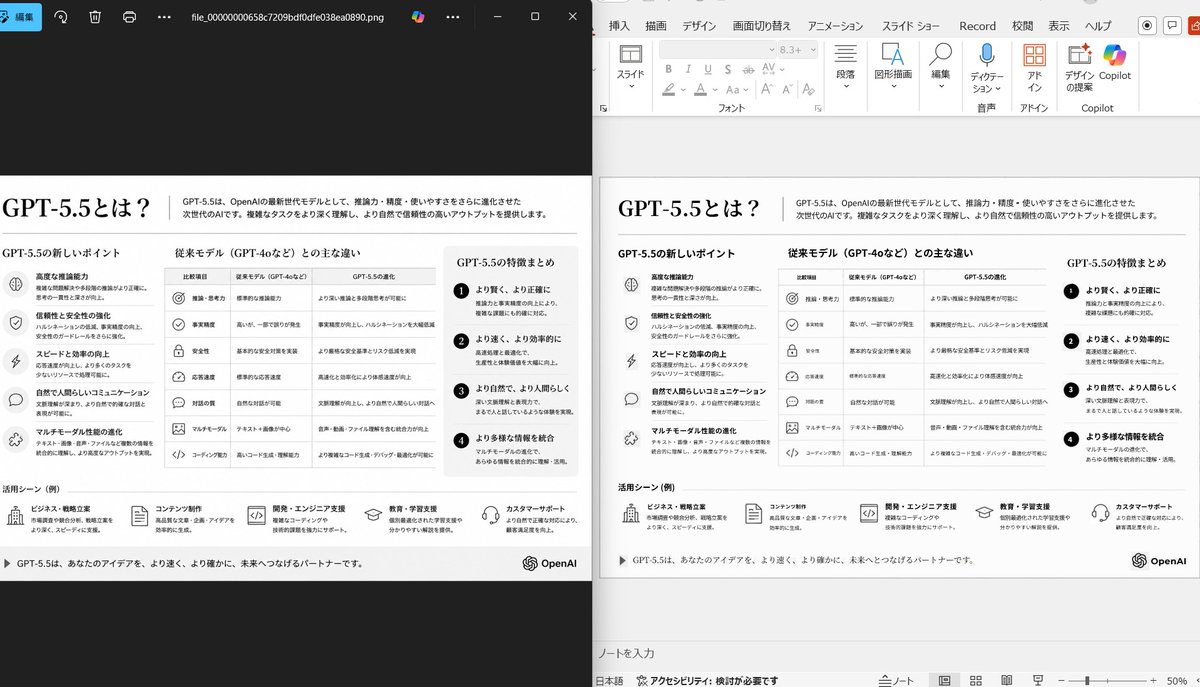
Side-by-Side PPT Reconstruction Demo
This prompt generates a realistic comparison screenshot showing a messy reference slide cleaned up into a faithful PowerPoint reconstruction, useful for slide-to-PPT conversion demos.
This is a gpt-image-2 prompt case for Other Inspiration. Use the copy-ready prompt below to generate similar visuals, and review YouMind OpenLab awesome-gpt-image-2 attribution plus commercial-use rights before reuse.

Prompt
Copy-ready prompt
Using the provided PowerPoint slide screenshot as a reference image, reconstruct it into a clear and beautifully rendered slide conversion, presented in a desktop side-by-side comparison. Maintain the original Japanese slide theme and overall layout, but remove dense selection boxes, editing boxes, and distorted vector artifacts from the reference image to make the slide look professionally reconstructed. Display two panels: the left side is a dark image viewer window displaying the exported slide image; the right side shows the same slide opened in PowerPoint Edit View. Retain the original monochrome infographic style and Japanese text structure, but ensure clear and legible typography, with icons, separators, and columns neatly aligned. Keep the slide as a single-page infographic with five main content areas: one row of top headings/titles, three columns of middle comparison bars, and one row of bottom use case rows containing five icon-embedded items. Include a footer and add the OpenAI logo in the lower right corner. Emphasize that this is a faithful PowerPoint reconstruction based on the uploaded image, presenting a realistic Windows desktop application screenshot look.
Reuse and source notes
Use this prompt safely after previewing the case.
- 1.Copy the prompt or open it directly in Dovoo with the generation button.
- 2.Adjust variables, aspect ratio, and reference images for your own use case.
- 3.Before publishing or paid usage, verify source rights, attribution requirements, and brand or likeness risks.
Can I use this prompt commercially?
Commercial-use status is unknown. Review the original source, license, brand constraints, and legal requirements before paid usage.
Where does this case come from?
This case is imported from YouMind OpenLab awesome-gpt-image-2; keep attribution visible and check the source URL before reuse.