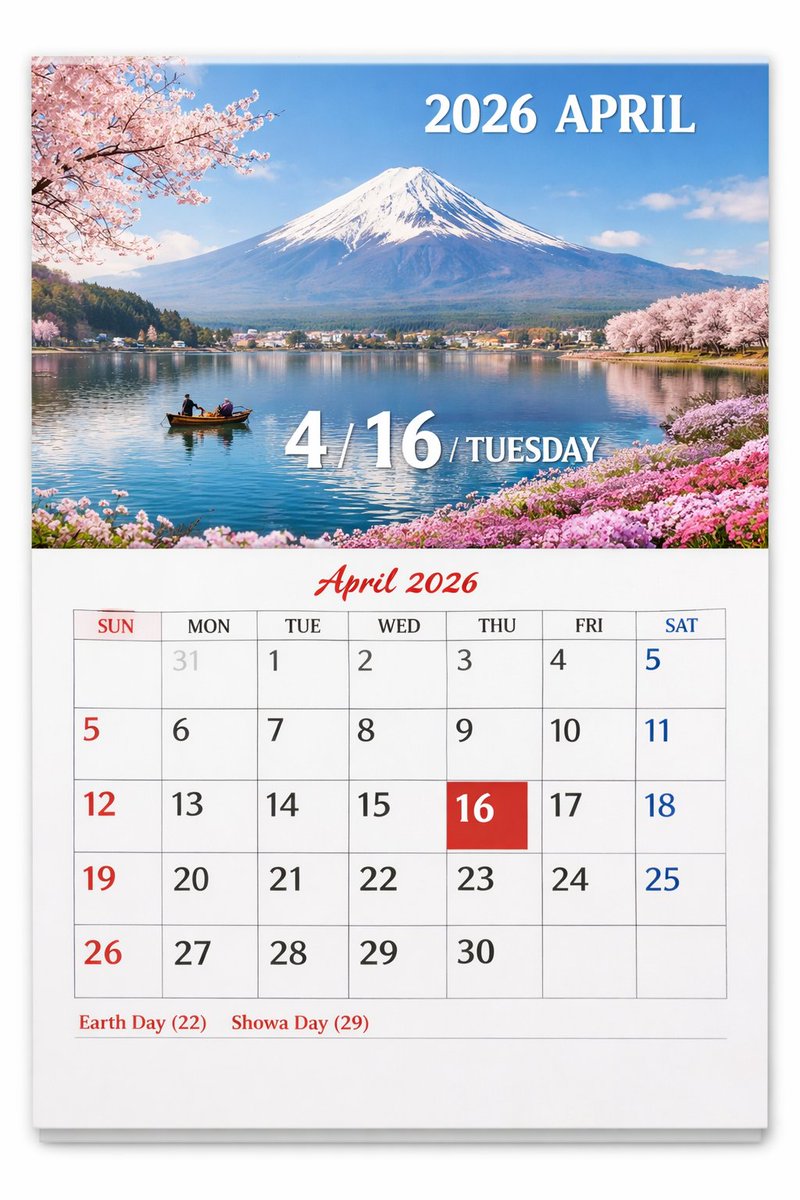
Scenic Wall Calendar Page
Generates a realistic wall calendar page featuring a customizable scenic photograph on top and a detailed monthly grid below.
This is a gpt-image-2 prompt case for 平面海报. Use the copy-ready prompt below to generate similar visuals, and review YouMind OpenLab awesome-gpt-image-2 attribution plus commercial-use rights before reuse.
Prompt
Copy-ready prompt
{
  "type": "Calendar pages",
  "presentation": "A physical paper calendar hanging on a white wall, with a subtle shadow effect.",
  "layout": {
    "top_half": {
      "type": "Landscape photos",
      "subject": "{argument name=\"scenic location\" default=\"Mount Fuji, cherry blossoms and lakes\"}",
      "details": "Snow-capped peaks, reflected in the calm blue lake, a small wooden boat carrying two people, pink cherry blossoms adorning the banks in the upper left and upper right corners, and pink flowers on the lower right bank.",
      "text_overlays": [
        {
          "position": "Top right corner",
          "text": "{argument name=\"year and month\" default=\"April 2026\"}",
          "style": "White serif font"
        },
        {
          "position": "Centered at the bottom",
          "text": "4 / {argument name=\"highlighted date\" default=\"16\"} / {argument name=\"day of week\" default=\"Tuesday\"}",
          "style": "Large white serif font with projection effect"
        }
      ]
    },
    "bottom_half": {
      "type": "Calendar Grid",
      "header": {
        "text": "April 2026",
        "style": "Red cursive script, centered."
      },
      "grid_structure": {
        "columns": 7,
        "rows": 5,
        "column_headers": [
          "Sunday",
          "on Monday",
          "Tuesday",
          "Wednesday",
          "Thursday",
          "Friday",
          "Saturday"
        ]
      },
      "grid_content": {
        "highlighted_cell": {
          "date": "{argument name=\"highlighted date\" default=\"16\"}",
          "style": "Pure red square background, white text"
        },
        "number_colors": "Sunday is red, Saturday is blue, weekdays are black, and last month's dates are light gray.",
        "notable_features": "The AI-generated artifact shows the number 5 appearing twice (at the end of the first line and at the beginning of the second line)."
      },
      "footer": {
        "text": "{argument name=\"holidays\" default=\"Earth Day (22) Showa Day (29)\"}",
        "position": "bottom left corner",
        "style": "Red serif font"
      }
    }
  }
}
Prompt variables
Editable argument placeholders found in the prompt, with their default values.
More cases in this category
Prioritized by category, input mode compatibility, quality, and lower risk.






Reuse and source notes
Use this prompt safely after previewing the case.
- 1.Copy the prompt or open it directly in Dovoo with the generation button.
- 2.Adjust variables, aspect ratio, and reference images for your own use case.
- 3.Before publishing or paid usage, verify source rights, attribution requirements, and brand or likeness risks.
Can I use this prompt commercially?
Commercial-use status is unknown. Review the original source, license, brand constraints, and legal requirements before paid usage.
Where does this case come from?
This case is imported from YouMind OpenLab awesome-gpt-image-2; keep attribution visible and check the source URL before reuse.