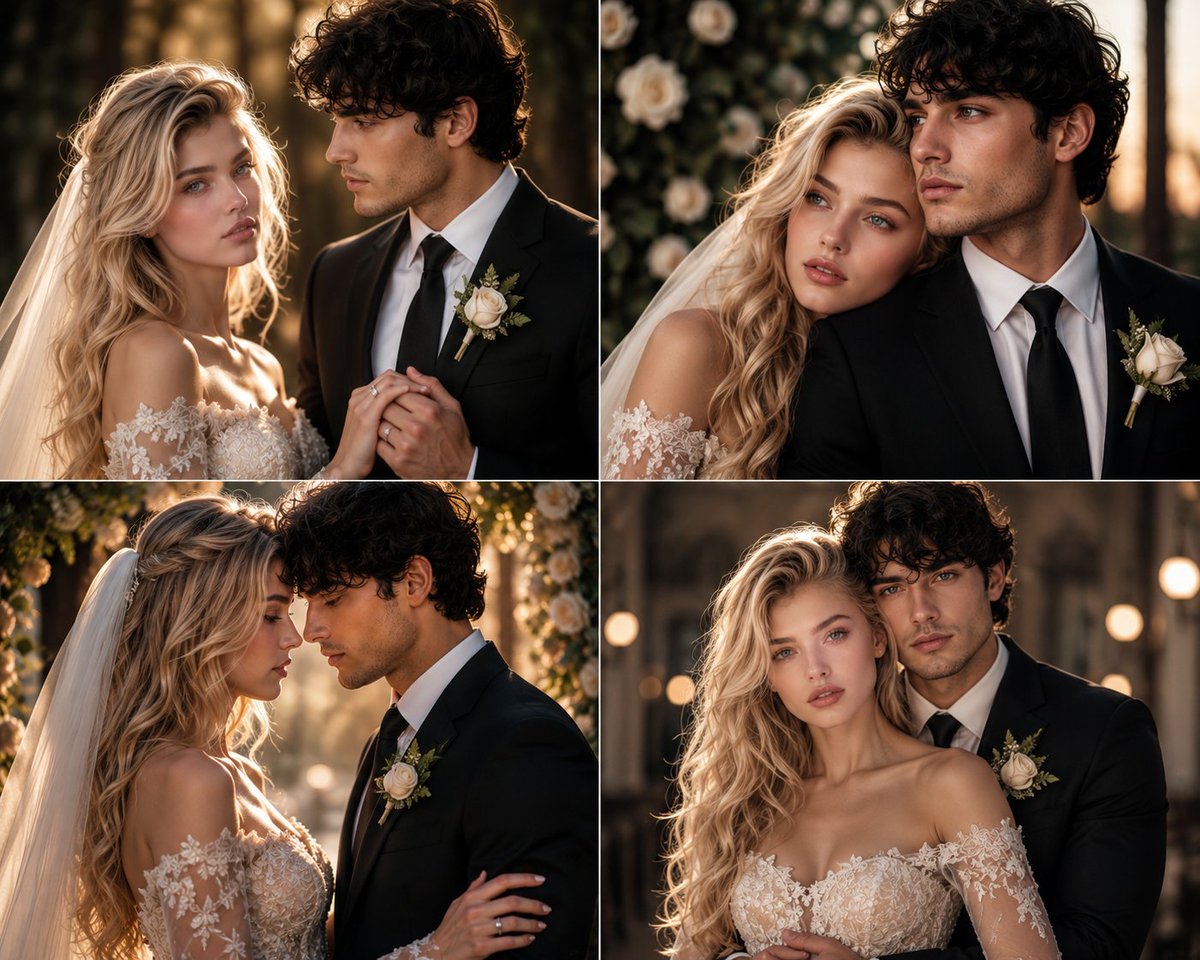
Romantic Wedding Couple Photoshoot
Generates elegant and warm wedding-themed portraits for a couple using face reference images for consistency.
This is a gpt-image-2 prompt case for Portrait & Character. Use the copy-ready prompt below to generate similar visuals, and review YouMind OpenLab awesome-gpt-image-2 attribution plus commercial-use rights before reuse.
Prompt
Copy-ready prompt
Using facial features from the attached reference image, generate stunning romantic couple portraits in a 4-grid layout. The woman in the image is wearing {argument name="woman outfit" default="Full wedding dress"} Men wearing{argument name="man outfit" default="A well-tailored suit"} Both faces are accurately reproduced from the provided reference images. Each grid captures a different romantic pose: (1) The groom gently holds the bride's hand, showing off the wedding ring, and the two gaze deeply into each other's eyes; (2) The bride rests her head on the groom's shoulder, and the two look into the distance; (3) The couple faces each other closely, their foreheads lightly touching, revealing gentle smiles; (4) The groom embraces the bride from behind, and the two look at the camera with elegant and warm expressions. The lighting should use soft golden hour cinematic effects, with a blurred background in a studio or outdoor garden. Each photo should present the quality of a high-end wedding magazine spread, conveying a warm, elegant, and romantic atmosphere while maintaining sophistication and professionalism. Hyper-realistic, 8K resolution, no text overlay, cinematic color grading, horizontal composition, naturally blending subtle details.{argument name="watermark" default="@OzairAI"} Watermark.Prompt variables
Editable argument placeholders found in the prompt, with their default values.
Variable
woman outfit
Default
Full wedding dress
Variable
man outfit
Default
A well-tailored suit
Variable
watermark
Default
@OzairAI
Reuse and source notes
Use this prompt safely after previewing the case.
- 1.Copy the prompt or open it directly in Dovoo with the generation button.
- 2.Adjust variables, aspect ratio, and reference images for your own use case.
- 3.Before publishing or paid usage, verify source rights, attribution requirements, and brand or likeness risks.
Can I use this prompt commercially?
Commercial-use status is unknown. Review the original source, license, brand constraints, and legal requirements before paid usage.
Where does this case come from?
This case is imported from YouMind OpenLab awesome-gpt-image-2; keep attribution visible and check the source URL before reuse.