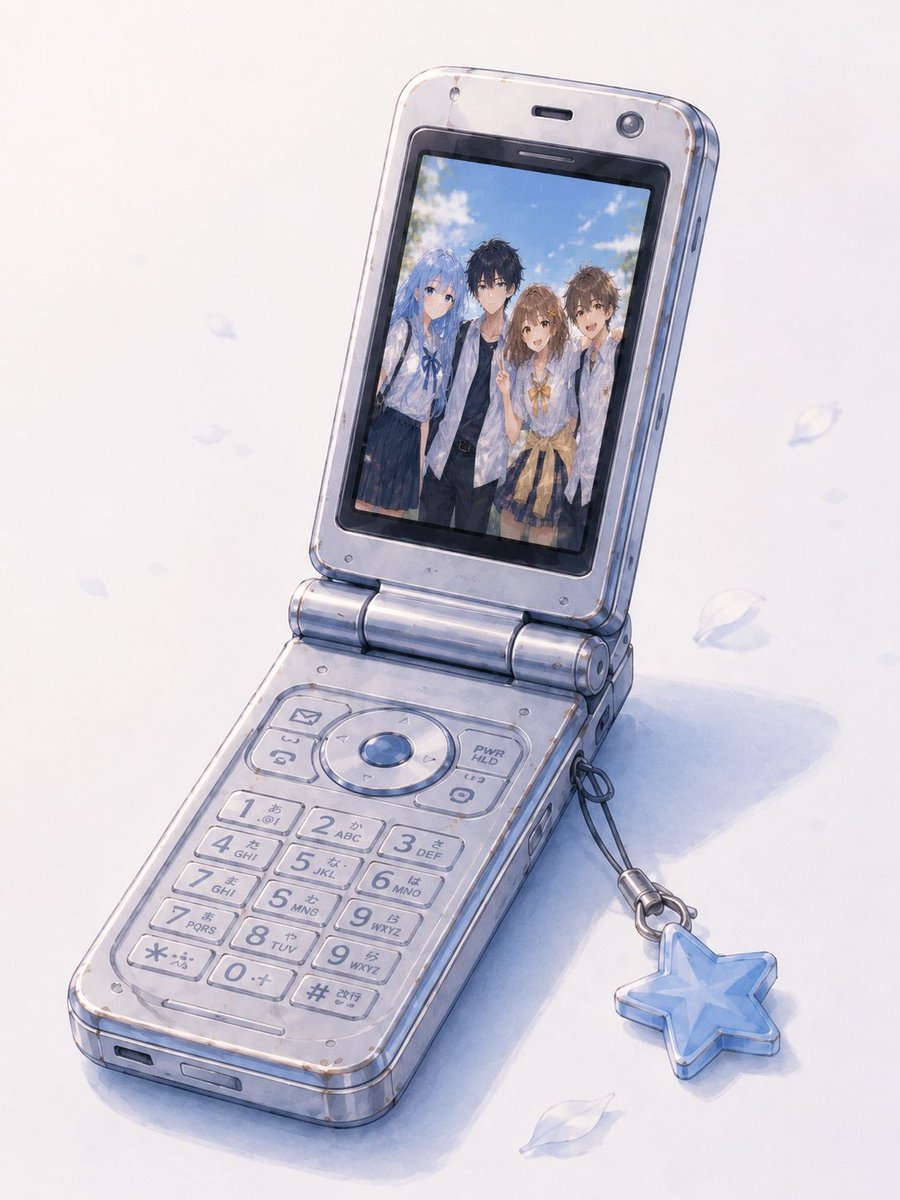
Group Photo Inside Retro Flip Phone
Generates a standalone watercolor illustration of a retro Japanese flip phone with a referenced group photo composited onto its screen.
This is a gpt-image-2 prompt case for 插画艺术. Use the copy-ready prompt below to generate similar visuals, and review YouMind OpenLab awesome-gpt-image-2 attribution plus commercial-use rights before reuse.
Prompt
Copy-ready prompt
Using REFERENCE_1 as the base image and style reference, create a simple, standalone illustration of a Japanese flip phone, removing the surrounding infographic layout, titles, detail panels, borders, and all printed text. Replace the phone screen content with the group photo from REFERENCE_0, seamlessly integrating it into the display as if viewed in a phone's photo album. Retain the angles, keyboard, hinge, semi-transparent worn plastic texture, minor scratches, and blue star charm from the older silver-blue flip phone in REFERENCE_1. Keep the image in a soft watercolor/anime concept art style, with a pale white background featuring subtle blue shadows and a few falling semi-transparent petals. The screen should accurately display the four people in the photo: a blue-haired girl, a black-haired boy, a brown-haired girl, and a brown-haired boy. Do not add any UI text, labels, borders, page decorations, or other unnecessary objects except for the phone, charm, soft shadows, and petals. Optional customization: Use on the phone screen.{argument name="screen photo" default="A summer group photo of four people from REFERENCE_0"} Keep the phone model/color as follows{argument name="phone color" default="Silver-blue translucent flip phone"} .Prompt variables
Editable argument placeholders found in the prompt, with their default values.
More cases in this category
Prioritized by category, input mode compatibility, quality, and lower risk.






Reuse and source notes
Use this prompt safely after previewing the case.
- 1.Copy the prompt or open it directly in Dovoo with the generation button.
- 2.Adjust variables, aspect ratio, and reference images for your own use case.
- 3.Before publishing or paid usage, verify source rights, attribution requirements, and brand or likeness risks.
Can I use this prompt commercially?
Commercial-use status is unknown. Review the original source, license, brand constraints, and legal requirements before paid usage.
Where does this case come from?
This case is imported from YouMind OpenLab awesome-gpt-image-2; keep attribution visible and check the source URL before reuse.