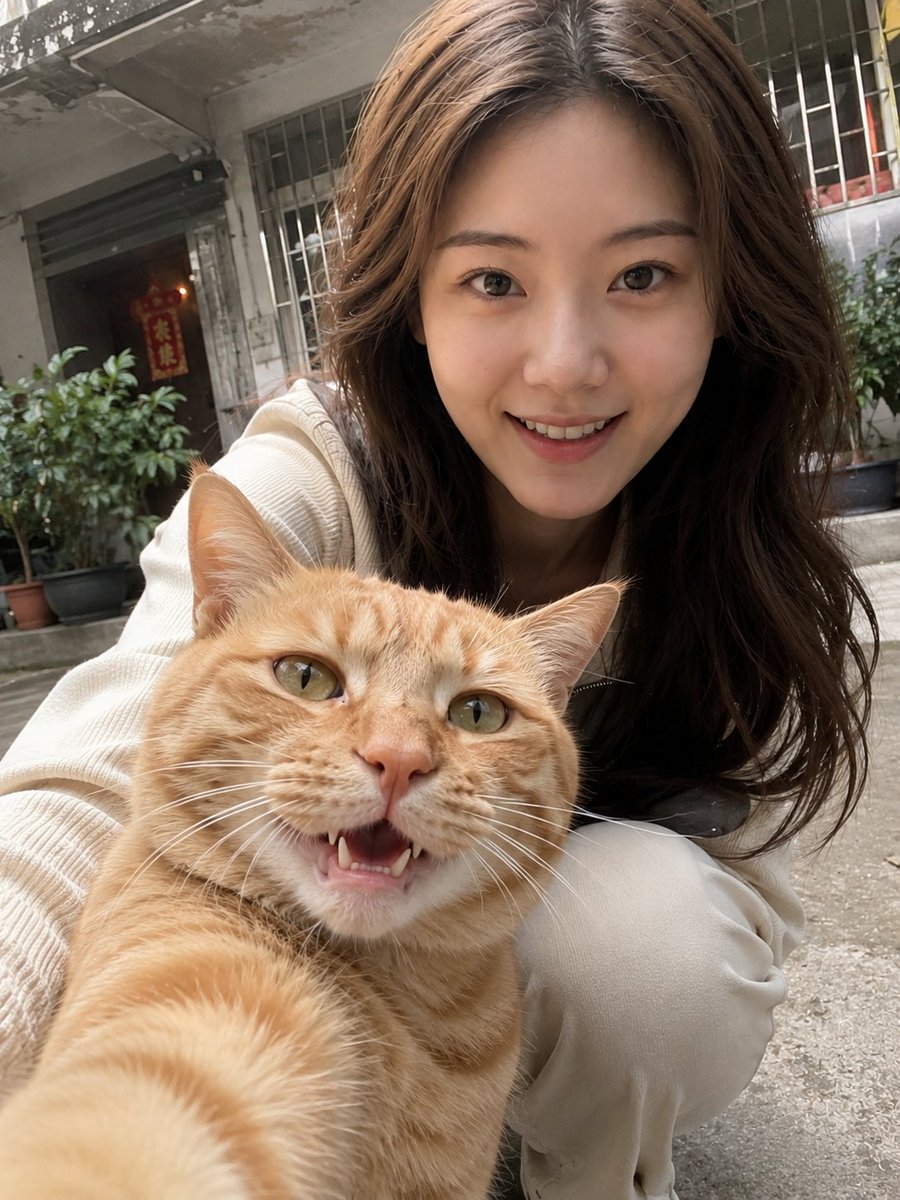
Realistic Pet and Owner Wide-Angle Selfie
A highly detailed prompt for creating realistic, wide-angle 'selfie' photos of pets and their owners, focusing on preserving the identity of the subjects and a casual community background.
This is a gpt-image-2 prompt case for Portrait & Character. Use the copy-ready prompt below to generate similar visuals, and review YouMind OpenLab awesome-gpt-image-2 attribution plus commercial-use rights before reuse.

Prompt
Copy-ready prompt
Please generate a realistic selfie-like photo of your pet and owner based on the uploaded photo. Only use the uploaded photo of the person as the identification reference, and the uploaded photo of the pet as the identification reference. Please strictly preserve the real features of both, including the person's face shape, facial proportions, skin tone, hairstyle, and temperament, as well as the pet's species, breed, coat color, markings, and expression. Do not use beauty filters, face swapping, or treat the person as an AI model. The pet must be the specific pet in the photo. The scene should be set as if the pet is casually taking a selfie with a phone. Use a close-up wide-angle selfie perspective, with the pet in the very foreground. The person should be behind or to the side of the pet, crouching or leaning into the frame. The person's clothing {argument name="clothing" default="Light-colored, simple everyday clothing"} The background is set in{argument name="background environment" default="Typical Chinese residential area or daily community environment"} It should include realistic elements such as railings, windows, and common neighborhood corners. The overall style must be highly realistic, handheld photography with slight motion blur or noise to make it look like a raw mobile phone photo rather than a professional shot. Avoid AI-looking faces, excessive skin smoothing, or studio-quality lighting.Prompt variables
Editable argument placeholders found in the prompt, with their default values.
Reuse and source notes
Use this prompt safely after previewing the case.
- 1.Copy the prompt or open it directly in Dovoo with the generation button.
- 2.Adjust variables, aspect ratio, and reference images for your own use case.
- 3.Before publishing or paid usage, verify source rights, attribution requirements, and brand or likeness risks.
Can I use this prompt commercially?
Commercial-use status is unknown. Review the original source, license, brand constraints, and legal requirements before paid usage.
Where does this case come from?
This case is imported from YouMind OpenLab awesome-gpt-image-2; keep attribution visible and check the source URL before reuse.