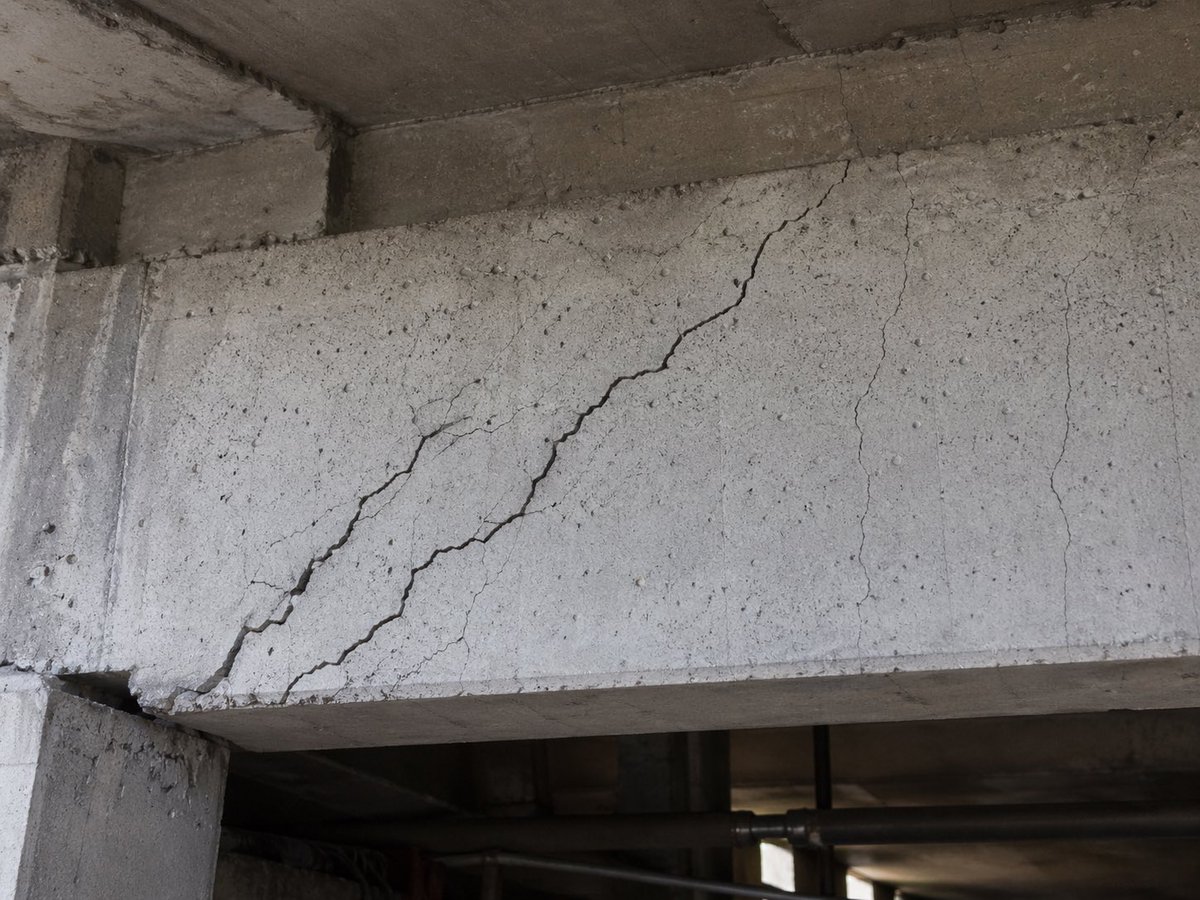
Realistic Cracked Concrete Beam
This prompt generates a realistic structural inspection-style image of a damaged concrete beam, suitable for civil engineering, infrastructure diagnostics, or educational materials.
This is a gpt-image-2 prompt case for 室内建筑. Use the copy-ready prompt below to generate similar visuals, and review YouMind OpenLab awesome-gpt-image-2 attribution plus commercial-use rights before reuse.
Prompt
Copy-ready prompt
A highly realistic documentary-style close-up photo shows a seriously {argument name="damage type" default="shear cracks"} The scene depicts a reinforced concrete structural beam. The image shows the bottom of the concrete structure, with a large diagonal crack extending upwards from the lower left to the upper right of the beam. A secondary branch diagonal crack is located near the center on the left, and three thinner, vertical, or slightly irregular micro-cracks are visible on the right side. The concrete surface is rough, weathered, and grayish-white, riddled with pores and aggregate marks. Darker grime and aged stains are present at the ceiling slabs and beam joints. The far left of the image includes a supporting concrete column, with the bottom edge of the beam visible at the bottom edge. Below is a dimly lit industrial background with out-of-focus pipes and structural elements. The lighting is natural and soft, reminiscent of a field inspection photograph taken under a bridge or in a parking lot. The composition is a mid-range close-up of the damaged beam, emphasizing the realistic structural deterioration, lifelike texture, and the accuracy of the engineering inspection. There are no people, safety signs, or overlay text in the image.Prompt variables
Editable argument placeholders found in the prompt, with their default values.
More cases in this category
Prioritized by category, input mode compatibility, quality, and lower risk.






Reuse and source notes
Use this prompt safely after previewing the case.
- 1.Copy the prompt or open it directly in Dovoo with the generation button.
- 2.Adjust variables, aspect ratio, and reference images for your own use case.
- 3.Before publishing or paid usage, verify source rights, attribution requirements, and brand or likeness risks.
Can I use this prompt commercially?
Commercial-use status is unknown. Review the original source, license, brand constraints, and legal requirements before paid usage.
Where does this case come from?
This case is imported from YouMind OpenLab awesome-gpt-image-2; keep attribution visible and check the source URL before reuse.