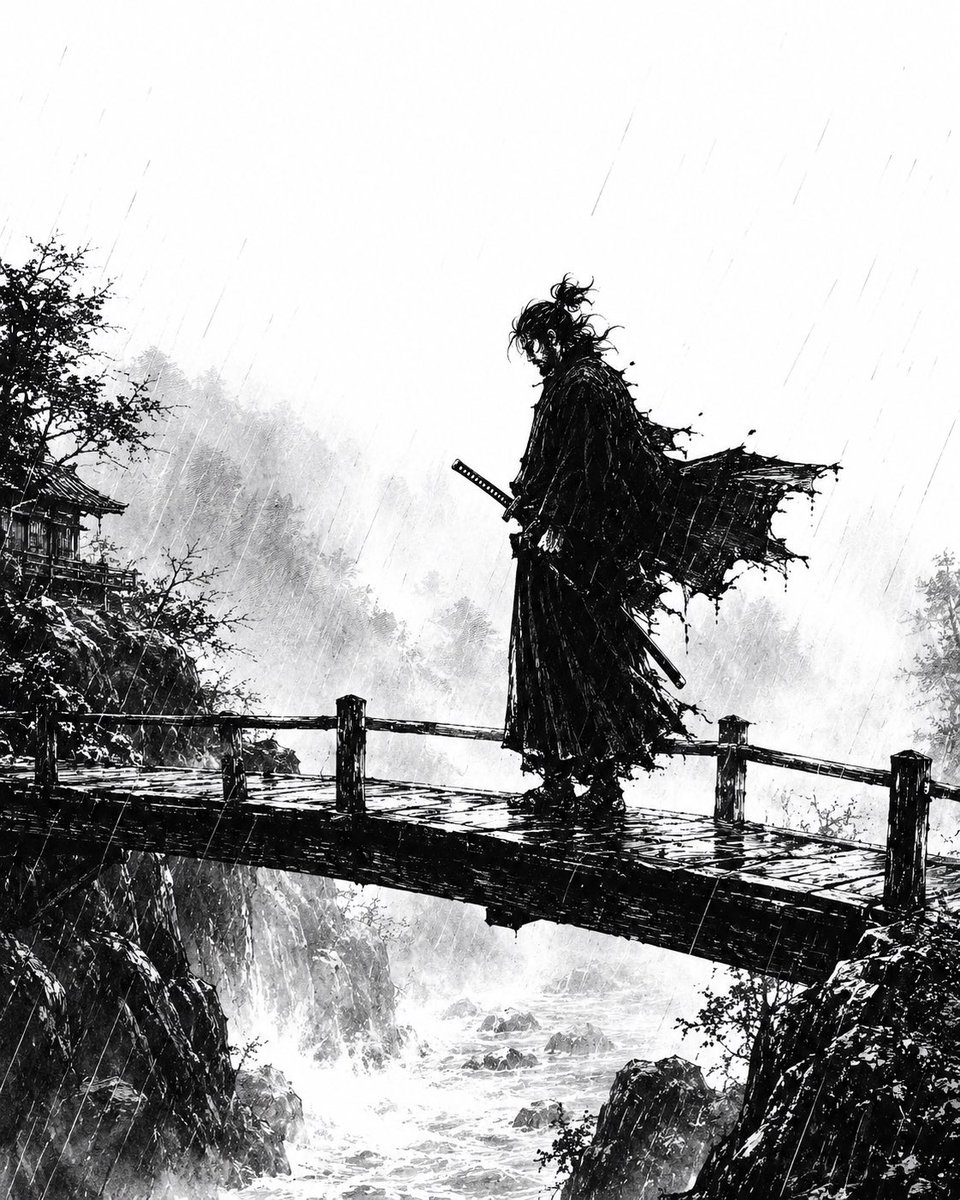
Rainstorm Ronin Bridge Scene
A cinematic black-and-white ink prompt for generating a lone samurai standing on a rain-lashed bridge over a misty mountain gorge.
This is a gpt-image-2 prompt case for Anime & Game. Use the copy-ready prompt below to generate similar visuals, and review YouMind OpenLab awesome-gpt-image-2 attribution plus commercial-use rights before reuse.
Prompt
Copy-ready prompt
Create a dramatic monochrome ink illustration with a hardcore Japanese samurai manga style: a lonely figure.{argument name="character type" default="Ronin samurai"} Standing sideways on a narrow wooden bridge spanning a rocky valley, a torrential downpour is underway. The figure is a tall, black silhouette with disheveled hair, a long, tattered cloak billowing wildly to the right, and layered, ragged robes. Two longswords are at his waist, and one hand is near the hilt of a samurai sword. The painting employs extreme black-and-white contrast, bold brushstrokes, splattered ink dots, and thin, slanting rain streaks running throughout the entire scene. The bridge surface is slippery, with rough railings and dark reflections in the puddles; below, rushing white waves churn between jagged cliffs. In the background, misty forests and mountains gradually fade into a light gray ink wash, and a traditional Japanese temple or pavilion is faintly visible among the trees on the left cliff. The composition employs a vertical, cinematic perspective, with the samurai positioned slightly to the right of the center. Above him lies a large, pale, and open area of rainy sky, imbued with an atmospheric sense of fog and the dynamic force of the downpour. The composition uses only black, white, and gray as its primary colors. Atmosphere:{argument name="mood" default="Melancholy, deadly, and lonely"} .Prompt variables
Editable argument placeholders found in the prompt, with their default values.
Variable
character type
Default
Ronin samurai
Variable
mood
Default
Melancholy, deadly, and lonely
Reuse and source notes
Use this prompt safely after previewing the case.
- 1.Copy the prompt or open it directly in Dovoo with the generation button.
- 2.Adjust variables, aspect ratio, and reference images for your own use case.
- 3.Before publishing or paid usage, verify source rights, attribution requirements, and brand or likeness risks.
Can I use this prompt commercially?
Commercial-use status is unknown. Review the original source, license, brand constraints, and legal requirements before paid usage.
Where does this case come from?
This case is imported from YouMind OpenLab awesome-gpt-image-2; keep attribution visible and check the source URL before reuse.