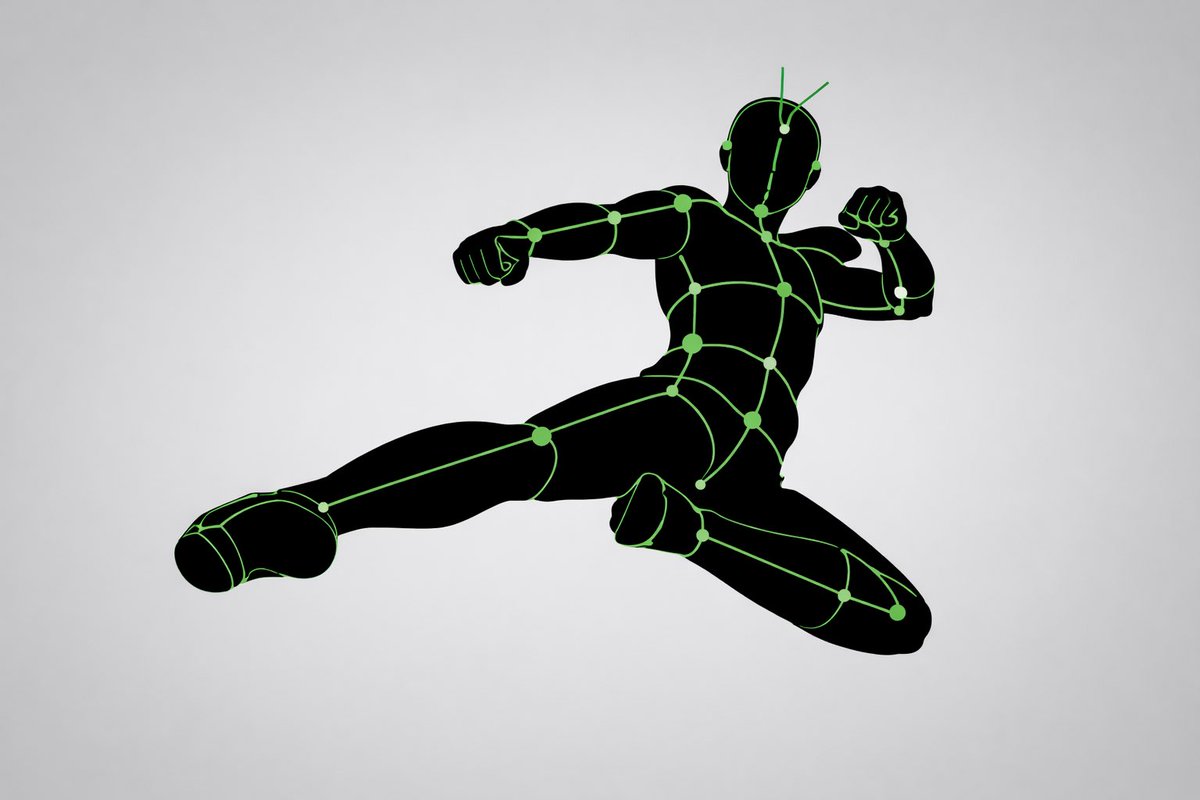
Pose and Lighting Analysis Sheet Transformer
A highly detailed structural prompt for transforming any input image into a white-line mannequin pose and lighting analysis sheet.
This is a gpt-image-2 prompt case for 其他灵感. Use the copy-ready prompt below to generate similar visuals, and review YouMind OpenLab awesome-gpt-image-2 attribution plus commercial-use rights before reuse.

Prompt
Copy-ready prompt
[Core Task] Convert the provided input image into a pose and lighting analysis diagram. This is not a finished character illustration. This is not a costume design drawing. This is not a redraw that preserves aesthetics. This is a conversion of a white line sketch human body model. [Main Objective] Extract and visualize only the following: - Pose structure - Body balance - Camera angle - Body line flow - Inferred light source position - Illuminated area and light intensity [Input Character] Use the provided image as a strict anchor point for the following: - Pose - Camera angle - Body tilt - Center of gravity distribution - General lighting conditions Do not retain: - Facial rendering - Hairstyle rendering - Clothing details - Accessories - Weapon details - Background architecture - Character identity - Emotional expression [Character Transformation] Single, rough human model White body outline White internal construction lines Simple model Head No face No eyes No mouth No eyelashes No personality No individual identity The human model should be presented as: - Rough pose model - Anatomical proxy model - Line-based body guide - Structural sketch - White line Rough model Retain: - Pose readability - Outline flow - Head tilt - Torso direction - Pelvis direction - Limb position [Background] Pure black background Negative style Dark field No scene No props No architecture No environmental narrative [Line style] Rough white line drawing, simple yet sketch-like; structural lines visible, anatomical guide lines visible, joint flow visible; emphasizes body contours; not a detailed illustration. [Light and Shadow Estimation] Predict possible light source locations based on the input image; visualize light sources and illuminated areas using only green halos. Use varying green light intensities: - Strongest green: Direct light - Medium green: Wrapping light - Soft green: Reflected or diminished light. Use labels and arrows to mark estimated light sources, such as: - Main Light - Rim Light - Fill Light - Floor Bounce - Back Light. Use only where appropriate. Important note: Do not fabricate light sources; infer lighting from the original input image. If lighting is blurry, keep labels simple and reasonable. [Green Light and Shadow Visualization] Display green halos in the following areas: - Head/Skull plane - Neck - Shoulders - Chest plane - Thoracic direction - Pelvic edge - Thigh plane - Knee contact point - Floor contact reflection (if applicable) The use of green light and shadow is not for decoration, but as information for light and shadow analysis [pose priority]: 1. Preserve pose structure; 2. Preserve camera angle; 3. Preserve body balance; 4. Preserve head-to-body relationship; 5. Visualize possible lighting directions; 6. Show the lit areas through readable green intensity variations [negative hints]. Finished character, cute girl, detailed face, hair rendering, clothing rendering, weapon emphasis, beautified anatomical structure.
More cases in this category
Prioritized by category, input mode compatibility, quality, and lower risk.

Hand-Drawn Sketch Photo Annotation
Text to Imageunknown

Cosmic Big Bang Snooze Comic
Text to Imageunknown

Premium Sports Editorial Poster
Text to Imageunknown

Vintage Film Projection Portrait
Image to Imageunknown

Hyper Realistic FIFA Football Poster
Text to Imageunknown

Direct Flash Editorial Portrait
Text to Imageunknown
Reuse and source notes
Use this prompt safely after previewing the case.
- 1.Copy the prompt or open it directly in Dovoo with the generation button.
- 2.Adjust variables, aspect ratio, and reference images for your own use case.
- 3.Before publishing or paid usage, verify source rights, attribution requirements, and brand or likeness risks.
Can I use this prompt commercially?
Commercial-use status is unknown. Review the original source, license, brand constraints, and legal requirements before paid usage.
Where does this case come from?
This case is imported from YouMind OpenLab awesome-gpt-image-2; keep attribution visible and check the source URL before reuse.