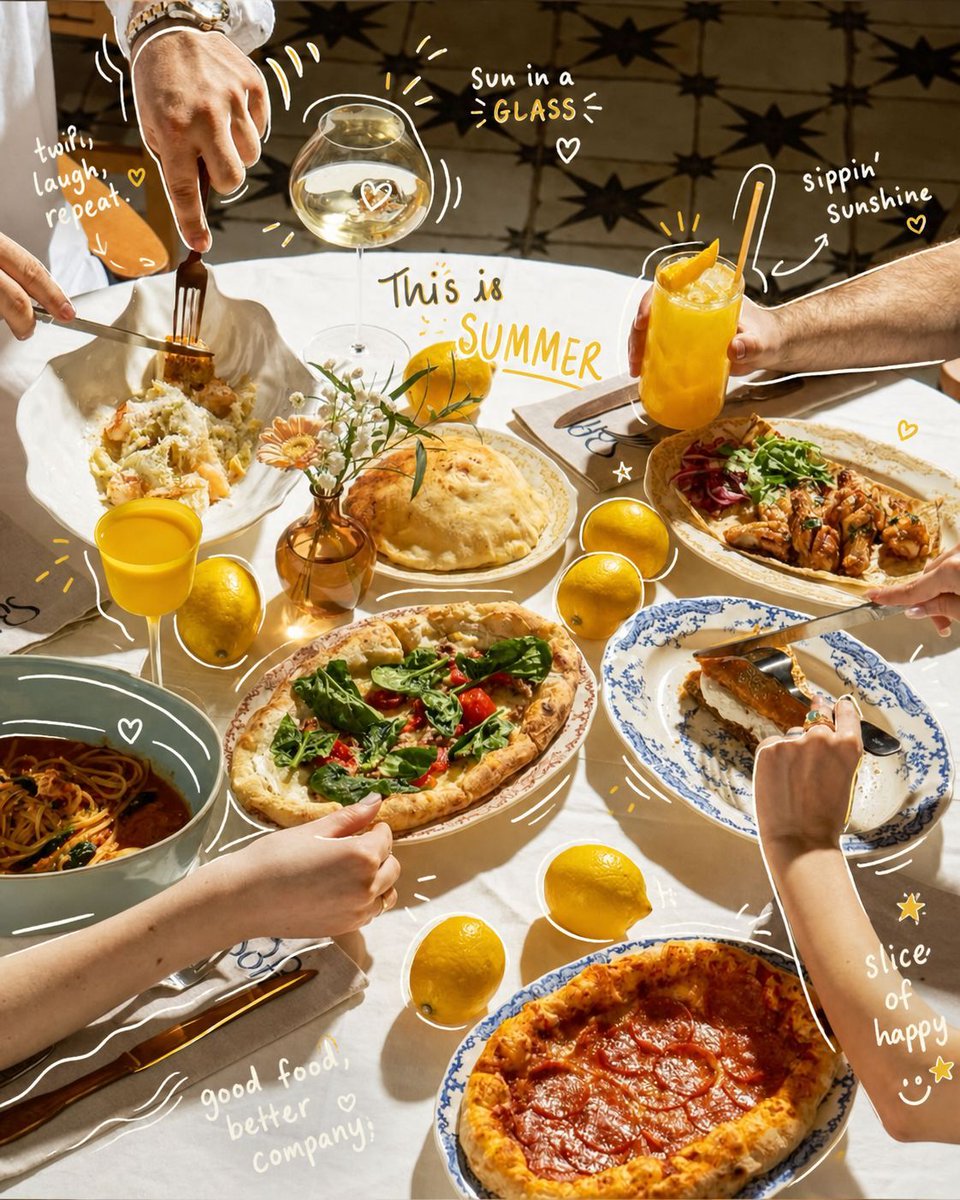
Hand-Drawn Interactive Doodles
A prompt that instructs the AI to add playful, hand-drawn doodles and text to an existing photo while preserving the original subject.
This is a gpt-image-2 prompt case for 插画艺术. Use the copy-ready prompt below to generate similar visuals, and review YouMind OpenLab awesome-gpt-image-2 attribution plus commercial-use rights before reuse.

Prompt
Copy-ready prompt
Analyze the uploaded image and preserve the original subject, composition, and lighting. Do not alter the subject's identity or structure. Add fun hand-drawn doodles that directly interact with the image's subject. Doodles should mimic, follow, or exaggerate existing shapes, poses, or movements in the image—for example, sketching a pose, extending limbs, adding lines of motion, or creating creative elements that "interact" with the subject. (2) Ensure the doodles blend naturally into the scene, as if intentionally drawn on the photograph.{argument name="style" default="sketchy, imperfect, hand-drawn"} The style should be natural, with slightly irregular strokes and a casual, illustrative feel. Add playful handwritten text elements around the image. The text should match the mood or implied context of the scene, and the tone should be lively and casual. (3) Avoid using fixed phrases—generate context-aware, creative, and humorous text based on the uniqueness of each image. Maintain compositional balance so that the graffiti enhances the visual appeal without overshadowing the main subject. The overall visual effect should be fun, expressive, and suitable for sharing on social media. High resolution, clear overlay effects, and vivid yet natural color harmony are required.Prompt variables
Editable argument placeholders found in the prompt, with their default values.
More cases in this category
Prioritized by category, input mode compatibility, quality, and lower risk.






Reuse and source notes
Use this prompt safely after previewing the case.
- 1.Copy the prompt or open it directly in Dovoo with the generation button.
- 2.Adjust variables, aspect ratio, and reference images for your own use case.
- 3.Before publishing or paid usage, verify source rights, attribution requirements, and brand or likeness risks.
Can I use this prompt commercially?
Commercial-use status is unknown. Review the original source, license, brand constraints, and legal requirements before paid usage.
Where does this case come from?
This case is imported from YouMind OpenLab awesome-gpt-image-2; keep attribution visible and check the source URL before reuse.