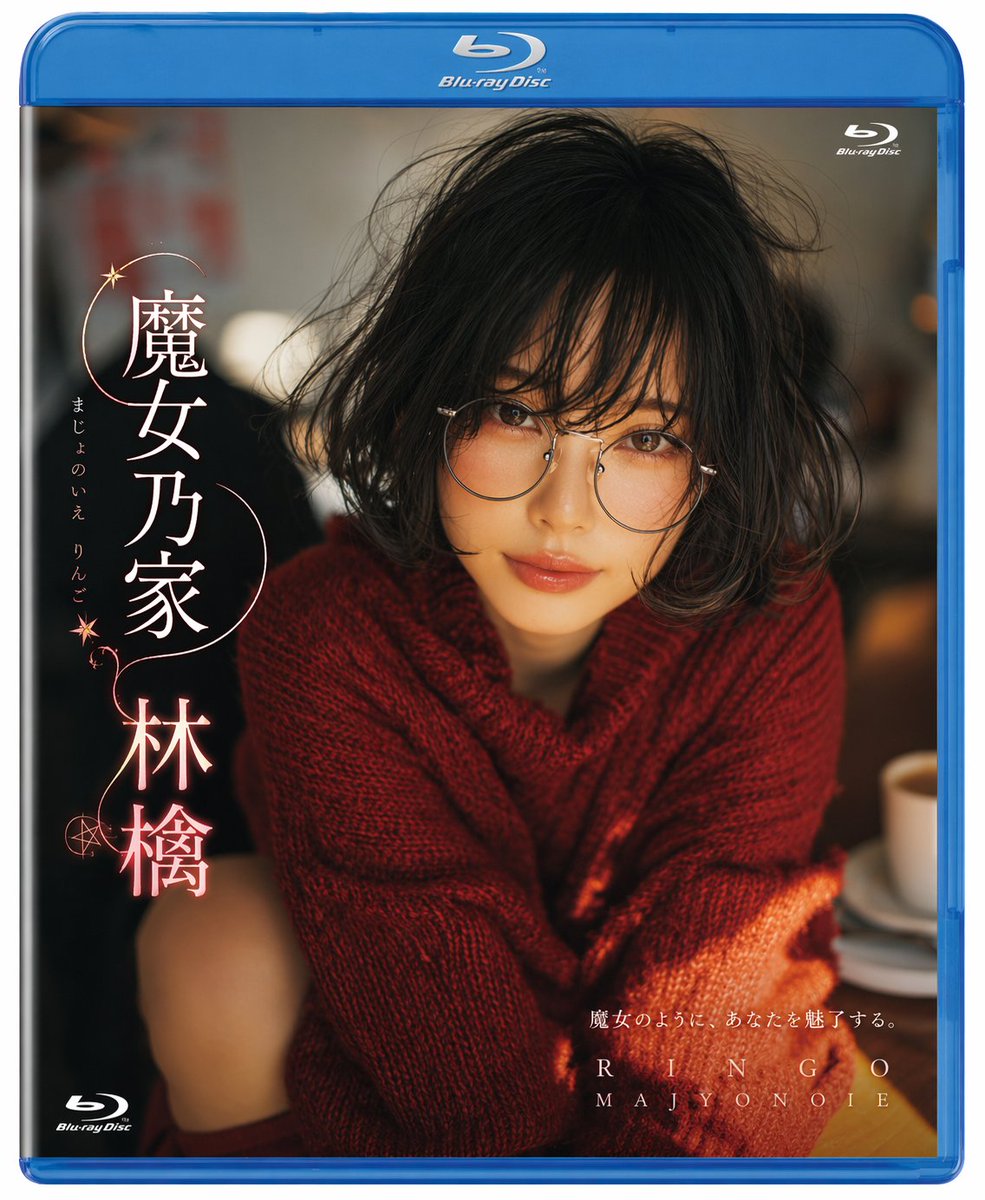
Photorealistic Blu-ray Cover Portrait
Generates a realistic Blu-ray cover featuring a portrait of a woman with customizable Japanese titles and subtitles.
This is a gpt-image-2 prompt case for 产品商业. Use the copy-ready prompt below to generate similar visuals, and review YouMind OpenLab awesome-gpt-image-2 attribution plus commercial-use rights before reuse.
Prompt
Copy-ready prompt
A highly realistic Blu-ray disc cover features a portrait of a young Japanese woman. She has a messy black bob and wears large, round, thin-rimmed metal glasses. She wears a thick, textured, deep red knit sweater. Her expression is soft and captivating, looking directly at the camera. The background is a softly blurred, warm-toned interior environment, seemingly in a café, with a white coffee cup and tray faintly visible on the table to the right. The warm, cinematic lighting accentuates her facial features and the texture of her sweater. The image is framed within the standard blue border of a Blu-ray disc case, with the Blu-ray Disc logo prominently displayed at the top center, upper right, and lower left corners. On the left side are striking and elegant vertical Japanese characters…{argument name="main title" default="Witch's House Ringo"} Next to it is the phonetic alphabet "majo no ieringo", and it is decorated with delicate glowing pink lines and star/pentagram patterns. The lower right corner contains smaller Japanese characters "{argument name="subtitle" default="Like a witch, she will enchant you."} The letter “RINGO” and “MAJYONOIE” are printed below it.Prompt variables
Editable argument placeholders found in the prompt, with their default values.
More cases in this category
Prioritized by category, input mode compatibility, quality, and lower risk.






Reuse and source notes
Use this prompt safely after previewing the case.
- 1.Copy the prompt or open it directly in Dovoo with the generation button.
- 2.Adjust variables, aspect ratio, and reference images for your own use case.
- 3.Before publishing or paid usage, verify source rights, attribution requirements, and brand or likeness risks.
Can I use this prompt commercially?
Commercial-use status is unknown. Review the original source, license, brand constraints, and legal requirements before paid usage.
Where does this case come from?
This case is imported from YouMind OpenLab awesome-gpt-image-2; keep attribution visible and check the source URL before reuse.