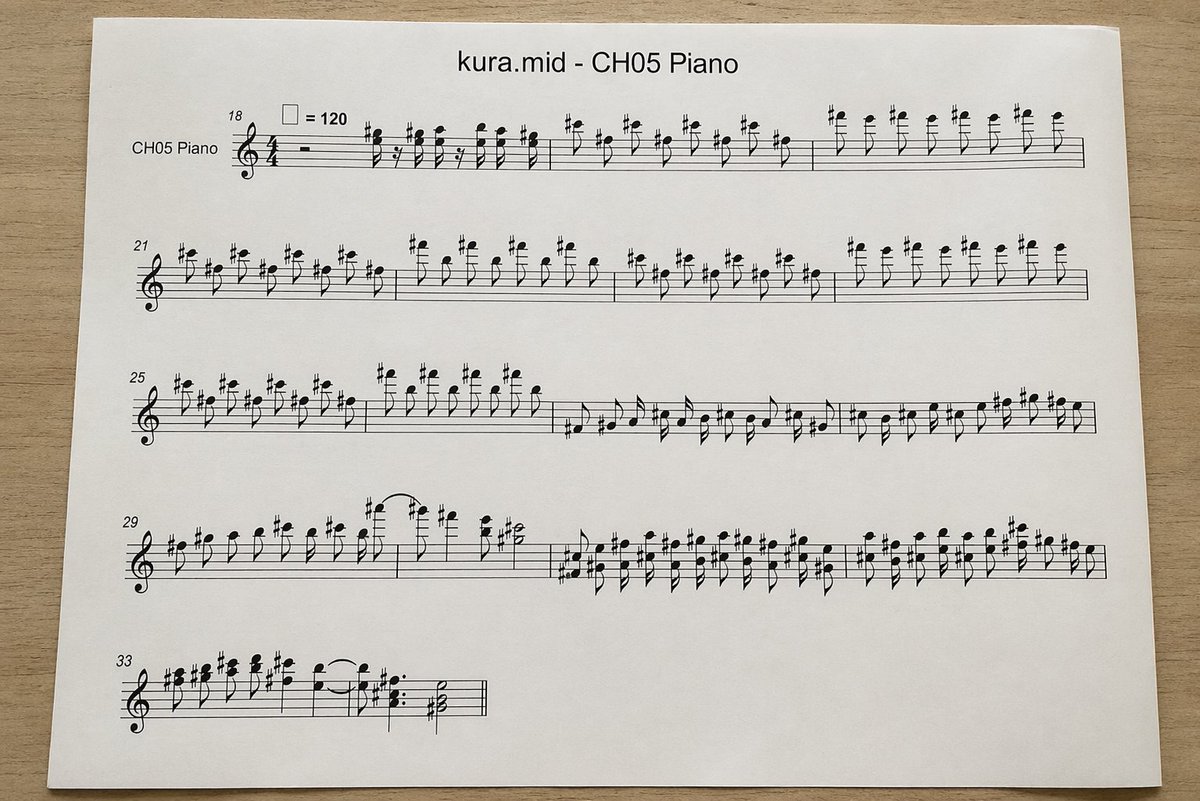
Photographed MIDI Piano Score Sheet
This generates a realistic overhead photo of a printed piano sheet-music page converted from a MIDI file, useful for mockups, music-tech visuals, or document-style illustrations.
This is a gpt-image-2 prompt case for Product & Commercial. Use the copy-ready prompt below to generate similar visuals, and review YouMind OpenLab awesome-gpt-image-2 attribution plus commercial-use rights before reuse.
Prompt
Copy-ready prompt
A top-down, realistic photograph of a white printed sheet of paper placed on a light-colored wooden desk showcases a computer-generated musical score. The page is horizontally centered with a slight sense of perspective, illuminated by soft natural indoor light with minimal shadows, resulting in a clean, printed document. At the top center of the page, the title is printed in a simple sans-serif font.{argument name="file name" default="kura.mid"} -{argument name="track name" default="CH05 Piano"} Below is a standard black staff system with a treble clef and 4/4 time signature, designed to resemble an automatically converted MIDI score rather than a finely typed score. On the far left of the first line of staff is the instrument name "CH05 Piano". The page should display five lines of horizontal staff, with the starting measure numbers on the left of each line being 18, 21, 25, 29, and 33 respectively. Near the first line of staff is a tempo marker indicating a quarter note equal to 120. The staff is filled with dense, somewhat stiff but logical black notes, accidentals, stems, slurs, and rests. The treble register contains numerous sharps and repeated short note combinations, visually resembling a MIDI-converted piano score. The first three lines of staff should be relatively long and almost fill the entire width; the fourth line should also be relatively long; the fifth... The lines should be short, occupying only the left side of the page. The sheet music must remain legible, but the spacing should have a mechanically generated appearance. Use clean white paper with wide margins, no handwriting, no colored elements, no extra graphics, and simply present a printed sheet music photographed on a desk.Prompt variables
Editable argument placeholders found in the prompt, with their default values.
Reuse and source notes
Use this prompt safely after previewing the case.
- 1.Copy the prompt or open it directly in Dovoo with the generation button.
- 2.Adjust variables, aspect ratio, and reference images for your own use case.
- 3.Before publishing or paid usage, verify source rights, attribution requirements, and brand or likeness risks.
Can I use this prompt commercially?
Commercial-use status is unknown. Review the original source, license, brand constraints, and legal requirements before paid usage.
Where does this case come from?
This case is imported from YouMind OpenLab awesome-gpt-image-2; keep attribution visible and check the source URL before reuse.