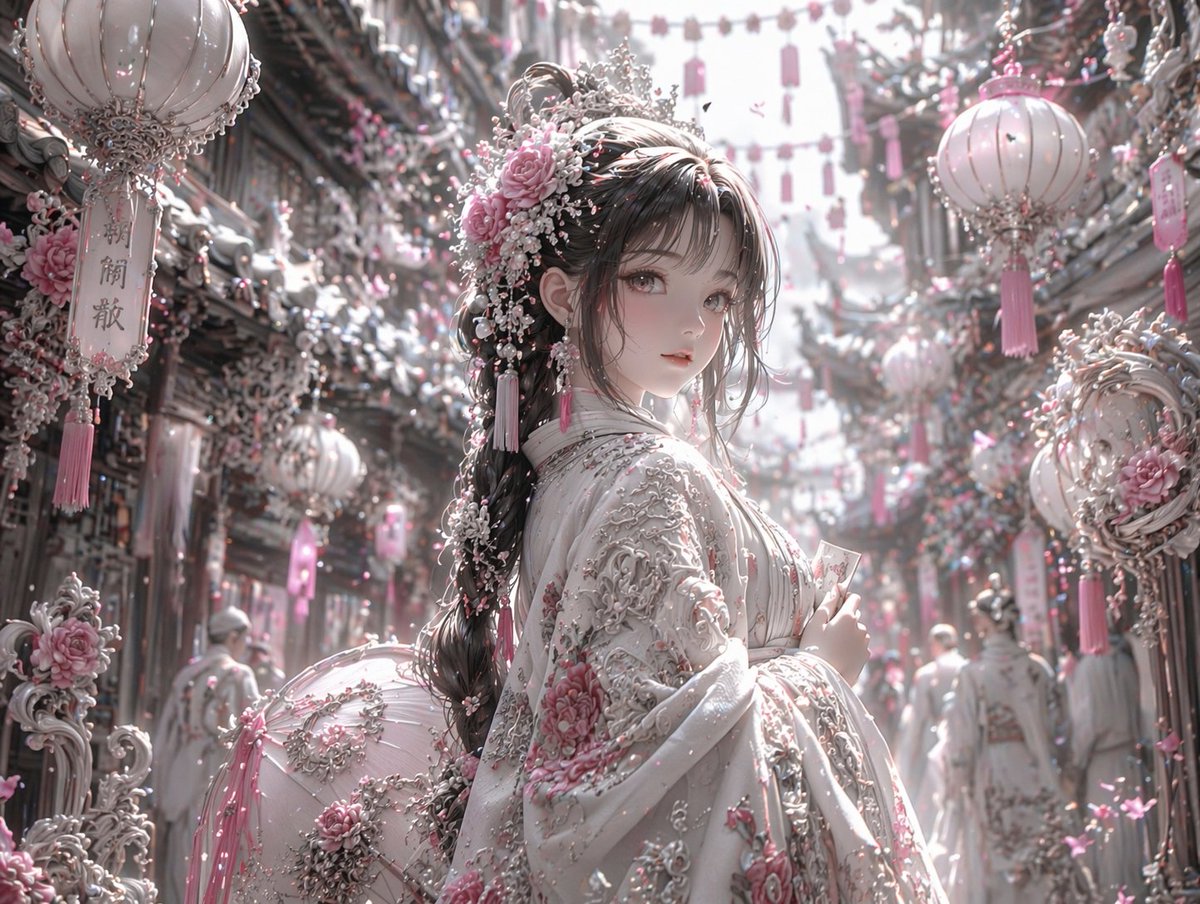
Pastel Pink and Silver Ornate Style Transfer
Transforms a reference image into a highly detailed, ethereal fantasy aesthetic with a pastel pink, white, and silver color palette.
This is a gpt-image-2 prompt case for 插画艺术. Use the copy-ready prompt below to generate similar visuals, and review YouMind OpenLab awesome-gpt-image-2 attribution plus commercial-use rights before reuse.

Prompt
Copy-ready prompt
Using REFERENCE_0, the image's aesthetic style was transformed into a highly refined, gorgeous fantasy style. The overall tone was changed from warm reds and blacks to {argument name="color palette" default="Soft pink, white and silver"} Transform the character's dark clothing into clothing with {argument name="clothing details" default="Pink floral embroidery and heavy silver filigree"} The luxurious white dress was replaced with delicate pink roses, white pearls, and silver embellishments. In the background, three prominent hanging lanterns were transformed {argument name="lantern style" default="Ornate white and pink lanterns with tassels"} .use{argument name="environment details" default="White and pink flowers and intricate silver architectural elements"} Cover the surrounding streets and buildings. Adjust the lighting to {argument name="lighting" default="Bright, soft, ethereal sunlight"} Preserve the original poses, facial expressions, and overall composition of the scene.Prompt variables
Editable argument placeholders found in the prompt, with their default values.
More cases in this category
Prioritized by category, input mode compatibility, quality, and lower risk.






Reuse and source notes
Use this prompt safely after previewing the case.
- 1.Copy the prompt or open it directly in Dovoo with the generation button.
- 2.Adjust variables, aspect ratio, and reference images for your own use case.
- 3.Before publishing or paid usage, verify source rights, attribution requirements, and brand or likeness risks.
Can I use this prompt commercially?
Commercial-use status is unknown. Review the original source, license, brand constraints, and legal requirements before paid usage.
Where does this case come from?
This case is imported from YouMind OpenLab awesome-gpt-image-2; keep attribution visible and check the source URL before reuse.