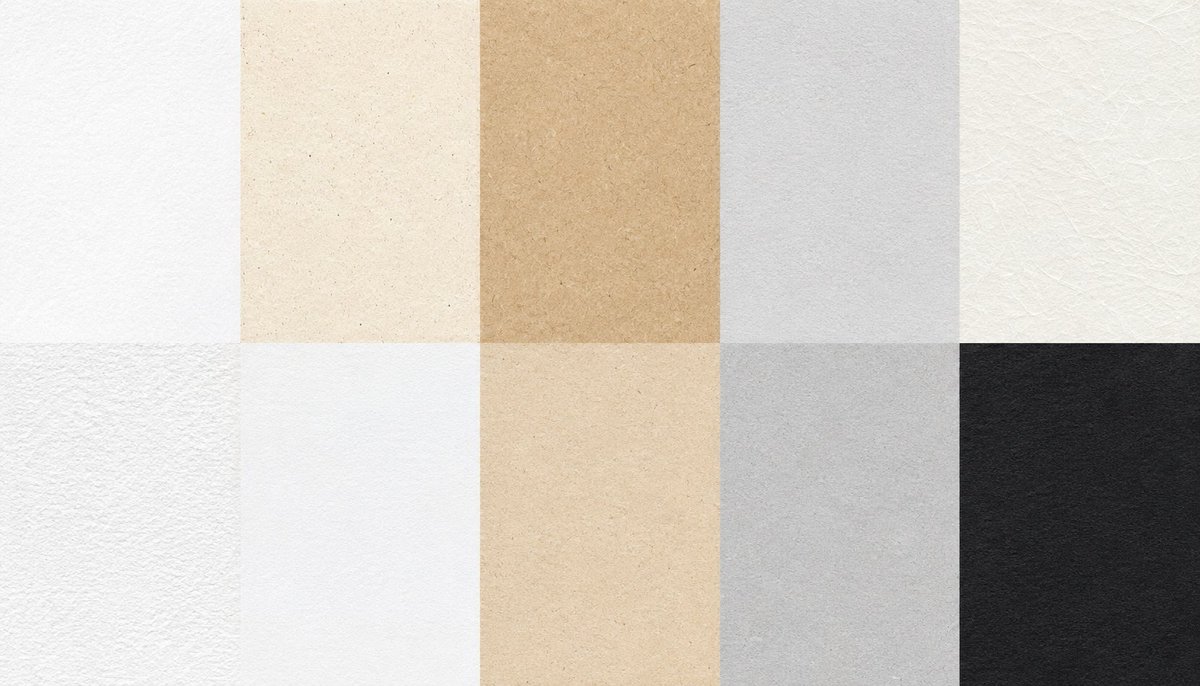
Paper Texture Swatch Grid
A 16:9 contact sheet of ten realistic paper texture swatches for design background and material reference use.
This is a gpt-image-2 prompt case for Other Inspiration. Use the copy-ready prompt below to generate similar visuals, and review YouMind OpenLab awesome-gpt-image-2 attribution plus commercial-use rights before reuse.
Prompt
Copy-ready prompt
Create a 16:9 paper texture collection contact sheet displaying 10 rectangular paper samples arranged in a neat 5-column, 2-row grid, filling the entire canvas with no gaps, borders, labels, or shadows. The canvas size should be [size missing].{argument name="canvas size" default="1792x1024"} Each sample is a tiled, top-down textured image with realistic matte paper texture, fine fibers, delicate speckles, and soft, uneven tones. Top row from left to right: 1) Bright white minimalist paper with an extremely fine texture; 2) Warm ivory recycled paper with small brown speckles; 3) Yellowish-brown kraft paper with a soft, mottled feel and natural pulp fibers; 4) Cool light gray paper with a smooth, delicate texture; 5) Off-white fiber handmade paper with visible cross-fibers and faint creases. Bottom row from left to right: 6) White rough watercolor paper with a distinct texture and fine, rough edges; 7) Clean, smooth white letter paper with almost invisible fibers; 8) Light beige parchment with aged spots and warm, uneven stains; 9) Medium cool gray paper with a cloud-like mottle and soft texture; 10) Dark charcoal black paper with visible fiber texture and low-contrast grain. Use natural soft lighting to reveal high-resolution macro texture details, realistic scanned paper surfaces, neutral color reproduction, and a minimalist design suitable for texture reference or design backgrounds. Avoid text, objects, hands, logos, watermarks, perspective distortion, seams outside the grid, and decorative elements.Prompt variables
Editable argument placeholders found in the prompt, with their default values.
Variable
canvas size
Default
1792x1024
Reuse and source notes
Use this prompt safely after previewing the case.
- 1.Copy the prompt or open it directly in Dovoo with the generation button.
- 2.Adjust variables, aspect ratio, and reference images for your own use case.
- 3.Before publishing or paid usage, verify source rights, attribution requirements, and brand or likeness risks.
Can I use this prompt commercially?
Commercial-use status is unknown. Review the original source, license, brand constraints, and legal requirements before paid usage.
Where does this case come from?
This case is imported from YouMind OpenLab awesome-gpt-image-2; keep attribution visible and check the source URL before reuse.