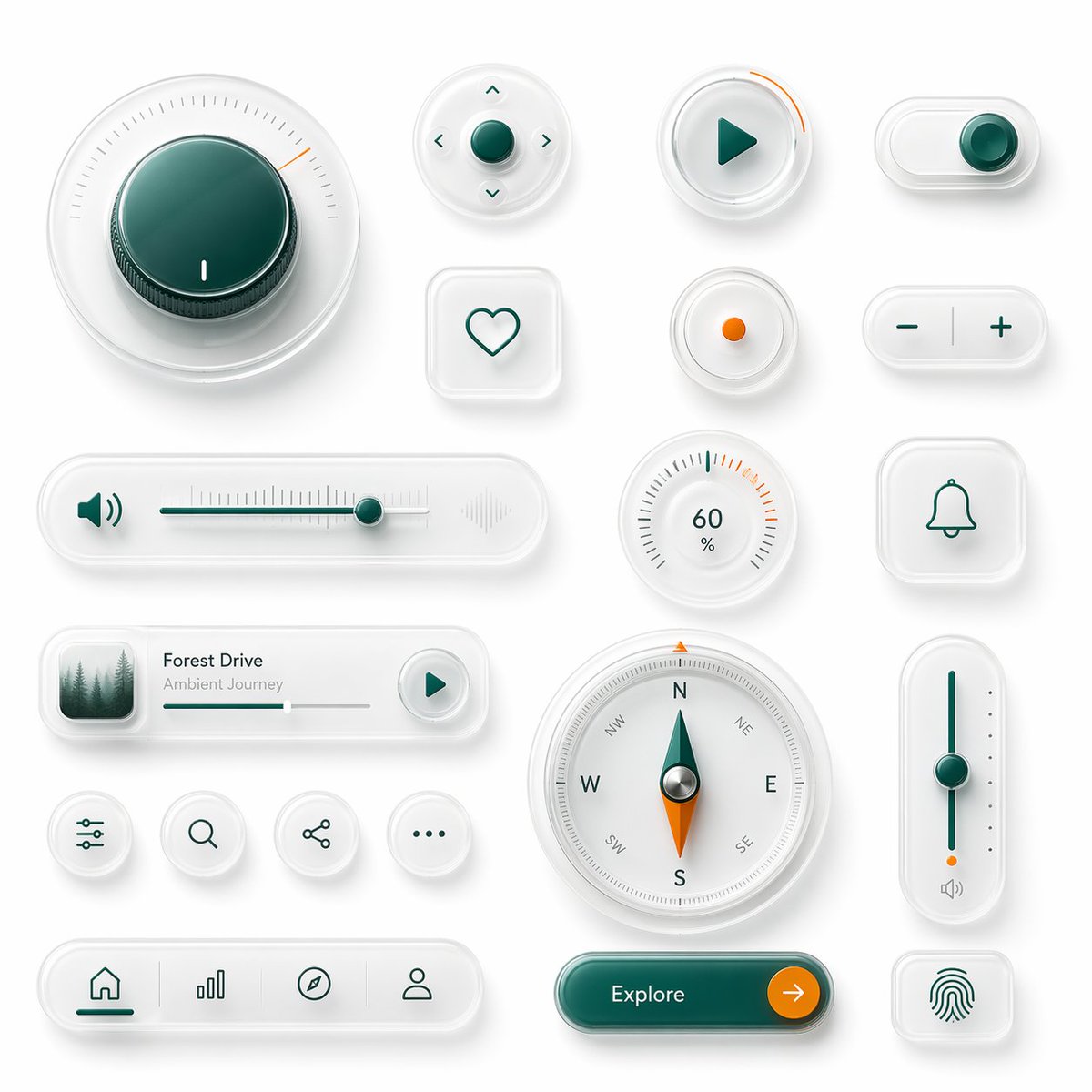
Neumorphic Glass UI Kit Board
This prompt generates a polished board of 18 premium neumorphic interface controls, ideal for showcasing futuristic app UI components or smart-device dashboard concepts.
This is a gpt-image-2 prompt case for 产品商业. Use the copy-ready prompt below to generate similar visuals, and review YouMind OpenLab awesome-gpt-image-2 attribution plus commercial-use rights before reuse.
Prompt
Copy-ready prompt
The design showcases clean, skeuomorphic UI components against a soft, light gray background. The layout comprises 18 individual interface elements in a balanced design, featuring subtle shadows, a frosted, translucent white plastic surface, rounded corners, and a polished glass-like texture. Employing a sophisticated minimalist product design aesthetic, it combines a white-on-white layered effect, soft ambient light masking, refined internal shadows, and restrained accents of deep turquoise and vibrant orange. Includes 18 unique components: a large circular rotary knob in the upper left corner with a deep cyan center, fine radial scale, and a small orange position indicator; a small circular directional control with a cyan center button and four tiny arrow icons around it; a circular play button with a cyan triangle icon and a short orange progress arc around the edge; a horizontal pill-shaped toggle switch in the upper right corner with a cyan knob on the right; a rounded square heart-shaped button with a simple cyan outline heart; a small circular indicator button with an orange dot in the center; a pill-shaped plus/minus control with a cyan minus sign on the left and a cyan plus sign on the right, separated by a vertical dividing line; a long horizontal volume slider with a cyan speaker icon, fine slider scale, cyan track, a cyan knob near the right, and a faint waveform icon on the far right; a circular percentage dial displaying 60% with radial scale and several orange highlights near the upper right; a rounded square bell notification button with a cyan outline bell icon; 1 A compact music player card, with a small square album art of evergreen trees shrouded in mist on the left, titled "..."{argument name="track title" default="Forest Drive"} The subtitle is{argument name="track subtitle" default="Ambient Journey"} The interface features a thin progress bar and a circular play button on the right; a row of four small, circular utility icon buttons displaying slider/settings, search, share, and ellipsis respectively; a large circular compass with directional letters N, E, S, W and diagonal labels, featuring a cyan and orange pointer and a metal center; a tall, vertical slider on the right with a cyan track, a cyan knob in the center, small dots on the side, orange accents near the bottom, and a tiny speaker icon below; a bottom navigation bar, shaped like a pill with rounded corners, containing four icons separated by subtle lines: Home, bar chart, compass, and user profile, with the Home label in cyan activation; and a large, rounded pill-shaped call-to-action button in a glossy dark cyan color, labeled as {argument name="button text" default="Explore"} On the right side is a circular orange arrow button and a rounded square fingerprint button with a cyan fingerprint icon. With ample spacing and grid-based alignment, the overall rendering is highly refined, tactile, and futuristic, resembling a prototype of a luxury smart device UI suite.Prompt variables
Editable argument placeholders found in the prompt, with their default values.
More cases in this category
Prioritized by category, input mode compatibility, quality, and lower risk.






Reuse and source notes
Use this prompt safely after previewing the case.
- 1.Copy the prompt or open it directly in Dovoo with the generation button.
- 2.Adjust variables, aspect ratio, and reference images for your own use case.
- 3.Before publishing or paid usage, verify source rights, attribution requirements, and brand or likeness risks.
Can I use this prompt commercially?
Commercial-use status is unknown. Review the original source, license, brand constraints, and legal requirements before paid usage.
Where does this case come from?
This case is imported from YouMind OpenLab awesome-gpt-image-2; keep attribution visible and check the source URL before reuse.