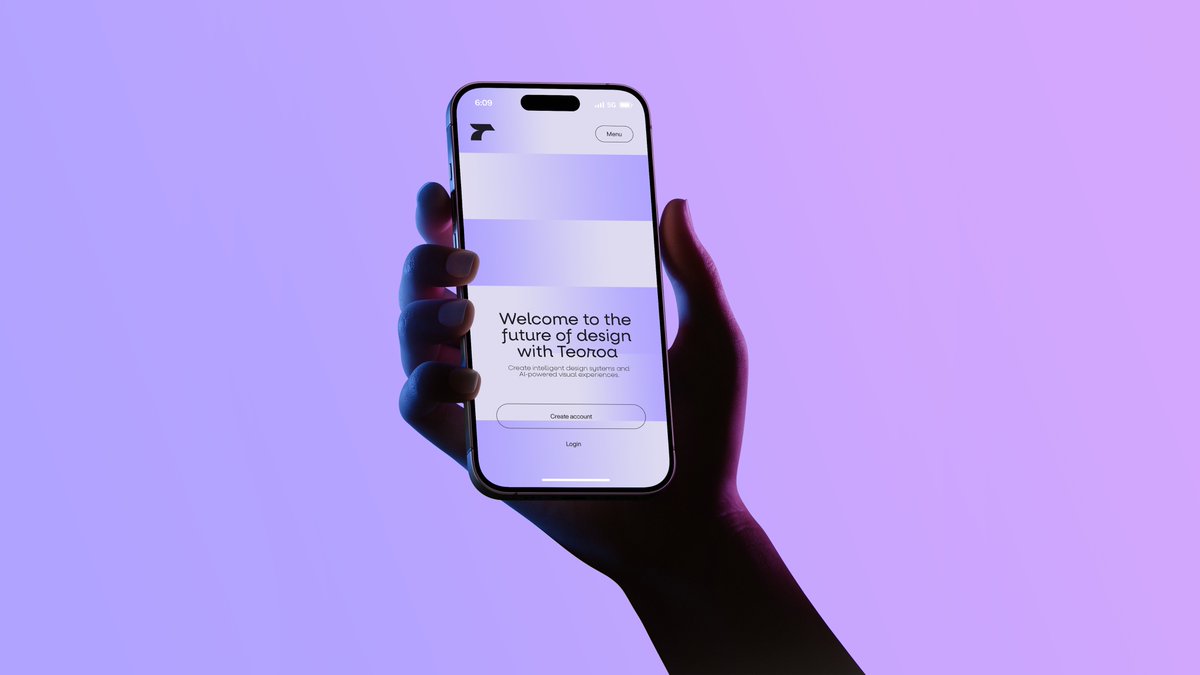
Neon Hand Holding Smartphone Mockup
A cinematic tech-ad image of a hand holding a smartphone showing a minimalist landing page, ideal for startup branding, app mockups, and product launch visuals.
This is a gpt-image-2 prompt case for 产品商业. Use the copy-ready prompt below to generate similar visuals, and review YouMind OpenLab awesome-gpt-image-2 attribution plus commercial-use rights before reuse.
Prompt
Copy-ready prompt
A minimalist photograph shows a hand holding a modern smartphone vertically against a smooth, pale purple-to-pink gradient background. The composition is slightly to the left, with the forearm entering from the lower right corner, the hand naturally enveloping the phone, fingers visible on the left edge, and the thumb on the right. Dramatic neon film lighting effects are used, with a cool blue light on the left side of the hand and a deep magenta shadow on the right, creating a futuristic, tech-advertising atmosphere. The phone appears to be a high-end, full-screen device with black bezels, rounded corners, and a pill-shaped front-facing camera cutout at the top. The screen displays a clean, monochrome tech product landing page: a small, abstract black logo in the upper left corner, a small circular button labeled "Menu" in the upper right corner, two large, light-colored rectangular placeholders near the top, and centered text at the bottom. The main title is displayed as {argument name="headline text" default="Welcome to the future of design with Terot"} The smaller gray text below is displayed as {argument name="body text" default="Create intelligent design systems and AI-powered visual experiences."} Below, there are two clear call-to-action elements: one labeled with {argument name="primary button text" default="Create account"} The round outline button, and below it labeled{argument name="secondary button text" default="Login"} Simple text links. The overall style is fashionable, high-end, editorial, and cinematic, with soft shadows, realistic skin textures, delicate screen glow, and ample white space.Prompt variables
Editable argument placeholders found in the prompt, with their default values.
More cases in this category
Prioritized by category, input mode compatibility, quality, and lower risk.






Reuse and source notes
Use this prompt safely after previewing the case.
- 1.Copy the prompt or open it directly in Dovoo with the generation button.
- 2.Adjust variables, aspect ratio, and reference images for your own use case.
- 3.Before publishing or paid usage, verify source rights, attribution requirements, and brand or likeness risks.
Can I use this prompt commercially?
Commercial-use status is unknown. Review the original source, license, brand constraints, and legal requirements before paid usage.
Where does this case come from?
This case is imported from YouMind OpenLab awesome-gpt-image-2; keep attribution visible and check the source URL before reuse.