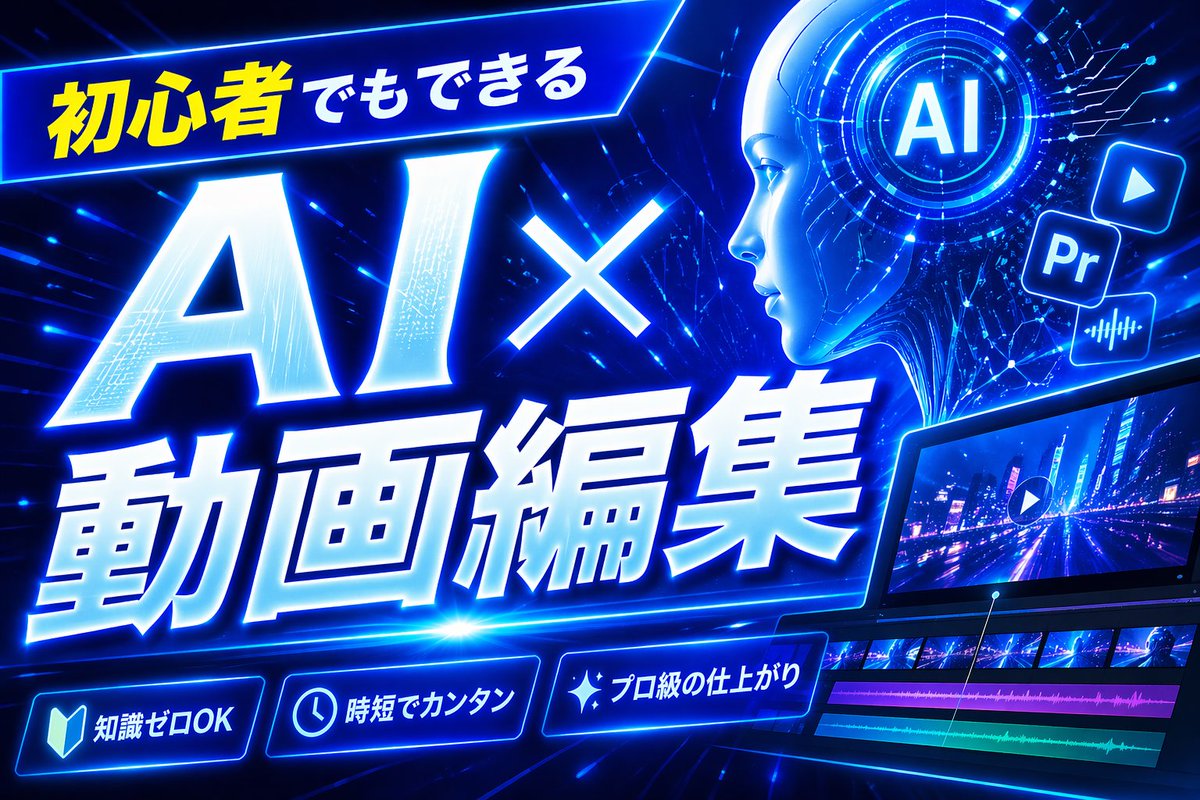
Neon Blue AI Video Editing Thumbnail
A high-impact futuristic Japanese YouTube thumbnail for AI-powered video editing tutorials, ideal for beginner-focused tech and creator content.
This is a gpt-image-2 prompt case for Graphic & Poster. Use the copy-ready prompt below to generate similar visuals, and review YouMind OpenLab awesome-gpt-image-2 attribution plus commercial-use rights before reuse.

Prompt
Copy-ready prompt
Create a bold Japanese-style YouTube thumbnail with the theme of{argument name="headline text" default="AI-powered video editing for beginners"} The design employs a futuristic neon blue cyberpunk style. It uses a 16:9 widescreen composition with a deep electric blue background filled with glowing circuit lines, digital stripes, lens flares, and high-energy dynamic effects. A tilted, glowing banner containing Japanese text is placed in the upper left corner.{argument name="top banner text" default="Even beginners can do it"} The first part is bright yellow, and the rest is white. The main title should occupy the left and center positions: a huge white glowing text "AI×" sits above the larger white glowing text "Animation Compilation," with a thick blue neon outer glow, a slight forward tilt dynamic, beveled 3D shadows, and a strong perspective effect. In the upper right corner, add a circular holographic interface with the lettering in the center.{argument name="ai badge text" default="AI"} The screen is surrounded by concentric circles and tiny HUD markers. Nearby are three floating application-style icons: a play button icon, a square "Pr" icon, and an audio waveform icon, all glowing blue. In the bottom right corner, a stylish tilted video editing monitor displays a neon city nightscape with a play symbol overlaid; below the preview is a timeline with four visible tracks: two rows of video thumbnails and two colored audio bars in magenta and turquoise. At the bottom, three glowing circular function badges with icons and Japanese text are added: a book icon with "Knowledge Zero OK," a clock icon with "Time is short," and a flashing icon with "Professional Craftsmanship." A tall, solid blue vertical rectangle serves as a placeholder at the top center-right. The overall design is dynamic, high-contrast, sophisticated, and technologically advanced, optimized for the highest click-through rates of modern AI and video editing tutorial thumbnails.Prompt variables
Editable argument placeholders found in the prompt, with their default values.
Variable
headline text
Default
AI-powered video editing for beginners
Variable
top banner text
Default
Even beginners can do it
Variable
ai badge text
Default
AI
Reuse and source notes
Use this prompt safely after previewing the case.
- 1.Copy the prompt or open it directly in Dovoo with the generation button.
- 2.Adjust variables, aspect ratio, and reference images for your own use case.
- 3.Before publishing or paid usage, verify source rights, attribution requirements, and brand or likeness risks.
Can I use this prompt commercially?
Commercial-use status is unknown. Review the original source, license, brand constraints, and legal requirements before paid usage.
Where does this case come from?
This case is imported from YouMind OpenLab awesome-gpt-image-2; keep attribution visible and check the source URL before reuse.