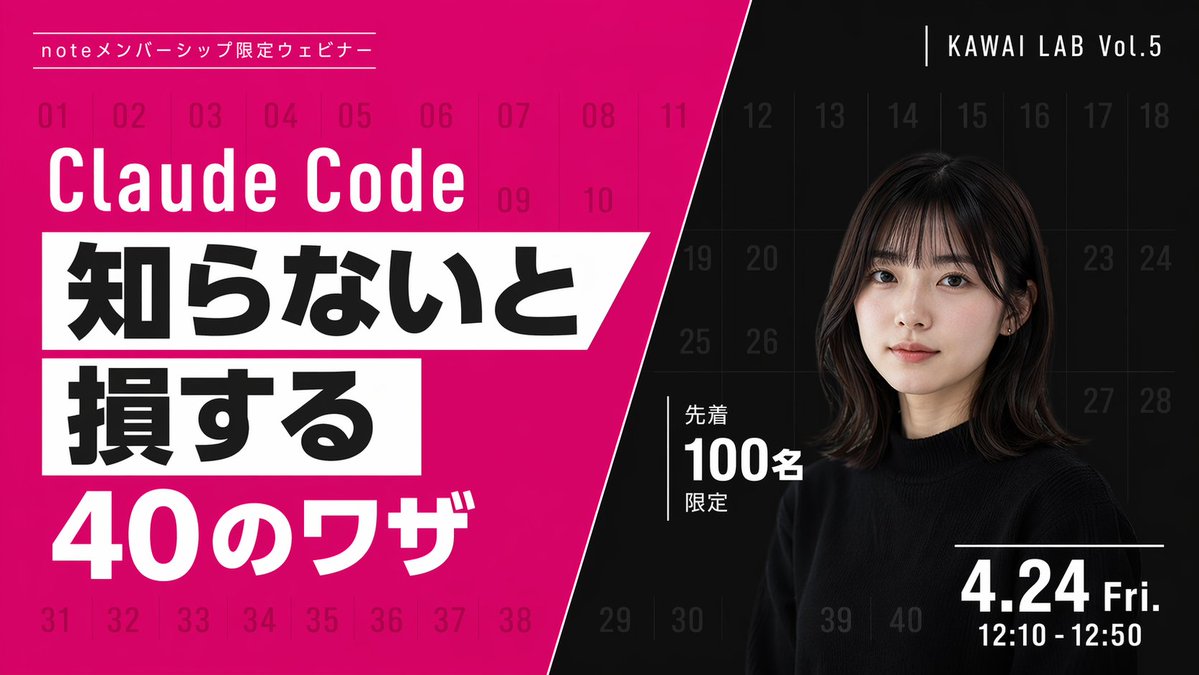
Modern Webinar Promotional Banner
Generates a high-contrast, diagonally split promotional banner with bold typography and a portrait, ideal for webinars or video thumbnails.
This is a gpt-image-2 prompt case for 平面海报. Use the copy-ready prompt below to generate similar visuals, and review YouMind OpenLab awesome-gpt-image-2 attribution plus commercial-use rights before reuse.
Prompt
Copy-ready prompt
{
  "type": "Webinar promotional banner",
  "style": "Modern style, eye-catching layout, high contrast, diagonal division layout",
  "background": {
    "pattern": "A light grid consisting of 40 sequential numbers from 01 to 40 covering the entire canvas.",
    "left_color": "Bright magenta",
    "right_color": "black",
    "split_style": "A sharp diagonal line from the top center to the bottom left corner"
  },
  "left_section": {
    "top_label": "{argument name=\"top label\" default=\"Note: Member-only webinars\"}",
    "title": "{argument name=\"main title\" default=\"Claude Code\"}",
    "highlight_box_1": {
      "text": "{argument name=\"highlight text 1\" default=\"If you don't know, you will\"}",
      "style": "Black text on a white slanted rectangular background"
    },
    "highlight_box_2": {
      "text": "{argument name=\"highlight text 2\" default=\"suffer a loss\"}",
      "style": "Black text on a white slanted rectangular background"
    },
    "bottom_text": "40 Tips"
  },
  "right_section": {
    "top_right_label": "KAWAI LAB Vol.5",
    "subject": "A portrait of a young Japanese woman with shoulder-length dark hair and bangs, wearing a black crew-neck sweater, looking naturally at the camera.",
    "middle_badge": {
      "text": "Limited to the first 100 people",
      "style": "White text with vertical lines"
    },
    "bottom_right_date": "{argument name=\"date and time\" default=\"Friday, April 24th, 12:10 - 12:50\"}"
  }
}
Prompt variables
Editable argument placeholders found in the prompt, with their default values.
More cases in this category
Prioritized by category, input mode compatibility, quality, and lower risk.






Reuse and source notes
Use this prompt safely after previewing the case.
- 1.Copy the prompt or open it directly in Dovoo with the generation button.
- 2.Adjust variables, aspect ratio, and reference images for your own use case.
- 3.Before publishing or paid usage, verify source rights, attribution requirements, and brand or likeness risks.
Can I use this prompt commercially?
Commercial-use status is unknown. Review the original source, license, brand constraints, and legal requirements before paid usage.
Where does this case come from?
This case is imported from YouMind OpenLab awesome-gpt-image-2; keep attribution visible and check the source URL before reuse.