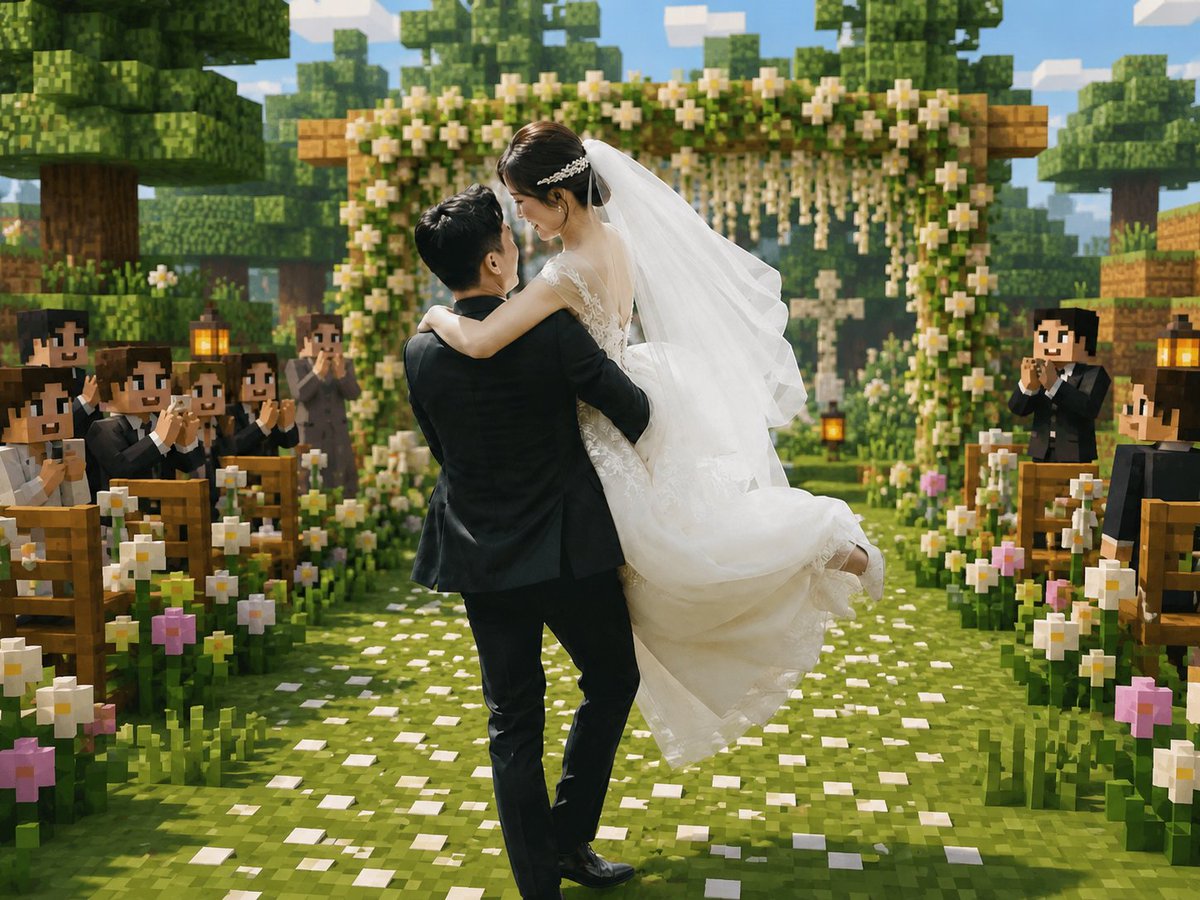
Minecraft Voxel Wedding Ceremony
Generates a romantic wedding photo transformed into a Minecraft-style voxel ceremony scene for nostalgic game-inspired memory edits.
This is a gpt-image-2 prompt case for Portrait & Character. Use the copy-ready prompt below to generate similar visuals, and review YouMind OpenLab awesome-gpt-image-2 attribution plus commercial-use rights before reuse.
Prompt
Copy-ready prompt
Create a cinematic Minecraft-style voxel wedding scene, seamlessly blending a realistic couple with the blocky game world. In the foreground center, a groom in a black suit embraces a bride in a flowing white lace wedding dress. This couple should be the only realistic figures in the scene, their faces softly anonymized/blurred, while the surrounding environment and guests are entirely voxel/blocky. The bride wears a long white veil and delicate hair accessories, a sleeveless lace top, and a flowing skirt that billows with her movements; the groom leans slightly to the side, romantically holding her. Place them on a grassy aisle studded with white petals, leading to a square wooden floral wedding archway decorated with lush greenery, white flowers, and cascading garlands. On either side of the aisle are rows of wooden benches filled with blocky Minecraft guests dressed in dark suits and white shirts, clapping and smiling; prominent lanterns hang from pillars near the seating. Add abundant blocky floral elements to both sides of the aisle, primarily white daisies with a few pink blossoms. The background should feature cube-shaped trees, layered voxel vegetation, wooden blocks, and a bright blue sky with rectangular clouds, creating warm sunlight, soft depth of field, and a joyful and romantic atmosphere. Use a 4:3 square-to-horizontal composition, with a perspective centered on the aisle, showcasing high-detail voxel textures, vibrant greens, warm highlights, and realistic fabric details on the couple's clothing, achieving a seamless fusion of real wedding photography and Minecraft game map aesthetics. The image should contain no text, watermarks, or UI elements.
Reuse and source notes
Use this prompt safely after previewing the case.
- 1.Copy the prompt or open it directly in Dovoo with the generation button.
- 2.Adjust variables, aspect ratio, and reference images for your own use case.
- 3.Before publishing or paid usage, verify source rights, attribution requirements, and brand or likeness risks.
Can I use this prompt commercially?
Commercial-use status is unknown. Review the original source, license, brand constraints, and legal requirements before paid usage.
Where does this case come from?
This case is imported from YouMind OpenLab awesome-gpt-image-2; keep attribution visible and check the source URL before reuse.