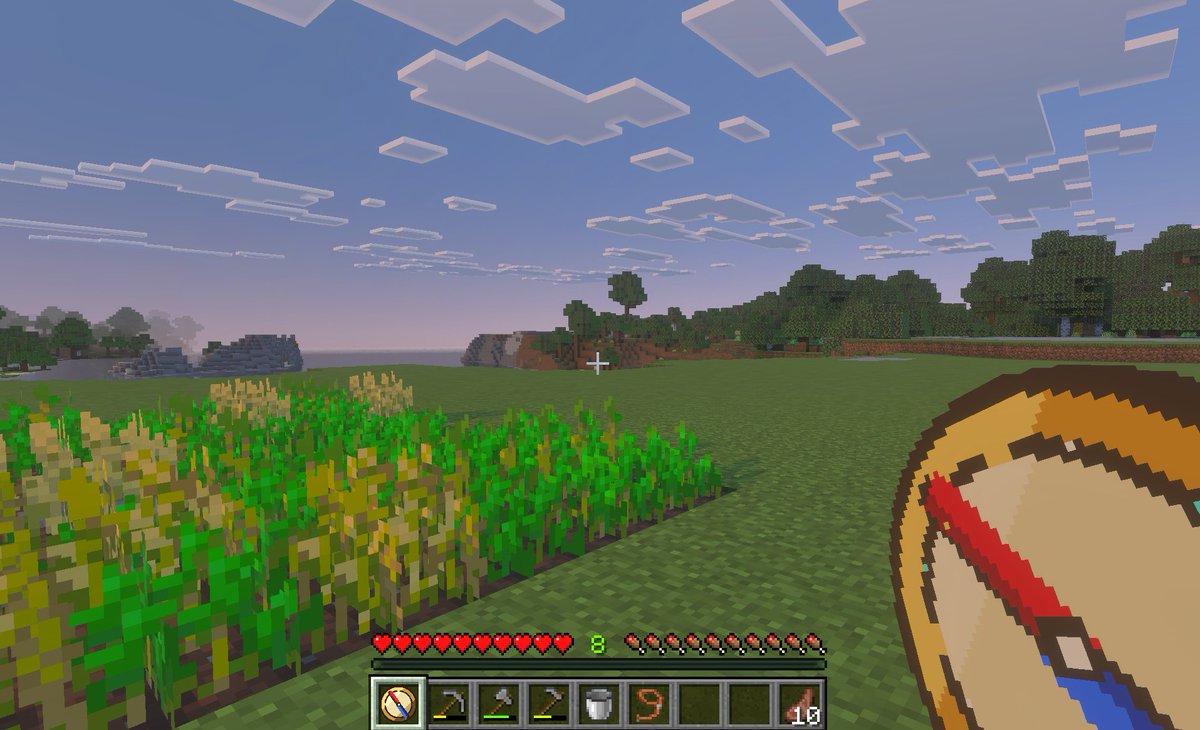
Minecraft Teleport Compass Screenshot
This prompt generates a Minecraft-style first-person gameplay image featuring a custom teleport compass tool, suitable for illustrating a Bedrock fast-travel or saved-location mod concept.
This is a gpt-image-2 prompt case for Anime & Game. Use the copy-ready prompt below to generate similar visuals, and review YouMind OpenLab awesome-gpt-image-2 attribution plus commercial-use rights before reuse.
Prompt
Copy-ready prompt
A first-person screenshot in the style of Minecraft Bedrock Edition, showing a tranquil grassland plain biome at dusk. In the foreground on the left is a small rectangular wheat farm, some crops ripe, others still green; in the center is an open meadow, with forests and low, blocky hills in the distance. The sky is a sunset ranging from light blue to pink, dotted with flat, square clouds. A small white crosshair is placed near the center of the image. The full survival mode HUD is displayed at the bottom: 10 red hearts, 10 hunger drumsticks, and a green experience level.{argument name="experience level" default="8"} And a 9-slot quick access bar. The quick access bar must contain 9 slots, from left to right: 1 selected custom compass icon, 1 hoe, 1 pickaxe, 1 axe, 1 bucket, 1 rope or cord item, 2 empty slots, and 1 set of markers {argument name="item stack count" default="10"} Cooked meat. In the lower right foreground, overlay a picture of a handheld {argument name="tool name" default="teleport compass"} The oversized custom item graphic is drawn as a minimalist pixel art-style compass with a tan dial, dark brown edges, a cream center, and a diagonally angled, thick red and blue pointer. The selected shortcut bar should also display the same custom compass icon. The image is designed to look like an in-game screenshot taken on a tablet or PC, featuring a soft atmospheric fog, realistic voxel textures, and a child-friendly atmosphere for fast travel and location-saving navigation modules.Prompt variables
Editable argument placeholders found in the prompt, with their default values.
Reuse and source notes
Use this prompt safely after previewing the case.
- 1.Copy the prompt or open it directly in Dovoo with the generation button.
- 2.Adjust variables, aspect ratio, and reference images for your own use case.
- 3.Before publishing or paid usage, verify source rights, attribution requirements, and brand or likeness risks.
Can I use this prompt commercially?
Commercial-use status is unknown. Review the original source, license, brand constraints, and legal requirements before paid usage.
Where does this case come from?
This case is imported from YouMind OpenLab awesome-gpt-image-2; keep attribution visible and check the source URL before reuse.