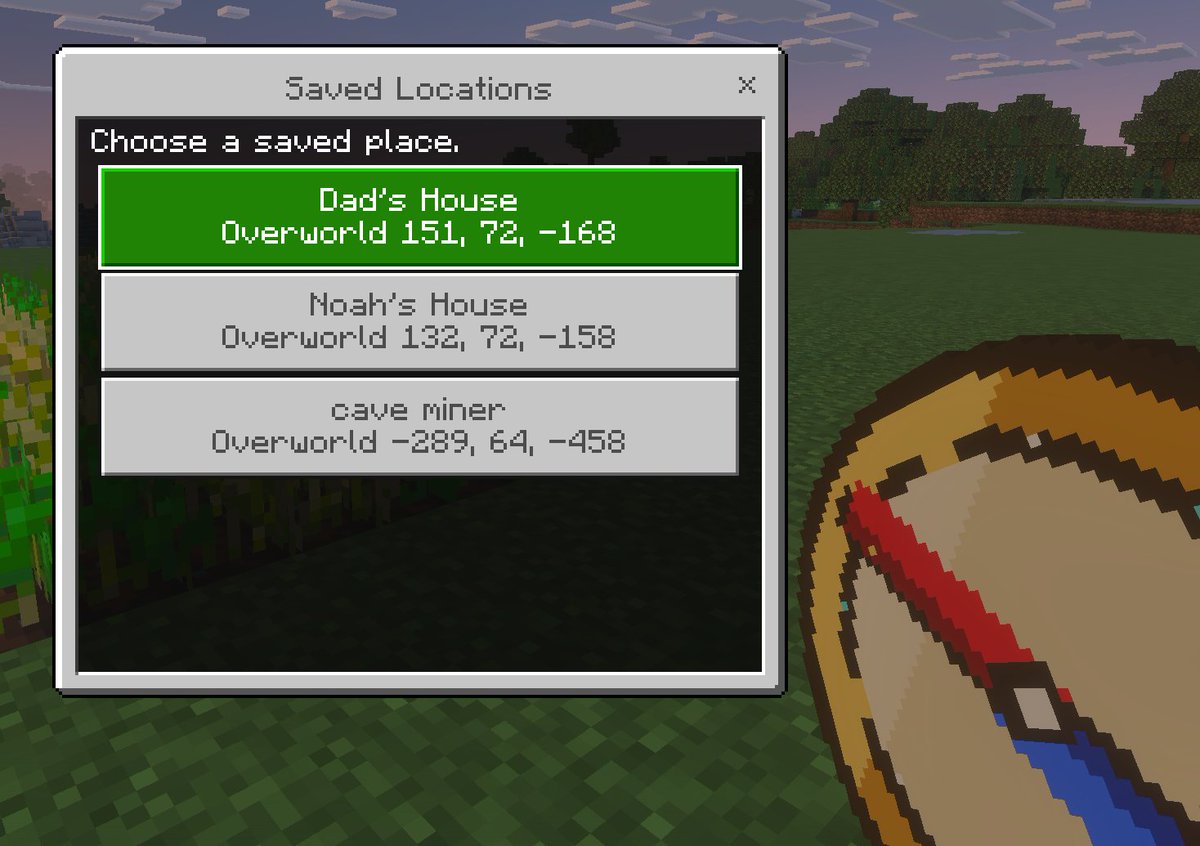
Minecraft Saved Locations UI Mockup
A pixel-art Minecraft-style first-person screenshot featuring a custom saved-locations menu, useful for showcasing game UI concepts, add-ons, or teleport navigation tools.
This is a gpt-image-2 prompt case for 动漫游戏. Use the copy-ready prompt below to generate similar visuals, and review YouMind OpenLab awesome-gpt-image-2 attribution plus commercial-use rights before reuse.
Prompt
Copy-ready prompt
A simple Minecraft Bedrock Edition-style game UI mockup, presented as a first-person in-game screenshot at dusk. The background features blocky grass and pixelated trees, with a soft purple-blue sky and a small patch of crops along the left edge. In the lower right foreground, a large pixelated compass is shown, held by the player, tilted diagonally upwards, with a tan surface, dark brown edges, a red pointer, and a blue tip. Overlaid in the center left is a rectangular Minecraft menu window with a light gray border, a thin dark outline, and a black semi-transparent inner panel. The title bar at the top of the window displays {argument name="window title" default="Saved Locations"} It uses a Minecraft-style pixel font and has a small "x" close button in the upper right corner. Inside the panel, descriptive text is added in the upper left corner.{argument name="instruction text" default="Choose a saved place."} Below this are three stacked destination buttons, each large and centered. The first button is highlighted in bright green with white pixel text, containing two lines of content:{argument name="location 1 name" default="Dad's House"} The first button is light gray with dark gray text, containing two lines of content: "Noah's House" and "Overworld 151, 72, -168". The second button is light gray with dark gray text, containing two lines of content:{argument name="location 3 name" default="cave miner"} And "Overworld -289, 64, -458". Utilizes crisp pixel edges, retro voxel game aesthetics, subtle screen depth, and an authentic Minecraft Bedrock Edition menu look.Prompt variables
Editable argument placeholders found in the prompt, with their default values.
More cases in this category
Prioritized by category, input mode compatibility, quality, and lower risk.






Reuse and source notes
Use this prompt safely after previewing the case.
- 1.Copy the prompt or open it directly in Dovoo with the generation button.
- 2.Adjust variables, aspect ratio, and reference images for your own use case.
- 3.Before publishing or paid usage, verify source rights, attribution requirements, and brand or likeness risks.
Can I use this prompt commercially?
Commercial-use status is unknown. Review the original source, license, brand constraints, and legal requirements before paid usage.
Where does this case come from?
This case is imported from YouMind OpenLab awesome-gpt-image-2; keep attribution visible and check the source URL before reuse.