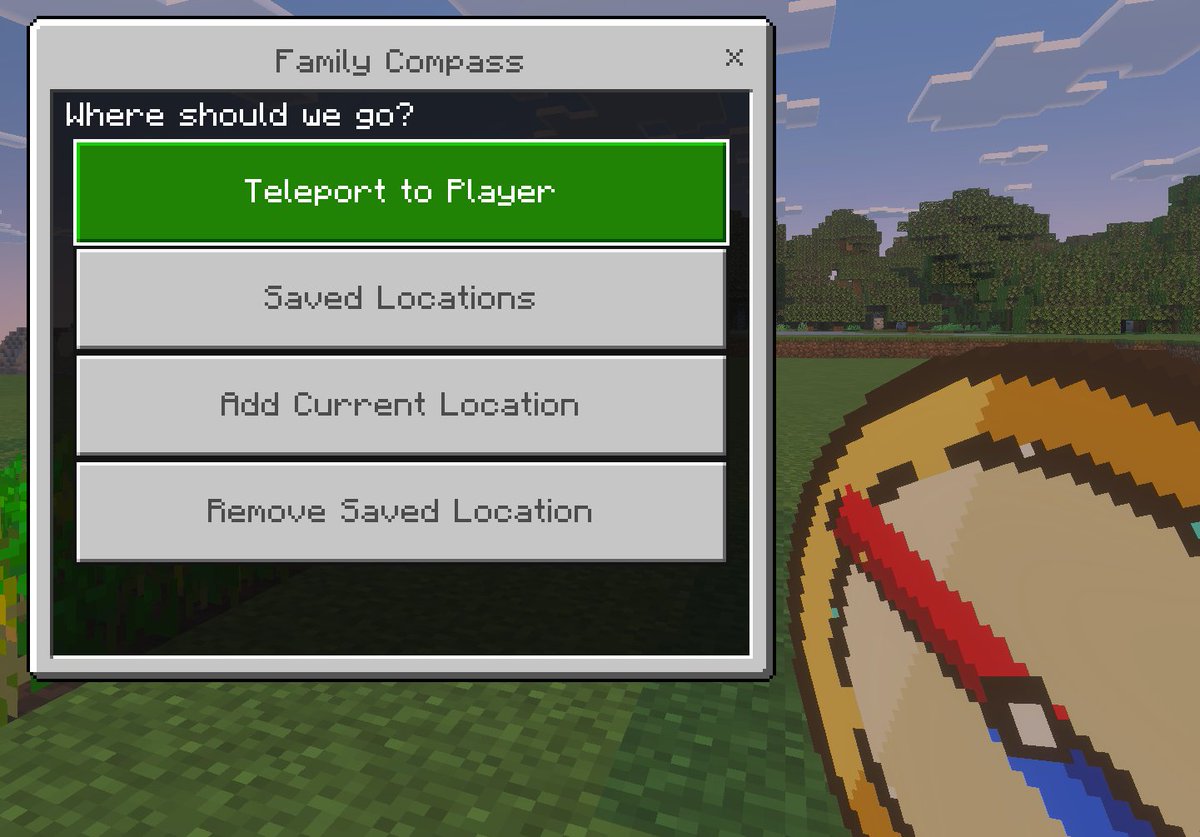
Minecraft Family Compass UI
A Bedrock-style Minecraft screenshot mockup featuring a custom teleport menu and handheld compass, ideal for showcasing a game mod, add-on, or kid-friendly navigation tool.
This is a gpt-image-2 prompt case for Anime & Game. Use the copy-ready prompt below to generate similar visuals, and review YouMind OpenLab awesome-gpt-image-2 attribution plus commercial-use rights before reuse.
Prompt
Copy-ready prompt
A minimalist in-game screenshot model using the visual style of Minecraft Bedrock Edition, showcasing a titled{argument name="window title" default="Family Compass"} A custom teleport menu overlay. The background is a bright Minecraft outdoor scene, with blocky grass in the foreground, a row of dense trees in the midground, and a light blue sky with rectangular clouds in the distance. On the left side of the screen is a large Bedrock Edition-style UI window with a light gray panel, dark gray border, and a close button "X" in the upper right corner. The title text is centered at the top of the window. The dark title bar inside the panel displays the hint text.{argument name="prompt text" default="Where should we go?"} Below, four large, evenly spaced horizontal rectangular buttons are stacked vertically. The first button is highlighted in bright green with white pixelated text.{argument name="primary button" default="Teleport to Player"} The next three buttons are light gray with medium gray pixel-style text: "Saved Locations," "Add Current Location," and "Remove Saved Location." In the lower right foreground, partially cropped to resemble a player's hand, is a large pixel art compass item with a tan dial, gold border, and a downward-sloping red pointer, rendered in a thick Minecraft item icon style. Please use authentic Minecraft Bedrock Edition UI proportions, pixelated fonts, clean block edges, soft in-game lighting, and a refined screenshot composition with the menu as the visual focus.Prompt variables
Editable argument placeholders found in the prompt, with their default values.
Variable
window title
Default
Family Compass
Variable
prompt text
Default
Where should we go?
Variable
primary button
Default
Teleport to Player
Reuse and source notes
Use this prompt safely after previewing the case.
- 1.Copy the prompt or open it directly in Dovoo with the generation button.
- 2.Adjust variables, aspect ratio, and reference images for your own use case.
- 3.Before publishing or paid usage, verify source rights, attribution requirements, and brand or likeness risks.
Can I use this prompt commercially?
Commercial-use status is unknown. Review the original source, license, brand constraints, and legal requirements before paid usage.
Where does this case come from?
This case is imported from YouMind OpenLab awesome-gpt-image-2; keep attribution visible and check the source URL before reuse.