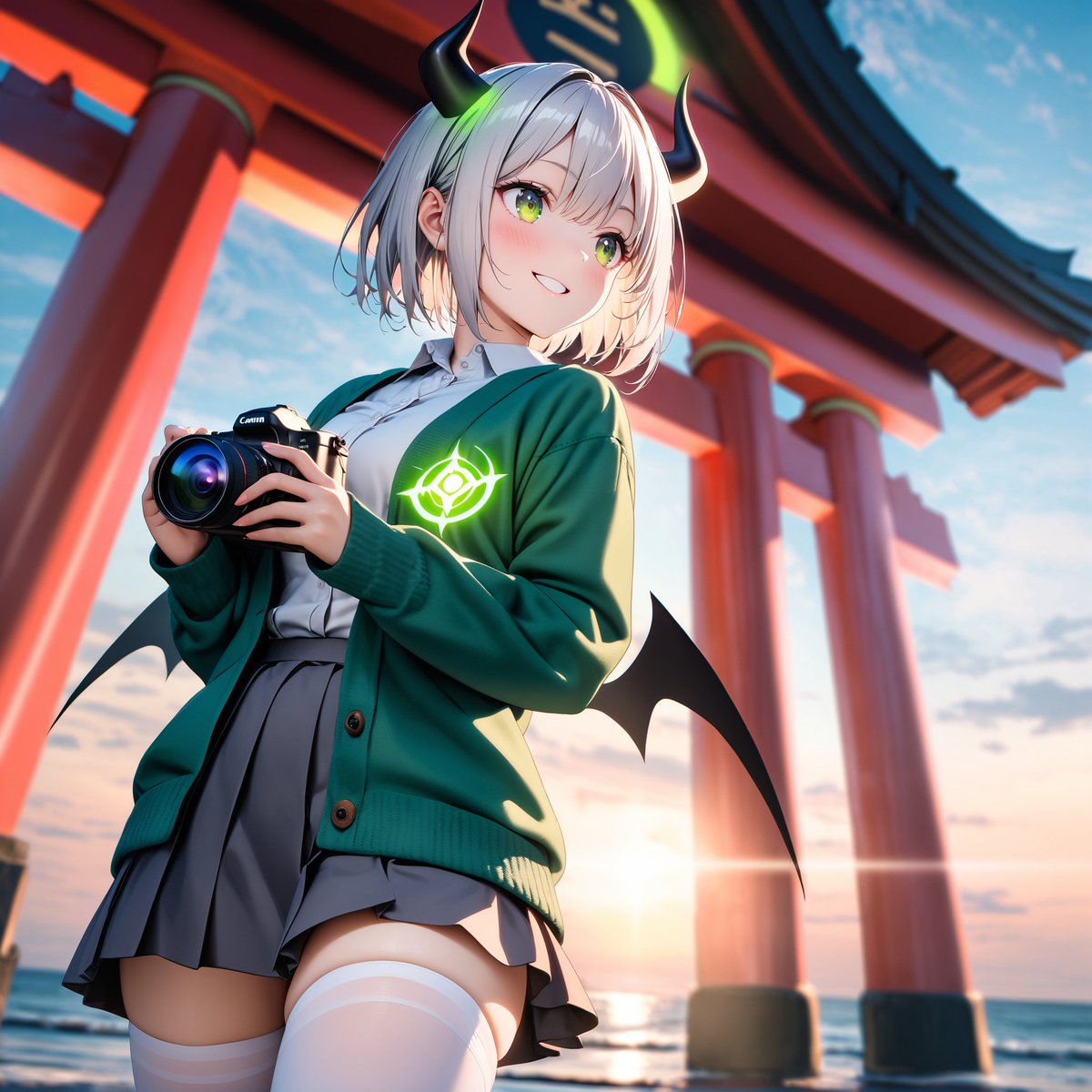
Mecha Toy to Anime Gijinka
Transforms a robot model reference into a cinematic anime gijinka character with shrine scenery, camera prop, horns, wings, and a face censor block.
This is a gpt-image-2 prompt case for 动漫游戏. Use the copy-ready prompt below to generate similar visuals, and review YouMind OpenLab awesome-gpt-image-2 attribution plus commercial-use rights before reuse.

Prompt
Copy-ready prompt
Using REFERENCE_0 as the design theme, the robot model is transformed into a cute anime-style anthropomorphic girl, while retaining only her iconic color inspiration and mecha features: a dark green/brown coat, tan/grey uniform tones, claw/monster-like silhouette hints, and a glowing monocle-style badge. The toy/desktop background is replaced with a dramatic outdoor scene of a seaside shrine at sunset, with a large red torii pillar and the horizon visible in the background. A handheld black Canon-style camera is added to the character's hand, suggesting she is taking a picture. Two black curved horns with neon green glowing decorations, two small black bat wings, and short white/silver hair are added to the character; she wears a white shirt and grey pleated skirt, with a green cardigan over it, and white knee-high socks, the cardigan adorned with a glowing green badge on the chest. A simple beige square masking block is used to cover the character's face to hide her features. Rendered as a refined, high-detail anime illustration, using cinematic lighting, low-angle composition, vibrant colors, shallow depth of field, and without any visible toy/plastic texture. Optional customization:{argument name="character style" default="Cute anime anthropomorphic girl"} ,{argument name="location" default="Seaside shrine with red torii gate at sunset"} ,{argument name="held object" default="Black Canon style camera"} ,{argument name="glowing emblem color" default="Neon Green"} ,{argument name="face censor" default="Simple beige squares covering the face"} .Prompt variables
Editable argument placeholders found in the prompt, with their default values.
More cases in this category
Prioritized by category, input mode compatibility, quality, and lower risk.






Reuse and source notes
Use this prompt safely after previewing the case.
- 1.Copy the prompt or open it directly in Dovoo with the generation button.
- 2.Adjust variables, aspect ratio, and reference images for your own use case.
- 3.Before publishing or paid usage, verify source rights, attribution requirements, and brand or likeness risks.
Can I use this prompt commercially?
Commercial-use status is unknown. Review the original source, license, brand constraints, and legal requirements before paid usage.
Where does this case come from?
This case is imported from YouMind OpenLab awesome-gpt-image-2; keep attribution visible and check the source URL before reuse.