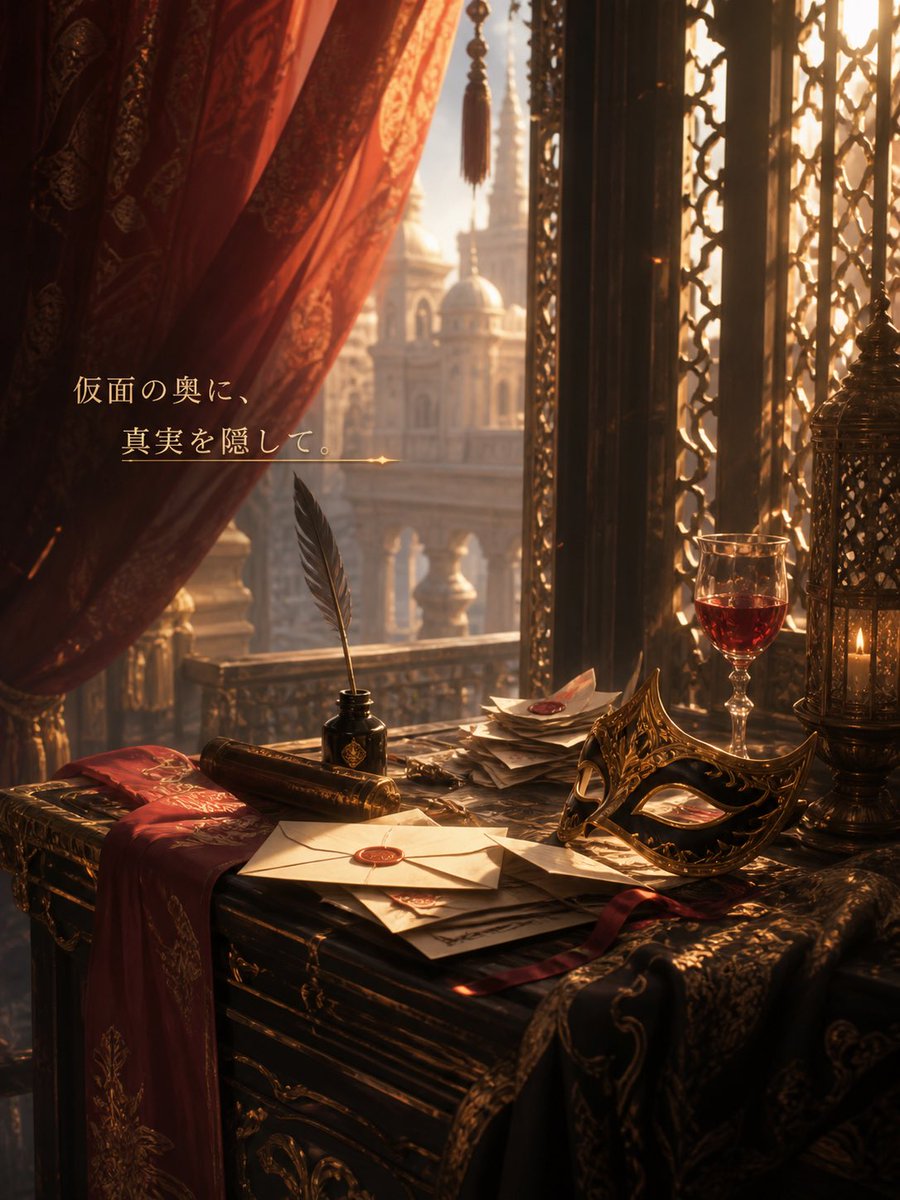
Masquerade Palace Wallpaper
Generates a romantic fantasy palace background with a masquerade mask, letters, candlelight, and a short Japanese message for wallpaper-style use.
This is a gpt-image-2 prompt case for 插画艺术. Use the copy-ready prompt below to generate similar visuals, and review YouMind OpenLab awesome-gpt-image-2 attribution plus commercial-use rights before reuse.
Prompt
Copy-ready prompt
Create a fantasy background illustration in the style of a vertical mobile wallpaper, set in a magnificent palace room during the Golden Hour. Through a tall arched window with ornate black and gold grilles, the distant, hazy domed palace and spires can be seen. A deep red patterned curtain is drawn back on the left, with a tassel hanging from its center. In the foreground, a dark, carved wooden table is laden with luxurious props: a white envelope with a red wax seal, a stack of scattered letters and papers, a black ink bottle, a black quill pen held upright, a roll of parchment, a magnificent black and gold masquerade mask, a half-finished glass of red wine, an openwork metal lantern with a lit candle, and two embroidered fabrics, one red and one black and gold. Use warm amber sunlight, dramatic shadows, and floating dust to create a romantic and mysterious atmosphere, with rich burgundy, bronze, black, and gold as the main colors. Add elegant Japanese messages to the curtain area on the left.{argument name="message text" default="Hiding the truth behind the mask."} The design uses an elegant serif font in a pale gold color, with a thin horizontal gold line and tiny glitter dots at the bottom. The composition should be cinematic, serene, and slightly melancholic, as if hinting at court intrigue and the truth hidden behind masks.Prompt variables
Editable argument placeholders found in the prompt, with their default values.
More cases in this category
Prioritized by category, input mode compatibility, quality, and lower risk.






Reuse and source notes
Use this prompt safely after previewing the case.
- 1.Copy the prompt or open it directly in Dovoo with the generation button.
- 2.Adjust variables, aspect ratio, and reference images for your own use case.
- 3.Before publishing or paid usage, verify source rights, attribution requirements, and brand or likeness risks.
Can I use this prompt commercially?
Commercial-use status is unknown. Review the original source, license, brand constraints, and legal requirements before paid usage.
Where does this case come from?
This case is imported from YouMind OpenLab awesome-gpt-image-2; keep attribution visible and check the source URL before reuse.