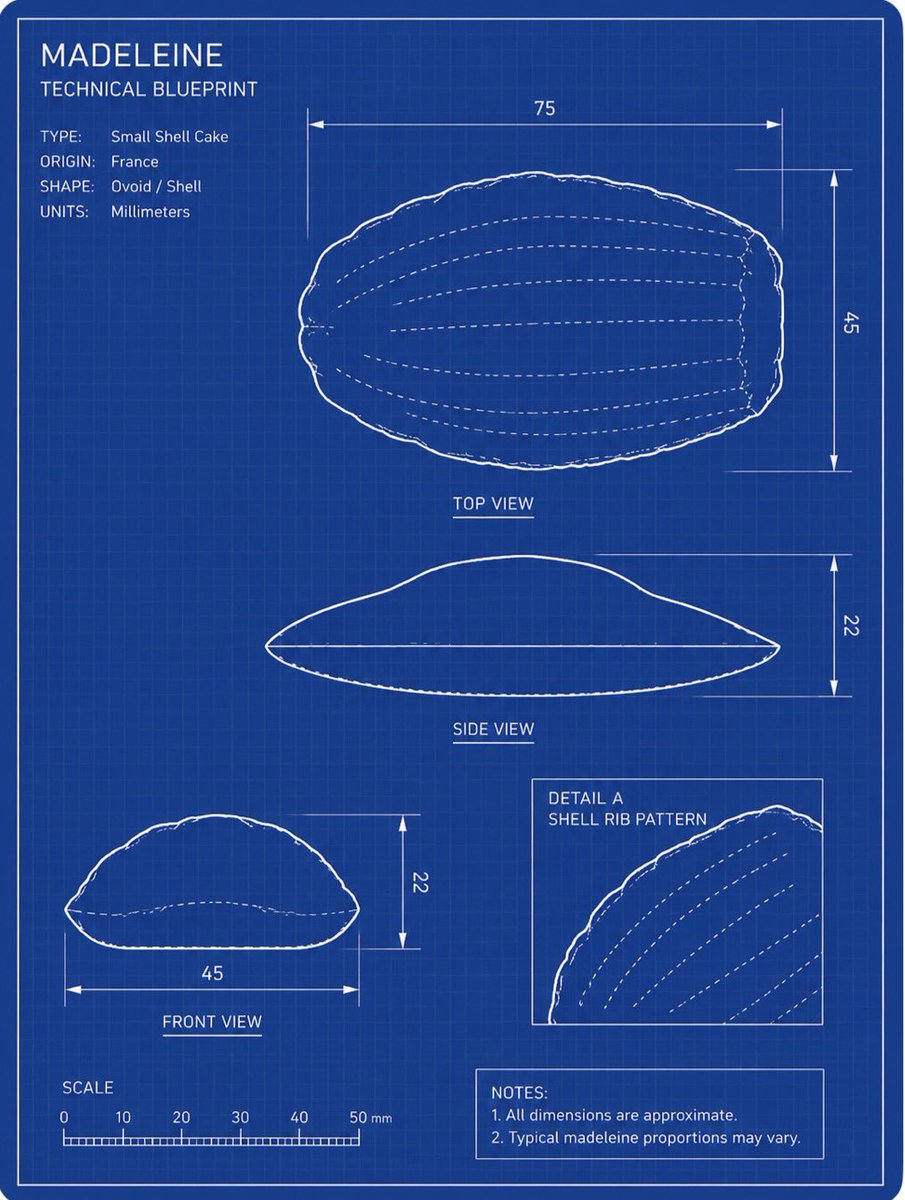
Madeleine Technical Blueprint
Transforms a reference photo of a madeleine into a white-on-blue engineering blueprint with labeled views, dimensions, scale, and notes.
This is a gpt-image-2 prompt case for Illustration & Art. Use the copy-ready prompt below to generate similar visuals, and review YouMind OpenLab awesome-gpt-image-2 attribution plus commercial-use rights before reuse.

Prompt
Copy-ready prompt
Using the provided reference image as a subject, transform the Madeleine cake into a clear engineering blueprint drawing, not a photograph. Create a vertical engineering drawing layout on a dark blue grid background, using thin white lines, double borders, measurement arrows, labels, and schematic outlines to preserve the shell-like oval shape of the Madeleine cake. Objective: Create a drawing titled {argument name="title text" default="MADELEINE"} Subtitle{argument name="subtitle text" default="TECHNICAL BLUEPRINT"} The blueprint. Layout: Contains 4 technical drawing panels derived from the reference pastry: a large top view in the upper right corner, a side view centered below, a front view in the lower left corner, and a framed detail illustration showing the shell rib pattern in the lower right corner. Use white outlines and dashed inner rib lines. Technical text: Add a specification block in the upper left corner containing 4 lines of content: Type:{argument name="type label" default="Small Shell Cake"} Place of origin:{argument name="origin label" default="France"} Shape: Oval/Shell-shaped, Unit: mm. Measurements: Add dimension lines and numerical labels conforming to the blueprint specifications: Top view width 75, height 45; Side view height 22; Front view width 45, height 22. Add a scale bar labeled SCALE in the lower left corner, with graduations of 0, 10, 20, 30, 40, and 50 mm. Additional Elements: Add illustration labels “DETAIL A” and “SHELL RIB PATTERN”. Add a note box in the lower right corner containing two notes: “1. All dimensions are approximate.” and “2. Typical proportions for madeleine cakes may vary.” Style Constraints: Do not render the pastry as a realistic food photograph; convert it entirely to a blue-and-white lined technical schematic. Keep the blueprint clear and accurate, with slightly hand-drawn outlines, and free of extraneous objects, shadows, or watermarks.Prompt variables
Editable argument placeholders found in the prompt, with their default values.
Variable
title text
Default
MADELEINE
Variable
subtitle text
Default
TECHNICAL BLUEPRINT
Variable
type label
Default
Small Shell Cake
Variable
origin label
Default
France
Reuse and source notes
Use this prompt safely after previewing the case.
- 1.Copy the prompt or open it directly in Dovoo with the generation button.
- 2.Adjust variables, aspect ratio, and reference images for your own use case.
- 3.Before publishing or paid usage, verify source rights, attribution requirements, and brand or likeness risks.
Can I use this prompt commercially?
Commercial-use status is unknown. Review the original source, license, brand constraints, and legal requirements before paid usage.
Where does this case come from?
This case is imported from YouMind OpenLab awesome-gpt-image-2; keep attribution visible and check the source URL before reuse.