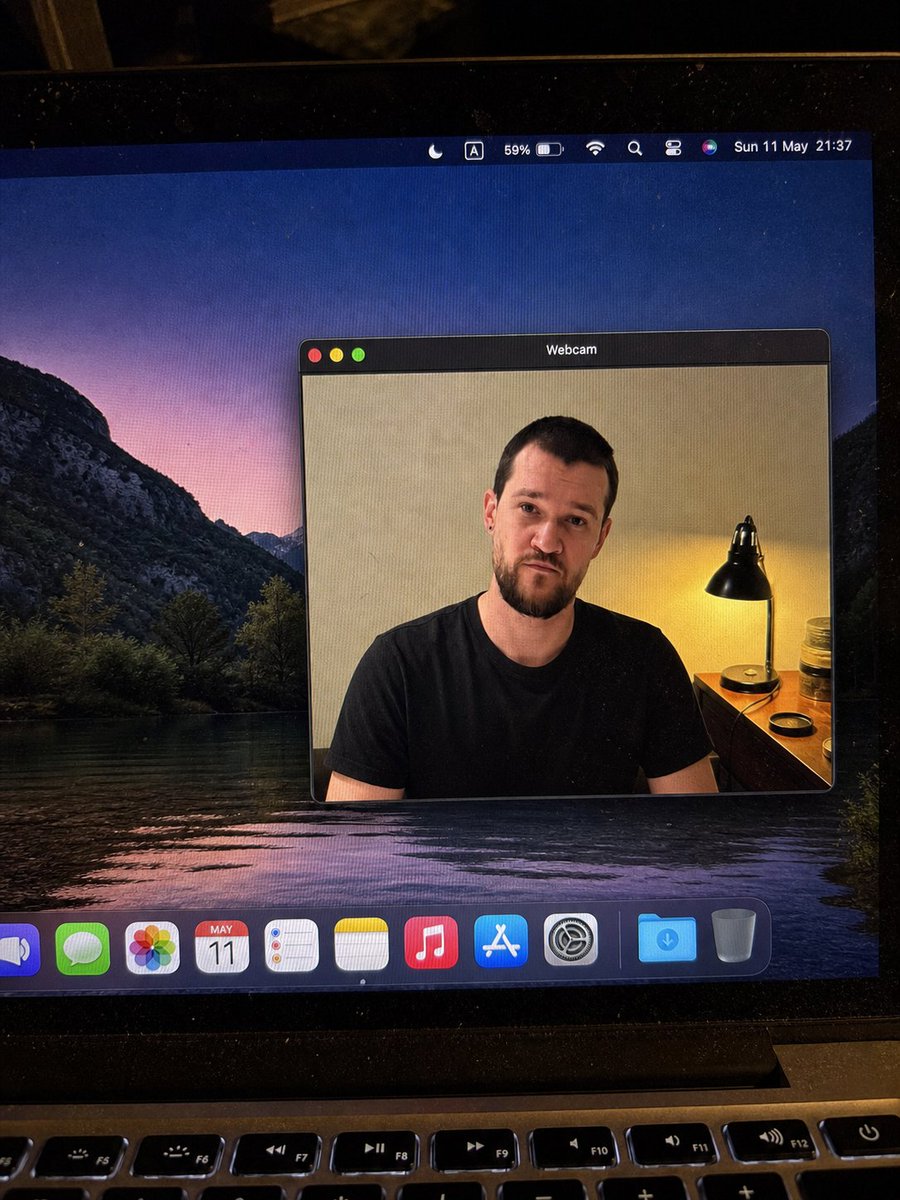
MacBook Webcam Window Photo
Generates a realistic phone photo of a MacBook screen with a macOS webcam window and blurred face, useful for social posts or UI realism tests.
This is a gpt-image-2 prompt case for 其他灵感. Use the copy-ready prompt below to generate similar visuals, and review YouMind OpenLab awesome-gpt-image-2 attribution plus commercial-use rights before reuse.
Prompt
Copy-ready prompt
{"type":"Realistic handheld smartphone photo of a laptop screen","scene":"A close-up photo of a slightly tilted MacBook display in a dimly lit room, showing screen pixels, dust particles, glare, black borders, and the top row of physical keyboard keys at the bottom. The desktop wallpaper shows a dark mountain lake landscape at dusk, with a purple-pink sky reflected in the water.","main_subject":{"description":"A macOS-style floating window, titled..."}}{argument name="window title" default="Webcam"} Located in the center of the desktop, display{argument name="person description" default="An adult male wearing a plain black T-shirt"} The camera feed. The person's face is intentionally obscured by a smooth rectangular blur/mosaic block, the tone similar to the skin tone, hiding all facial details but retaining the visibility of hair, ears, neck, shoulders, and shirt. ","webcam_background":"Interior: beige walls, a warm-toned bedside lamp with a black metal lampshade on the right, a small wooden table or dressing table, a jar and a round lid next to the lamp. The light is warm yellow, contrasting with the cool-toned desktop wallpaper.","pose":"Front-facing seated posture, shoulders visible, casual and neutral pose"},"layout":{"screen_elements":{"top_menu_bar":{"count":8,"items":["crescent-shaped focus mode icon","framed letter A input method icon","59% battery indicator","Wi-Fi icon","magnifying glass search icon","control center style icon","Siri multi-colored ball","date and time text:{argument name="menu bar date and time" default="Sunday, May 11, 21:37"} "]},"webcam_window":{"position":"Right side of the screen","style":"Dark macOS title bar, rounded rectangle, thin gray border, realistic shadows","traffic_light_buttons":{"count":3,"colors":["Red","Yellow","Green"]}},"dock":{"position":"Bottom of screen","count":11,"items":["Partially cropped blue speaker or volume app icon","Green information icon","Colored photo icon","Display{argument name="calendar date" default="May 11th"} [Calendar icon", "Reminders icon", "Memos icon", "Music icon", "App Store icon", "System Settings gear icon", "Blue Downloads folder", "Trash"]}},"camera_framing":"A portrait-oriented photo of a laptop, not a clean screenshot; the screen is shot at a slight angle, showing the laptop hinge and keyboard.","style":"Highly realistic, snapshot-like, imperfect mobile phone camera shot, natural noise, slight moiré patterns on the display, not an illustration or CGI look."",quality_constraints":"Maintains all visible UI text is legible, retains blurred face rectangles, avoids extra windows or redundant characters, and maintains realistic reflections and perspective."}Prompt variables
Editable argument placeholders found in the prompt, with their default values.
More cases in this category
Prioritized by category, input mode compatibility, quality, and lower risk.






Reuse and source notes
Use this prompt safely after previewing the case.
- 1.Copy the prompt or open it directly in Dovoo with the generation button.
- 2.Adjust variables, aspect ratio, and reference images for your own use case.
- 3.Before publishing or paid usage, verify source rights, attribution requirements, and brand or likeness risks.
Can I use this prompt commercially?
Commercial-use status is unknown. Review the original source, license, brand constraints, and legal requirements before paid usage.
Where does this case come from?
This case is imported from YouMind OpenLab awesome-gpt-image-2; keep attribution visible and check the source URL before reuse.