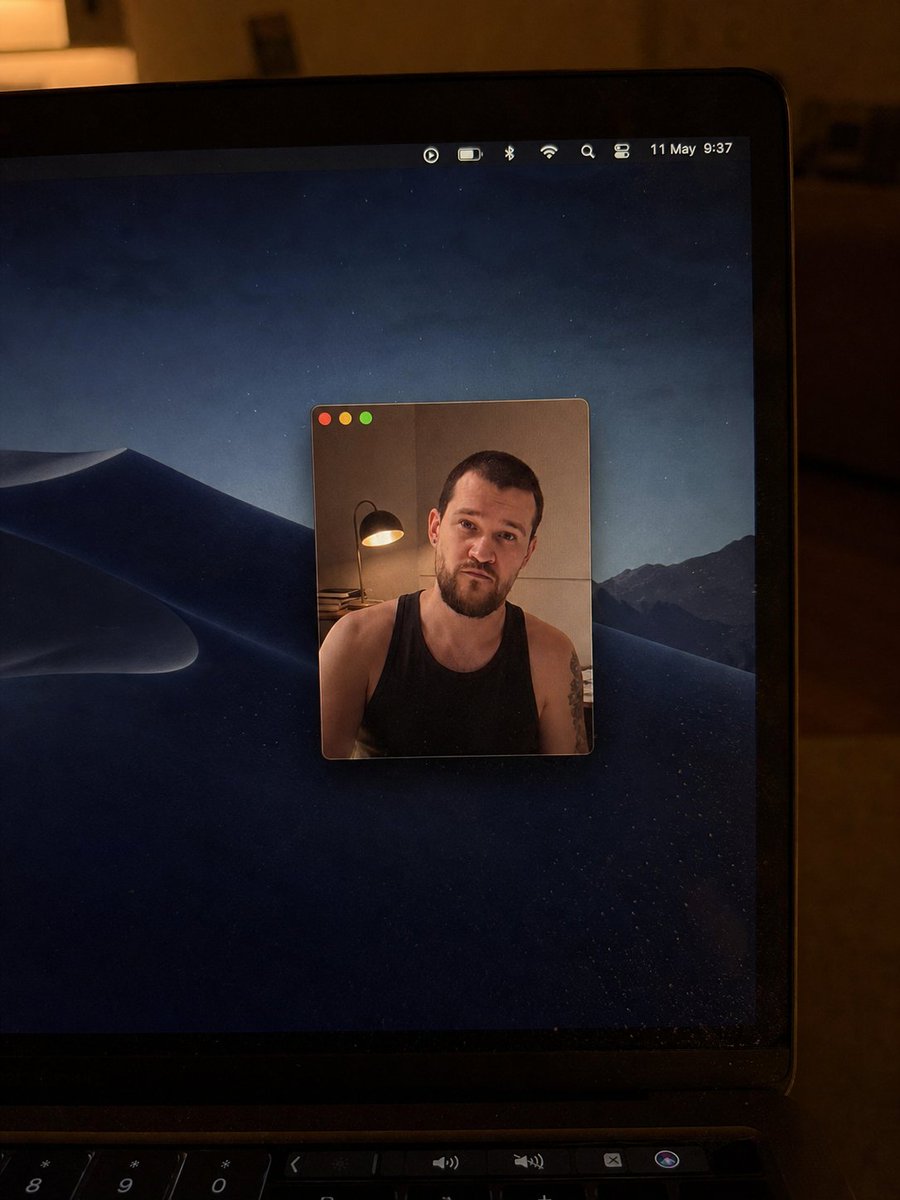
Realistic Mac Webcam Photo Edit
Transforms a reference laptop webcam photo into a cleaner low-light Mac desktop shot with a smaller centered webcam window and updated visual details.
This is a gpt-image-2 prompt case for Portrait & Character. Use the copy-ready prompt below to generate similar visuals, and review YouMind OpenLab awesome-gpt-image-2 attribution plus commercial-use rights before reuse.

Prompt
Copy-ready prompt
Create a realistic handheld smartphone photo of a device turned on in a dimly lit, warm indoor night.{argument name="device" default="MacBook laptop"} The camera zooms in from the upper right, revealing the black bezel, the right edge of the screen, and part of the keyboard/touch bar. The screen displays a dark macOS Dunes Nightscape wallpaper with mountains and a starlit blue-black sky in the background. A small, floating video call/photo window with rounded corners and a thin border is located in the center of the screen; the upper left corner of the window features three iconic macOS traffic light buttons: red, yellow, and green. An adult male sits inside the window, dressed in…{argument name="shirt color" default="black"} A vest revealed tattoos on his shoulders and arms; a warm lamp stood to his left behind him, against a beige wall; his face was covered by a {argument name="censor color" default="Medium brown skin"} The screen is obscured by square pixel mosaics. The menu bar in the upper right corner of the laptop screen contains seven small status icons: a circular play icon, a battery icon, a Bluetooth icon, a Wi-Fi icon, a magnifying glass search icon, a control center-style toggle icon, and date/time text.{argument name="date and time text" default="May 11, 9:37"} The photos should present an imperfect yet realistic texture, with slight screen reflections, dust particles, low-light noise, warm-toned ambient reflections on the borders, and shallow depth of field, avoiding an overly refined studio effect.Prompt variables
Editable argument placeholders found in the prompt, with their default values.
Variable
device
Default
MacBook laptop
Variable
shirt color
Default
black
Variable
censor color
Default
Medium brown skin
Variable
date and time text
Default
May 11, 9:37
Reuse and source notes
Use this prompt safely after previewing the case.
- 1.Copy the prompt or open it directly in Dovoo with the generation button.
- 2.Adjust variables, aspect ratio, and reference images for your own use case.
- 3.Before publishing or paid usage, verify source rights, attribution requirements, and brand or likeness risks.
Can I use this prompt commercially?
Commercial-use status is unknown. Review the original source, license, brand constraints, and legal requirements before paid usage.
Where does this case come from?
This case is imported from YouMind OpenLab awesome-gpt-image-2; keep attribution visible and check the source URL before reuse.