Local Web App Annotation Demo
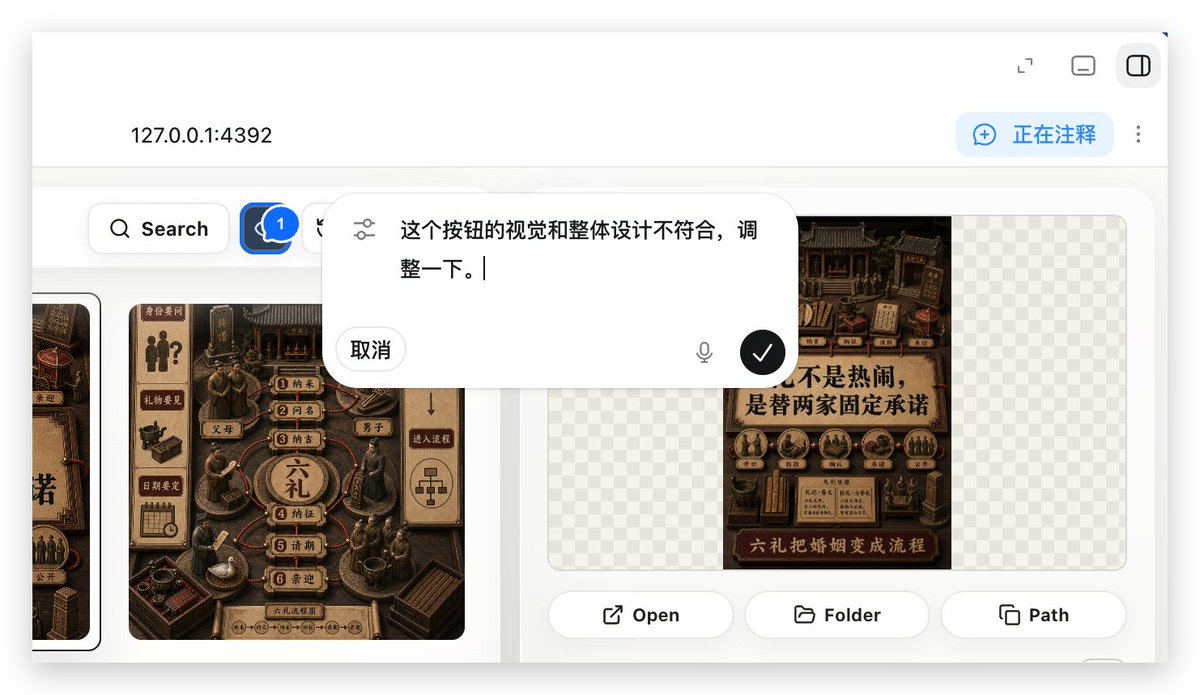
Generates a realistic localhost web app preview showing an annotation overlay used to request UI adjustments in a Build Web Apps workflow.
This is a gpt-image-2 prompt case for Other Inspiration. Use the copy-ready prompt below to generate similar visuals, and review YouMind OpenLab awesome-gpt-image-2 attribution plus commercial-use rights before reuse.
Prompt
Copy-ready prompt
Using REFERENCE_0 as the context, create a subsequent screenshot showcasing the selected "Build Web Apps" tool as a local web application preview. Replace the plugin list view with {argument name="local address" default="127.0.0.1:4392"} The browser-style localhost workspace features a clean white UI, soft shadows, and rounded corners. Key changes include: displaying an application build/annotation interface instead of the original plugin directory; adding a top bar with the local address on the left and three small windows/control icons on the right; and adding a blue status capsule in the upper right corner with the text "...".{argument name="annotation status" default="Annotating"} The content area features a gallery-style UI displaying Chinese poster/card designs within a rounded white panel. It includes a left-hand toolbar with a search button and a blue comment/annotation button marked with a "1". At least two visible poster/card thumbnails are displayed in a dark brown, traditional Chinese visual style, while retaining some transparent checkerboard placeholder areas in the right-hand panel. The overlay places a large, floating, rounded annotation input bubble centered at the top of the content area. It should resemble an embedded AI comment editor with a slider/settings icon on the left containing Chinese instruction text.{argument name="comment text" default="This button's visual appearance doesn't match the overall design; please adjust it."} The screenshot includes a "Cancel" button, a small microphone icon, and a black circular confirmation button with a white checkmark. At the bottom of the right-hand preview panel: three action buttons have been added, labeled "Open," "Folder," and "Path," each accompanied by a simple line icon. Maintain the realism of the screenshot, as if using Build Web Apps with built-in HTML annotations to request UI optimizations in a product demo.Prompt variables
Editable argument placeholders found in the prompt, with their default values.
Variable
local address
Default
127.0.0.1:4392
Variable
annotation status
Default
Annotating
Variable
comment text
Default
This button's visual appearance doesn't match the overall design; please adjust it.
Reuse and source notes
Use this prompt safely after previewing the case.
- 1.Copy the prompt or open it directly in Dovoo with the generation button.
- 2.Adjust variables, aspect ratio, and reference images for your own use case.
- 3.Before publishing or paid usage, verify source rights, attribution requirements, and brand or likeness risks.
Can I use this prompt commercially?
Commercial-use status is unknown. Review the original source, license, brand constraints, and legal requirements before paid usage.
Where does this case come from?
This case is imported from YouMind OpenLab awesome-gpt-image-2; keep attribution visible and check the source URL before reuse.