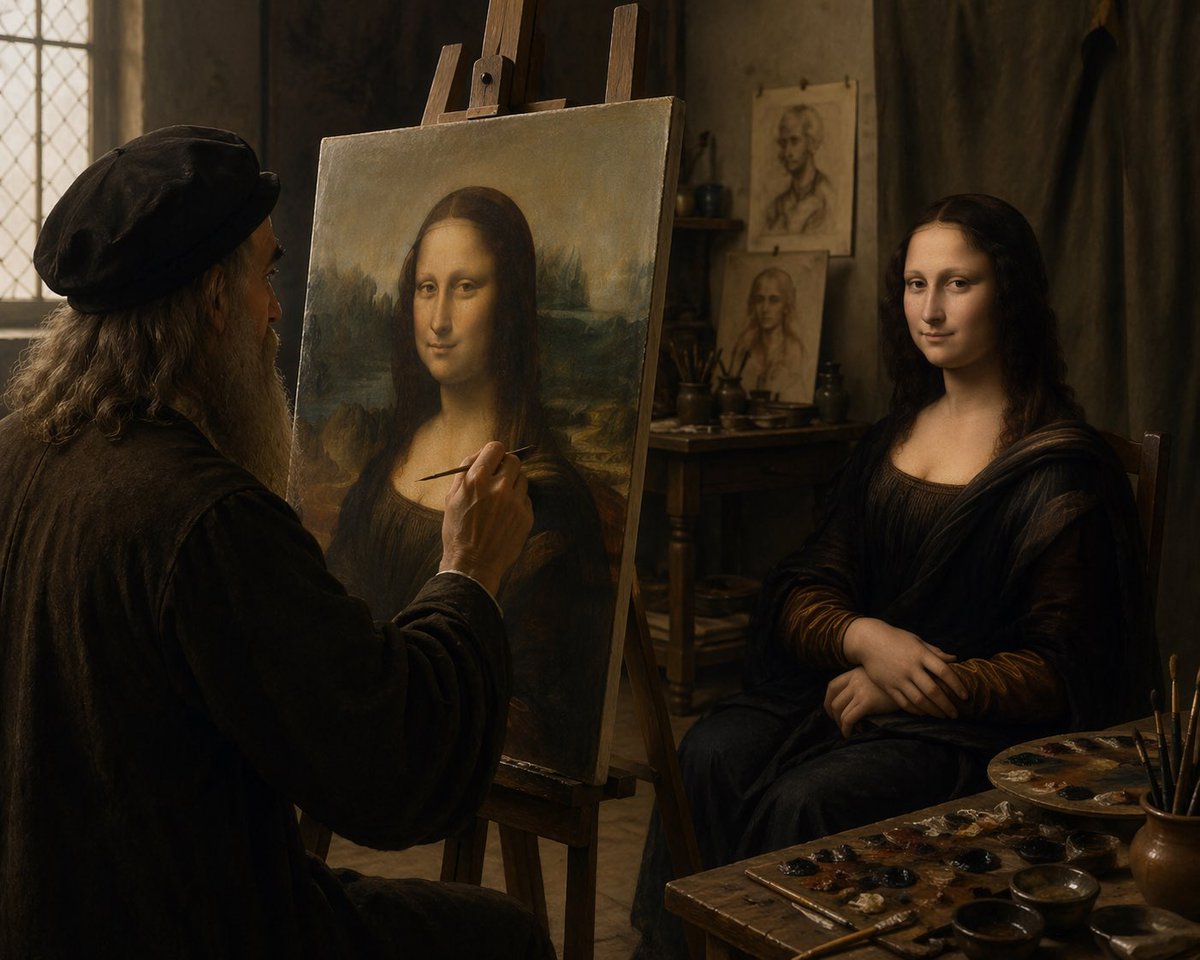
Leonardo Painting the Mona Lisa
This prompt generates a cinematic historical scene of Leonardo da Vinci painting the Mona Lisa from a live model, ideal for dramatic fine-art and Renaissance-themed visuals.
This is a gpt-image-2 prompt case for Illustration & Art. Use the copy-ready prompt below to generate similar visuals, and review YouMind OpenLab awesome-gpt-image-2 attribution plus commercial-use rights before reuse.
Prompt
Copy-ready prompt
Inside a Renaissance-era art studio with a cinematic feel, soft, warm light streams in. On the left, an elderly painter bearing a striking resemblance to Leonardo da Vinci sits before his easel, painting the Mona Lisa using a live model. The painter has long, gray hair and a thick gray beard, wears a dark vintage hat, and a heavy, dark robe. In the foreground, a wooden easel displays the composition of the Mona Lisa; on the right, a female model maintains her signature pose, hands clasped, wearing a dark Renaissance-style long dress and veil-like folds. The overall atmosphere is intimate, tranquil, and painterly, with rich browns and amber tones, employing dramatic chiaroscuro. The background is an old stucco wall, and on the left, a glass window with lead strips. Behind the model, a wooden table holds brushes and studies. In the background behind the model, two portrait sketches are pinned or leaned against. In the lower right foreground, a cluttered painter's workbench is displayed, featuring a palette, several small dots of paint, a few brushes stuck in a cup, and several shallow bowls. The scene is framed like a realistic historical photograph, capturing the moment of a masterpiece's creation. The medium-wide-angle lens, shot slightly over the painter's shoulder from behind, reveals extremely fine textures, presenting the artistic atmosphere of a classical master. The background is blurred and soft, devoid of any modern objects.
Reuse and source notes
Use this prompt safely after previewing the case.
- 1.Copy the prompt or open it directly in Dovoo with the generation button.
- 2.Adjust variables, aspect ratio, and reference images for your own use case.
- 3.Before publishing or paid usage, verify source rights, attribution requirements, and brand or likeness risks.
Can I use this prompt commercially?
Commercial-use status is unknown. Review the original source, license, brand constraints, and legal requirements before paid usage.
Where does this case come from?
This case is imported from YouMind OpenLab awesome-gpt-image-2; keep attribution visible and check the source URL before reuse.