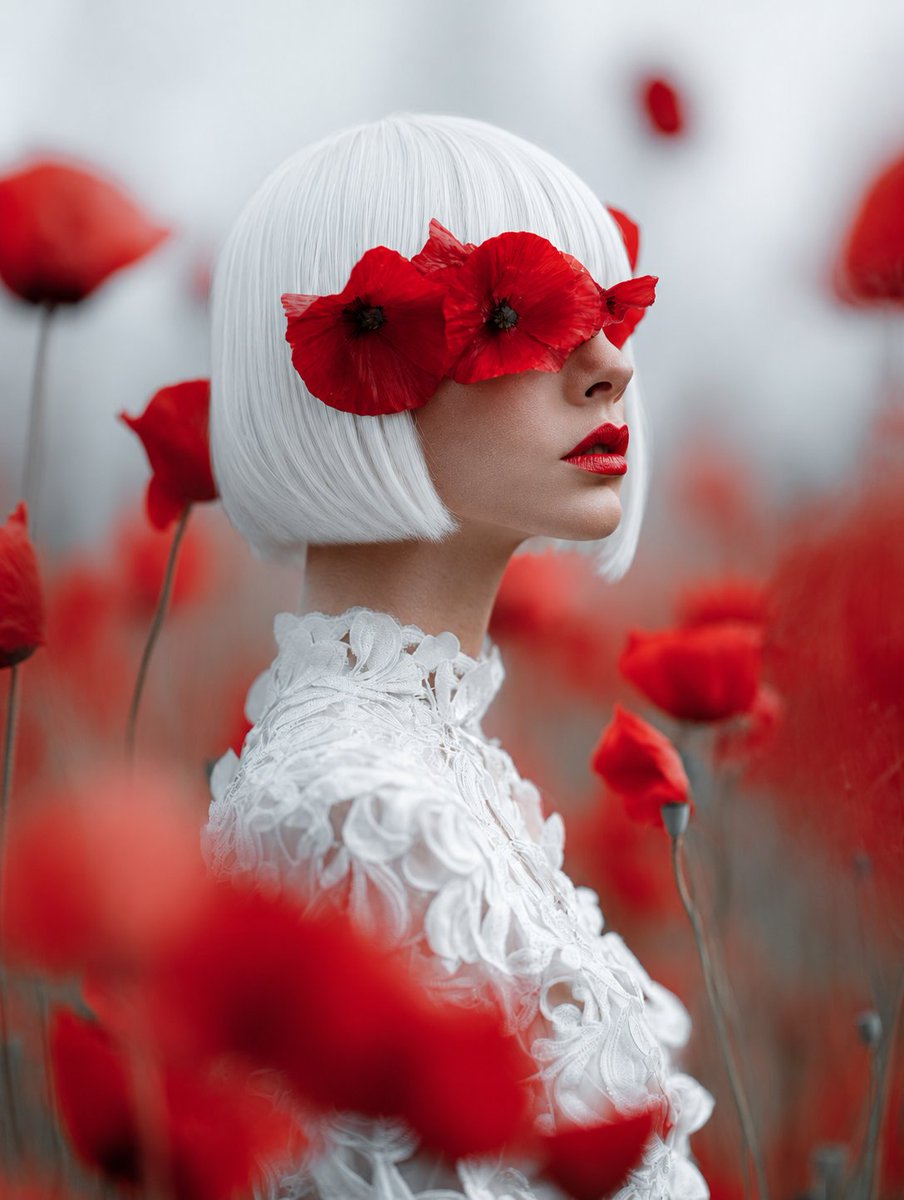
Lady of Red Poppies Portrait
Generates a surreal couture portrait of a white-haired woman among red poppies for fine-art fashion or editorial imagery.
This is a gpt-image-2 prompt case for 人像角色. Use the copy-ready prompt below to generate similar visuals, and review YouMind OpenLab awesome-gpt-image-2 attribution plus commercial-use rights before reuse.
Prompt
Copy-ready prompt
Create a dreamlike haute couture portrait, with the subject being {argument name="character name" default="Red Poppy Lady"} She stood in a misty field of vibrant red poppies. The composition used a two-thirds back-side view, with her face turned away from the camera and mostly obscured by an opaque, soft rose-brown square mask in the center of the frame. The subject sported a neat, chin-length white bob, the ends smooth and clearly defined, adorned with two red poppies—one larger on the left, the other partially visible on the right. She wore an exquisite dress {argument name="dress color" default="White"} A haute couture lace gown features a high neckline, three-dimensional floral appliqués, embroidered petals, and delicate sculptural textures. Surrounding it are numerous red poppies growing on slender, gray-green stems. Large, blurred flowers in the foreground outline the bottom and side edges, while more soft-focus poppies in the background disappear into a pale gray mist. Employing a shallow depth of field, a macro portrait-like feel, soft diffused overcast lighting, and an elegant surreal editing style, the red flowers contrast sharply with the white hair and clothing, creating a soft gray atmosphere. Cinematic blurring effects and vertical composition showcase the ultra-detailed textures of the fabric and hair, resulting in an overall serene and mysterious ambiance.Prompt variables
Editable argument placeholders found in the prompt, with their default values.
More cases in this category
Prioritized by category, input mode compatibility, quality, and lower risk.






Reuse and source notes
Use this prompt safely after previewing the case.
- 1.Copy the prompt or open it directly in Dovoo with the generation button.
- 2.Adjust variables, aspect ratio, and reference images for your own use case.
- 3.Before publishing or paid usage, verify source rights, attribution requirements, and brand or likeness risks.
Can I use this prompt commercially?
Commercial-use status is unknown. Review the original source, license, brand constraints, and legal requirements before paid usage.
Where does this case come from?
This case is imported from YouMind OpenLab awesome-gpt-image-2; keep attribution visible and check the source URL before reuse.