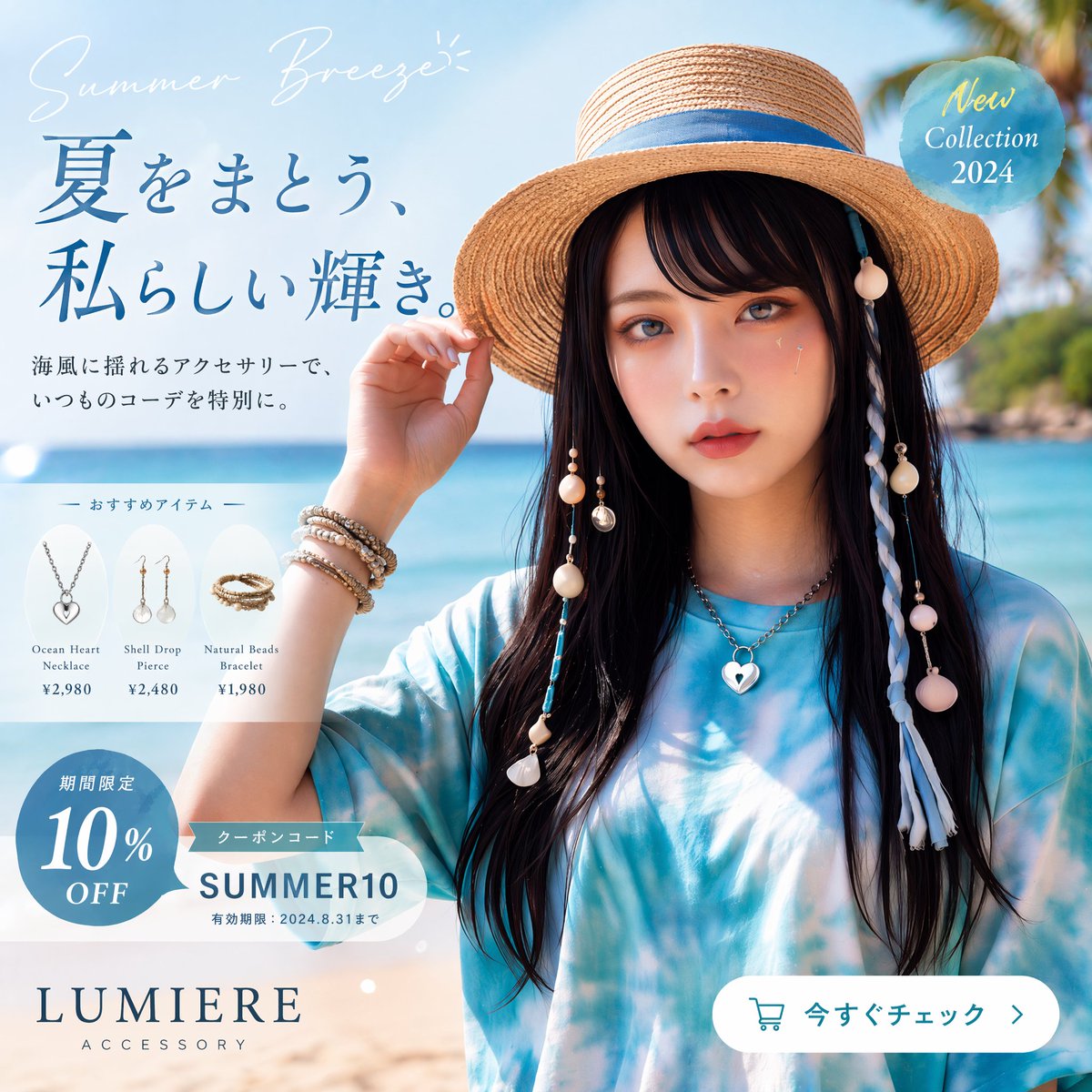
Japanese Summer Accessory Ad Poster
A premium beach-themed Japanese fashion advertisement poster for promoting a summer accessory collection, coupon campaign, and featured products.
This is a gpt-image-2 prompt case for Product & Commercial. Use the copy-ready prompt below to generate similar visuals, and review YouMind OpenLab awesome-gpt-image-2 attribution plus commercial-use rights before reuse.
Prompt
Copy-ready prompt
Create a sophisticated Japanese summer fashion advertising poster, using a 1:1 square layout to present a bright and transparent coastal lifestyle photography style with the quality of a high-end product catalog. The image shows a half-length portrait of a young woman against a tropical beach background with turquoise ocean, light sand, and a soft sky, with slightly blurred palm leaves in the upper right corner. She wears a wide-brimmed natural straw sun hat decorated with blue ribbons, has long, straight black hair, and wears a loose blue and white tie-dye top. Her face is partially obscured by a soft rectangular blur in the center. One hand gently touches the brim of the hat. Add beach-style hair accessories to the hat and sides of her hair: lanyards with shells, beads, tassels, and circular decorations, and a long white and blue braided braid on the right. She wears four eye-catching pieces of jewelry: a silver heart-shaped pendant necklace, stacked beaded and metal bracelets on her wrists, a shell drop earring on the left, and a shell drop earring on the right. Using soft, natural light and a clean, high-end product advertising style, the skin tone is warm and the color palette is a refreshing summer blue. The image is designed like a commercial poster, with Japanese text and product labeling integrated around the model. A handwritten English phrase is placed in the upper left corner.{argument name="tagline" default="Summer Breeze"} Use a slender, elegant white font. Add a large, dark blue Ming Dynasty-style title below:{argument name="headline text" default="Embrace summer with my own unique radiance."} Below this, add two lines of dark gray Japanese text: “海風に揺れるアクセサリーで、” and “いつものコーデを特別に.”. In the center left, create a semi-transparent white rounded-corner panel titled “— おすすめアイテム—”, with three product cards arranged horizontally. Card 1 shows a silver heart-shaped necklace, tagged “Ocean Heart Necklace”, priced at “¥2,980”. Card 2 shows shell drop earrings, tagged “Shell Drop Pierce”, priced at “¥2,480”. Card 3 shows a natural beaded bracelet, tagged “Natural Beads Bracelet”, priced at “¥1,980”. In the bottom left corner, add a blue circular discount badge containing the white Japanese words "Limited Time Offer" and the large text "10% OFF". Above this, overlay a white coupon capsule tag with a small blue ribbon icon, containing "Coupon Code" and a large code.{argument name="coupon code" default="SUMMER10"} The text includes the small print "Effective period: August 31, 2024". In the upper right corner, a semi-transparent light blue circular badge is placed with the elegant light-colored text "New Collection 2024". In the lower left corner, the brand logo is added.{argument name="brand name" default="LUMIERE"} The text uses large serif capital letters, with the widely spaced word "ACCESSORY" below. In the lower right corner, there is a white, rounded call-to-action button with a cyan-outlined shopping cart icon, and the text reads:{argument name="button text" default="Check it out now"} The text is followed by a right-pointing arrow. The layout is kept elegant and balanced, presenting a promotional design reminiscent of high-end Japanese fashion e-commerce.Prompt variables
Editable argument placeholders found in the prompt, with their default values.
Variable
tagline
Default
Summer Breeze
Variable
headline text
Default
Embrace summer with my own unique radiance.
Variable
coupon code
Default
SUMMER10
Variable
brand name
Default
LUMIERE
Variable
button text
Default
Check it out now
Reuse and source notes
Use this prompt safely after previewing the case.
- 1.Copy the prompt or open it directly in Dovoo with the generation button.
- 2.Adjust variables, aspect ratio, and reference images for your own use case.
- 3.Before publishing or paid usage, verify source rights, attribution requirements, and brand or likeness risks.
Can I use this prompt commercially?
Commercial-use status is unknown. Review the original source, license, brand constraints, and legal requirements before paid usage.
Where does this case come from?
This case is imported from YouMind OpenLab awesome-gpt-image-2; keep attribution visible and check the source URL before reuse.