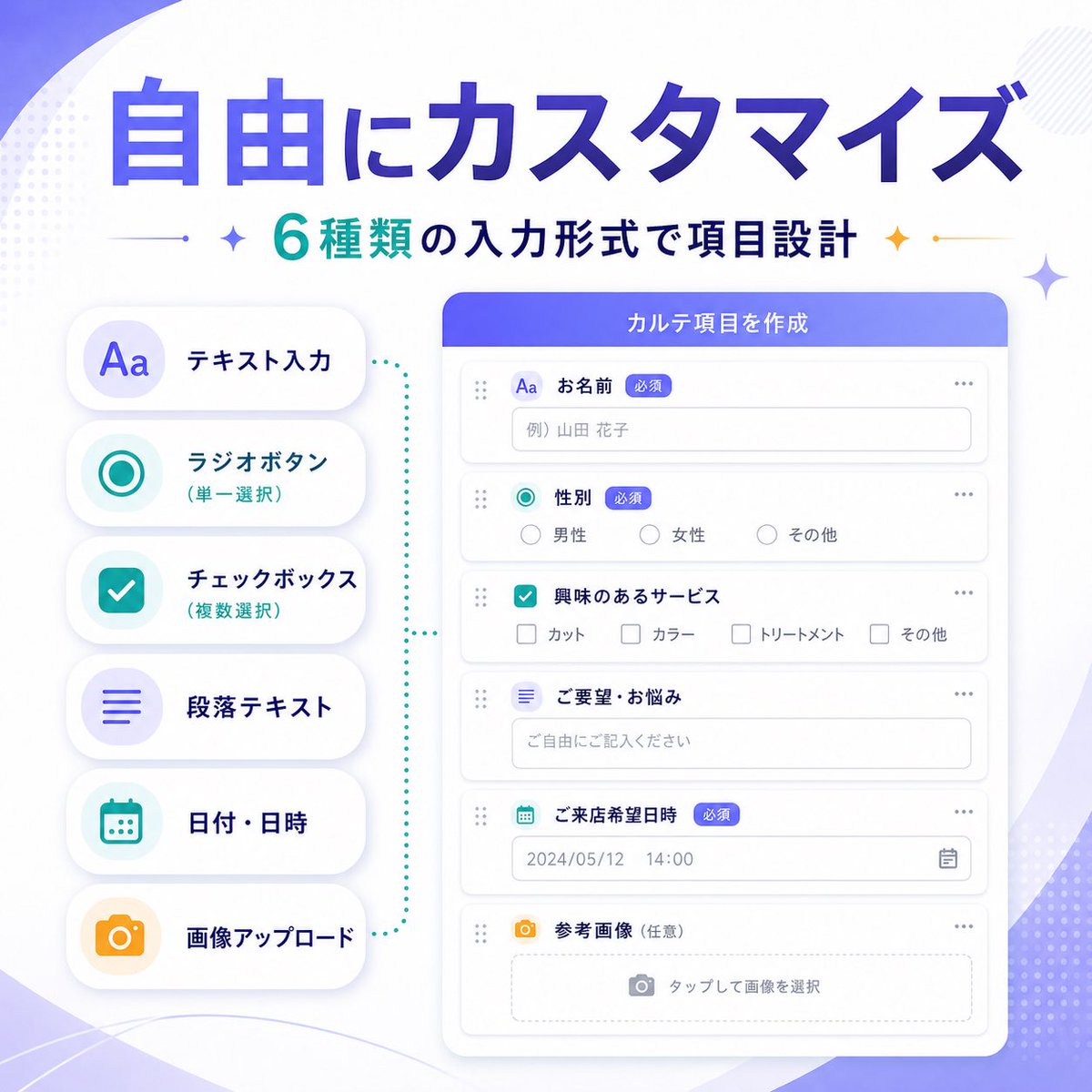
Japanese SaaS Form Builder Banner
A polished Japanese SaaS marketing infographic banner showcasing six customizable form input types for promoting a product feature update.
This is a gpt-image-2 prompt case for 产品商业. Use the copy-ready prompt below to generate similar visuals, and review YouMind OpenLab awesome-gpt-image-2 attribution plus commercial-use rights before reuse.

Prompt
Copy-ready prompt
{
  "type": "SaaS Feature Update Banner Info",
  "style": "The visuals for Japanese tech marketing are clean and modern, featuring soft gradient abstract backgrounds, advanced UI, minimalist flat illustrations, rounded cards, subtle shadows, and clear typography.",
  "language": "Chinese",
  "canvas": {
    "aspect_ratio": "1:1",
    "background": "A white background is accented with soft purple gradient ripples, delicate dotted halftone decorations, and subtle geometric shimmering effects in the corners."
  },
  "headline": {
    "main": "{argument name=\"headline text\" default=\"Free customization\"}",
    "sub": "{argument name=\"subheadline text\" default=\"Six input formats allow for flexible form item design.\"}",
    "main_style": "Extra-large, bold Japanese-style sans-serif font with a gradient fill from dark blue to violet.",
    "sub_style": "Medium-bold Japanese sans-serif font, cyan and dark navy blue text, with small decorative flashing icons and thin dividing lines on both sides."
  },
  "layout": {
    "composition": "Double-column product function banner",
    "sections": [
      {
        "title": "Input type list",
        "position": "left",
        "count": 6,
        "labels": [
          "Text input",
          "Radio button (single selection)",
          "Checkboxes (multiple selections)",
          "Paragraph text",
          "Date/Time",
          "Image upload"
        ],
        "container": "Six rounded white capsule cards are stacked vertically with soft shadows.",
        "icon_style": "Large, minimalist, colorful icon inside a light-colored circular badge",
        "colors": [
          "purple",
          "teal",
          "teal",
          "purple",
          "teal",
          "orange"
        ]
      },
      {
        "title": "Form Builder UI",
        "position": "right",
        "count": 6,
        "labels": [
          "Name",
          "gender",
          "Services of interest",
          "Needs/Problems",
          "Expected arrival date",
          "Reference image (optional)"
        ],
        "container": "Large, rounded white application window with a purple-blue title bar",
        "header_text": "{argument name=\"panel title\" default=\"Create form items\"}",
        "field_types": [
          "Single-line text input",
          "radio buttons",
          "checkbox group",
          "Multiline text area",
          "Date and Time Picker",
          "Image upload drag-and-drop area"
        ]
      }
    ],
    "connector": "The light blue dotted bracket-style guide lines visually connect the left-side function list with the right-side form builder panel."
  },
  "ui_details": {
    "badges_count": 3,
    "badges": [
      "Required",
      "Required",
      "Required"
    ],
    "sample_values": {
      "name_placeholder": "Example: Hanako Yamada",
      "radio_options": [
        "male",
        "female",
        "other"
      ],
      "checkbox_options": [
        "Haircut",
        "hair dye",
        "Nursing",
        "other"
      ],
      "textarea_placeholder": "Please fill in the blank freely.",
      "date_value": "2024/05/12",
      "time_value": "14:00",
      "upload_hint": "Click to select image"
    },
    "window_controls": "Minimalist polka dots and drag handles, clean form rows with thin light gray borders"
  },
  "color_palette": {
    "primary": "Violet Supreme Blue Gradient",
    "secondary": "blue",
    "accent": "orange color",
    "surface": "White",
    "text": "Navy blue and gray"
  },
  "quality": "High-resolution, sophisticated startup marketing graphics with balanced spacing; elegant SaaS promotional banners for announcing customizable form input types."
}
Prompt variables
Editable argument placeholders found in the prompt, with their default values.
More cases in this category
Prioritized by category, input mode compatibility, quality, and lower risk.






Reuse and source notes
Use this prompt safely after previewing the case.
- 1.Copy the prompt or open it directly in Dovoo with the generation button.
- 2.Adjust variables, aspect ratio, and reference images for your own use case.
- 3.Before publishing or paid usage, verify source rights, attribution requirements, and brand or likeness risks.
Can I use this prompt commercially?
Commercial-use status is unknown. Review the original source, license, brand constraints, and legal requirements before paid usage.
Where does this case come from?
This case is imported from YouMind OpenLab awesome-gpt-image-2; keep attribution visible and check the source URL before reuse.