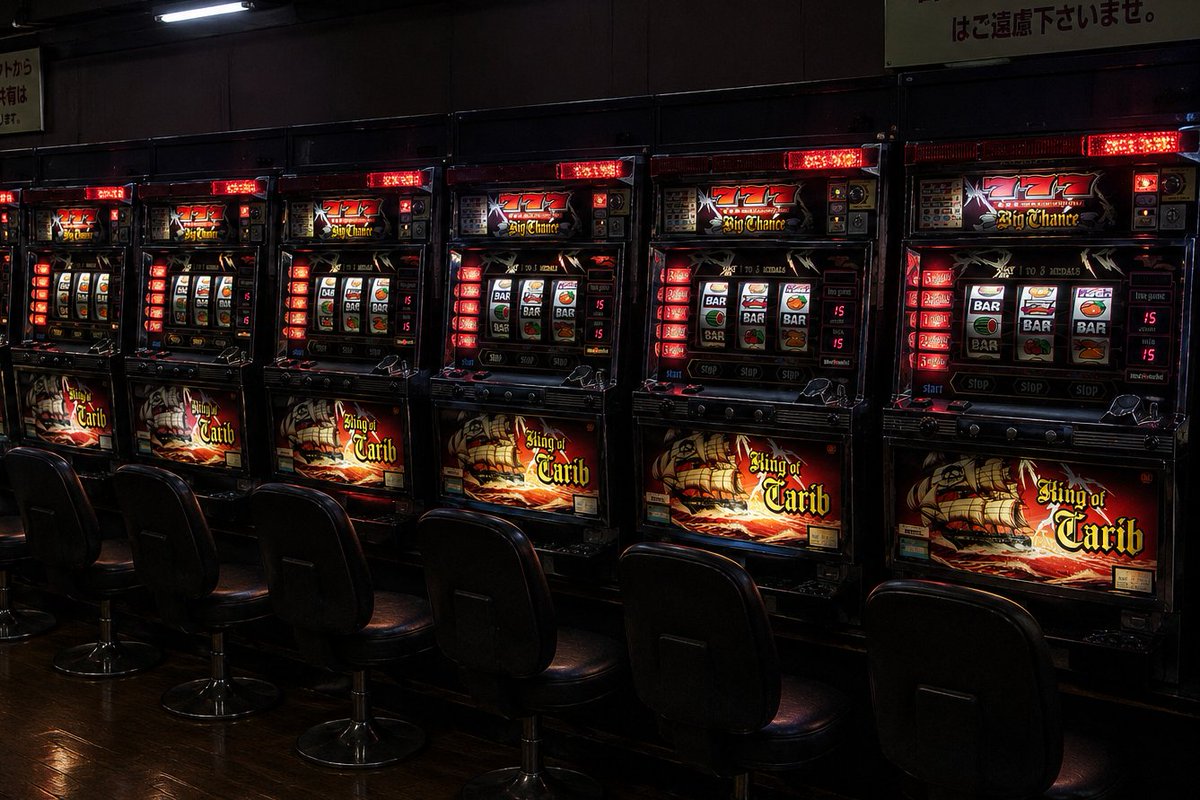
Empty Japanese Pachislot Parlor Row
Generates a moody photorealistic wide shot of an empty Japanese slot machine parlor aisle for atmosphere, gaming, or nightlife visuals.
This is a gpt-image-2 prompt case for Interior & Architecture. Use the copy-ready prompt below to generate similar visuals, and review YouMind OpenLab awesome-gpt-image-2 attribution plus commercial-use rights before reuse.
Prompt
Copy-ready prompt
Create a realistic wide-angle indoor photograph showcasing the dimly lit passageway of a pachinko parlor in Japan during Golden Week. The image must accurately depict {argument name="number of slot machines" default="7"} Pirate-themed pachinko machines are placed side by side against the wall, and in front of them {argument name="number of chairs" default="7"} Empty black vinyl swivel chairs. Each machine features a glossy black casing, an illuminated red LED panel, and an illuminated swivel window with symbols for a bar, cherry, bell, and orange; the lower display screen is printed with {argument name="machine title text" default="King of Carib"} The image features a flamboyant pirate ship design; the top display shows the words "777" and "Big Chance" in red. The scene should create a quiet, slightly mysterious atmosphere, with no one in the frame, filled with deep shadows, accompanied by red and amber casino lights, reflections on polished dark wooden floors, and a faintly visible Japanese warning sign hanging above the machines. A realistic, documentary-style snapshot is used, with a level perspective, high contrast, low-key ambient exposure, clear machine details, a slight perspective stretch in the aisle, and a 16:9 horizontal composition.Prompt variables
Editable argument placeholders found in the prompt, with their default values.
Variable
number of slot machines
Default
7
Variable
number of chairs
Default
7
Variable
machine title text
Default
King of Carib
Reuse and source notes
Use this prompt safely after previewing the case.
- 1.Copy the prompt or open it directly in Dovoo with the generation button.
- 2.Adjust variables, aspect ratio, and reference images for your own use case.
- 3.Before publishing or paid usage, verify source rights, attribution requirements, and brand or likeness risks.
Can I use this prompt commercially?
Commercial-use status is unknown. Review the original source, license, brand constraints, and legal requirements before paid usage.
Where does this case come from?
This case is imported from YouMind OpenLab awesome-gpt-image-2; keep attribution visible and check the source URL before reuse.