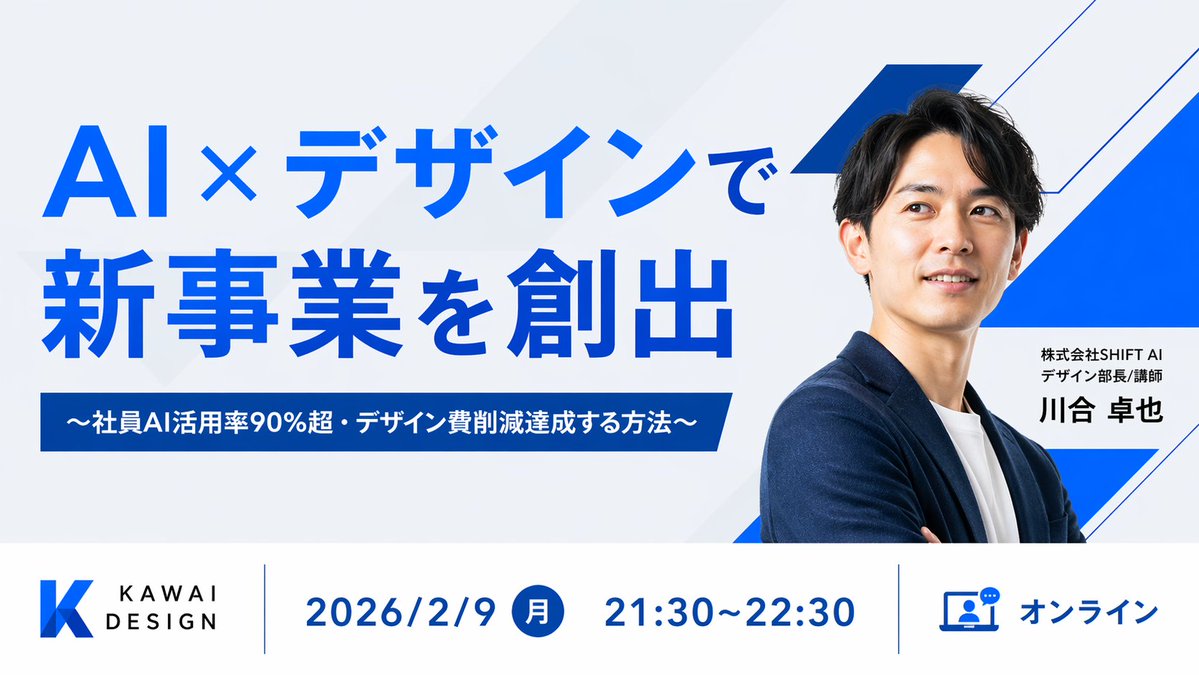
Japanese AI Design Webinar Thumbnail
A polished corporate webinar thumbnail with bold Japanese typography, a speaker portrait, and a structured event info bar for promoting online business events.
This is a gpt-image-2 prompt case for Graphic & Poster. Use the copy-ready prompt below to generate similar visuals, and review YouMind OpenLab awesome-gpt-image-2 attribution plus commercial-use rights before reuse.
Prompt
Copy-ready prompt
Create a clean, modern 16:9 widescreen Japanese webinar thumbnail with a corporate tech design style. Use a very light gray background, paired with subtle diagonal translucent panels and striking electric blue geometric accents, including three angular blue and white ribbon shapes on the right side behind the speaker. The composition is divided into two main horizontal sections: a large main visual area at the top and a horizontal information bar at the bottom. In the main visual area at the top left, place a striking, bold sans-serif Japanese title in bright blue, divided into two lines, containing the following text:{argument name="headline text" default="AI x Design: Creating New Businesses"} Below it, add a dark blue rectangular banner with bold white text in the center that reads:{argument name="subheadline text" default="~Employee AI usage rate exceeds 90%・Methods to reduce design costs~"} The right half displays a brightly lit half-length portrait of a person {argument name="speaker name" default="Takuya Kawai"} A man in his thirties, of East Asian descent, with short black hair, wearing a navy blue suit jacket over a white crew neck shirt, arms crossed, leans slightly to the left towards the title. His face is intentionally obscured by a centered, blurred square of skin color. Beside his torso is a white rectangular business card with two lines of smaller black Japanese text above a larger, bold black name.{argument name="speaker title" default="Design Manager/Lecturer at SHIFT AI Co., Ltd."} and{argument name="speaker name" default="Takuya Kawai"} At the bottom, create a white information bar with thin blue vertical dividers, containing four visual components from left to right: 1) a blue gradient angular K logo next to the black KAWAI DESIGN sans-serif brand name; 2) the date 2026/2/9 displayed in large blue font; 3) a blue-filled circle containing the Japanese day of the week "month" in white, followed by the time 21:30-22:30 displayed in large blue font; and 4) a blue-outlined laptop with a chat icon, followed by the blue text "Online." Maintaining bold, highly legible typography with a strong sense of hierarchy, ample white space, precise alignment, and a minimalist layout creates a sophisticated webinar promotional design suitable for business landing pages or social media thumbnails.Prompt variables
Editable argument placeholders found in the prompt, with their default values.
Variable
headline text
Default
AI x Design: Creating New Businesses
Variable
subheadline text
Default
~Employee AI usage rate exceeds 90%・Methods to reduce design costs~
Variable
speaker name
Default
Takuya Kawai
Variable
speaker title
Default
Design Manager/Lecturer at SHIFT AI Co., Ltd.
Reuse and source notes
Use this prompt safely after previewing the case.
- 1.Copy the prompt or open it directly in Dovoo with the generation button.
- 2.Adjust variables, aspect ratio, and reference images for your own use case.
- 3.Before publishing or paid usage, verify source rights, attribution requirements, and brand or likeness risks.
Can I use this prompt commercially?
Commercial-use status is unknown. Review the original source, license, brand constraints, and legal requirements before paid usage.
Where does this case come from?
This case is imported from YouMind OpenLab awesome-gpt-image-2; keep attribution visible and check the source URL before reuse.