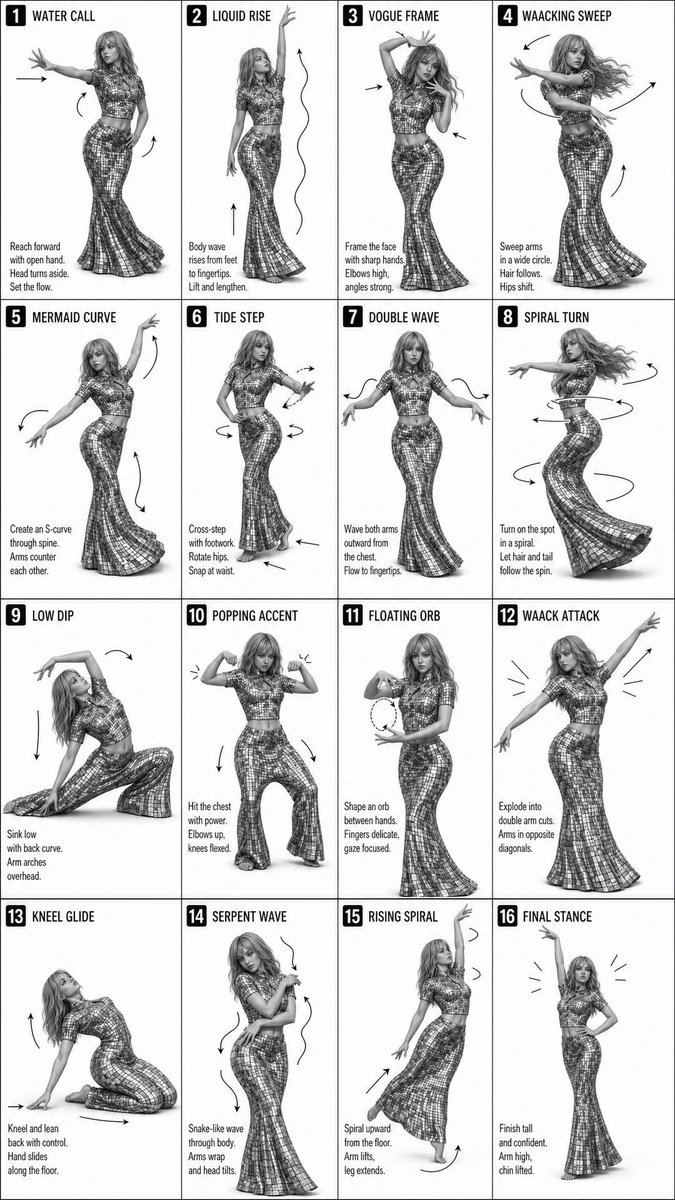
Instructional dance poster prompt
Generates a 16-step grid-based instructional poster for dance sequences in a minimalist monochrome style.
This is a gpt-image-2 prompt case for Graphic & Poster. Use the copy-ready prompt below to generate similar visuals, and review YouMind OpenLab awesome-gpt-image-2 attribution plus commercial-use rights before reuse.
Prompt
Copy-ready prompt
Create a simple black and white teaching poster showcasing a lesson by a {argument name="dancer" default="female dancers"} Performance{argument name="steps" default="16 steps"} Dance sequence. Layout: 4x4 grid (16 panels total). Each panel displays a full-body shot of the same dancer in different poses, centered and evenly spaced, with consistent composition across all panels. Dancer: Female, with flowing long hair, wearing a fitted, reflective/sequined cropped top and a long flared skirt; poses are elegant, confident, and expressive, inspired by {argument name="dance style" default="Vogue 和 Waacking"} Dance Style Panel Details: Each panel features a bold number (1–16) and a short title at the top (e.g., “WATER CALL,” “LIQUID RISE,” “VOGUE FRAME,” etc.). Short instructional text is added at the bottom of each panel. Subtle arrows and movement lines are added to indicate movement direction (arms, hips, body flow). Style: Black and white (monochrome). High contrast, sharp studio lighting, fashion magazine photography feel. Clean white or light gray background. Modern sans-serif font. Overall feel: Minimalist, sophisticated, magazine-quality typography. Smooth transitions between movements across 16 panels. Dynamic and concise, easy-to-follow instructional design.Prompt variables
Editable argument placeholders found in the prompt, with their default values.
Variable
dancer
Default
female dancers
Variable
steps
Default
16 steps
Variable
dance style
Default
Vogue 和 Waacking
Reuse and source notes
Use this prompt safely after previewing the case.
- 1.Copy the prompt or open it directly in Dovoo with the generation button.
- 2.Adjust variables, aspect ratio, and reference images for your own use case.
- 3.Before publishing or paid usage, verify source rights, attribution requirements, and brand or likeness risks.
Can I use this prompt commercially?
Commercial-use status is unknown. Review the original source, license, brand constraints, and legal requirements before paid usage.
Where does this case come from?
This case is imported from YouMind OpenLab awesome-gpt-image-2; keep attribution visible and check the source URL before reuse.