Surreal Ice Cave Flash Photography
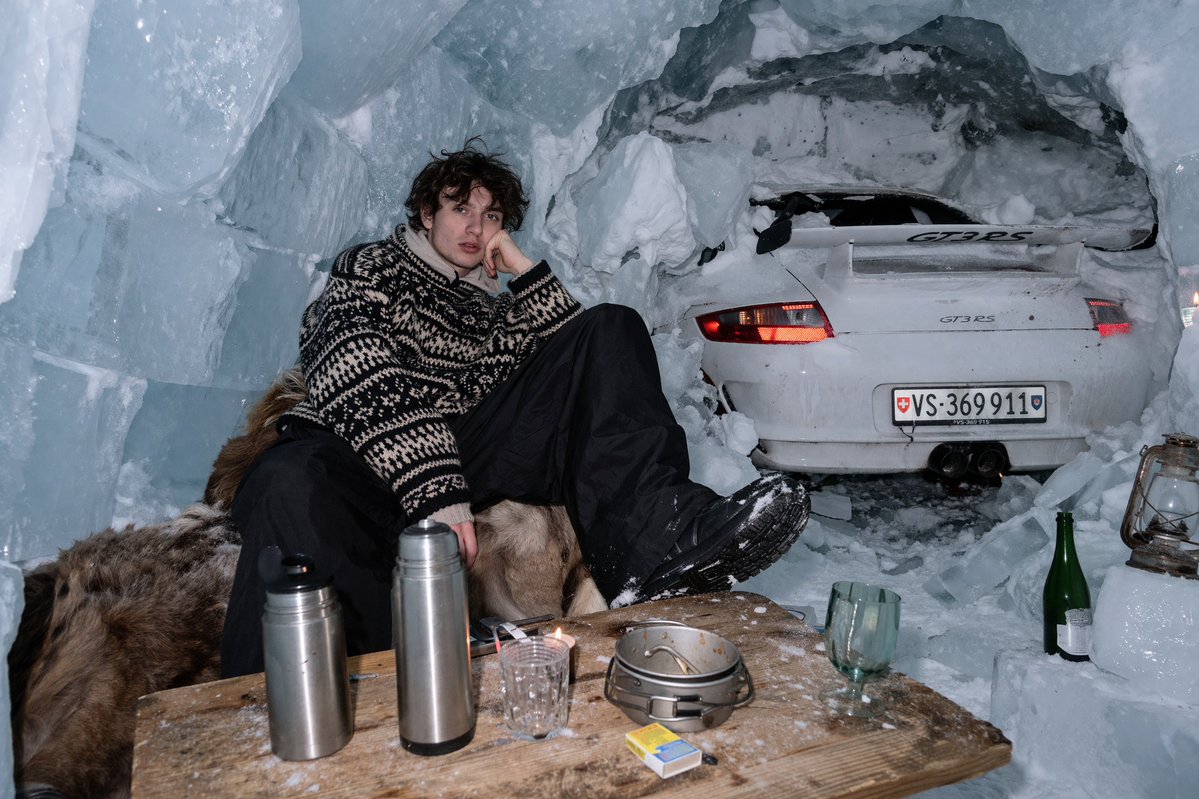
Generates a realistic flash-photography style image of a person relaxing in an ice cave with a sports car embedded in the wall.
This is a gpt-image-2 prompt case for Portrait & Character. Use the copy-ready prompt below to generate similar visuals, and review YouMind OpenLab awesome-gpt-image-2 attribution plus commercial-use rights before reuse.
Prompt
Copy-ready prompt
One use{argument name="lighting style" default="Strong direct flash photography"} The realistic images were taken, and the scene was located in a{argument name="environment" default="Ice caves formed by large blocks of ice and snow"} Inside, a young man with messy, dark curly hair sat relaxed on a brown fur coat, his chin resting on his hand. He was wearing a {argument name="clothing" default="Thick black and white patterned knit sweater"} He was wearing black snow pants and black winter boots. Directly behind him was a white {argument name="car model" default="Porsche 911 GT3 RS"} The rear half of the sports car was embedded in the snow-covered cave wall, its red taillights illuminated, and its license plate number displayed as {argument name="license plate" default="VS 369 911"} In the foreground, on a rough wooden table covered with a thin layer of snow, are neatly arranged two stainless steel thermos cups, a clear textured glass, a small metal cooking pot, and a yellow and blue matchbox. On the ice to the right sits a green glass bottle and a vintage metal lantern.Prompt variables
Editable argument placeholders found in the prompt, with their default values.
Variable
lighting style
Default
Strong direct flash photography
Variable
environment
Default
Ice caves formed by large blocks of ice and snow
Variable
clothing
Default
Thick black and white patterned knit sweater
Variable
car model
Default
Porsche 911 GT3 RS
Variable
license plate
Default
VS 369 911
Reuse and source notes
Use this prompt safely after previewing the case.
- 1.Copy the prompt or open it directly in Dovoo with the generation button.
- 2.Adjust variables, aspect ratio, and reference images for your own use case.
- 3.Before publishing or paid usage, verify source rights, attribution requirements, and brand or likeness risks.
Can I use this prompt commercially?
Commercial-use status is unknown. Review the original source, license, brand constraints, and legal requirements before paid usage.
Where does this case come from?
This case is imported from YouMind OpenLab awesome-gpt-image-2; keep attribution visible and check the source URL before reuse.